 Dubai:
 :
: 

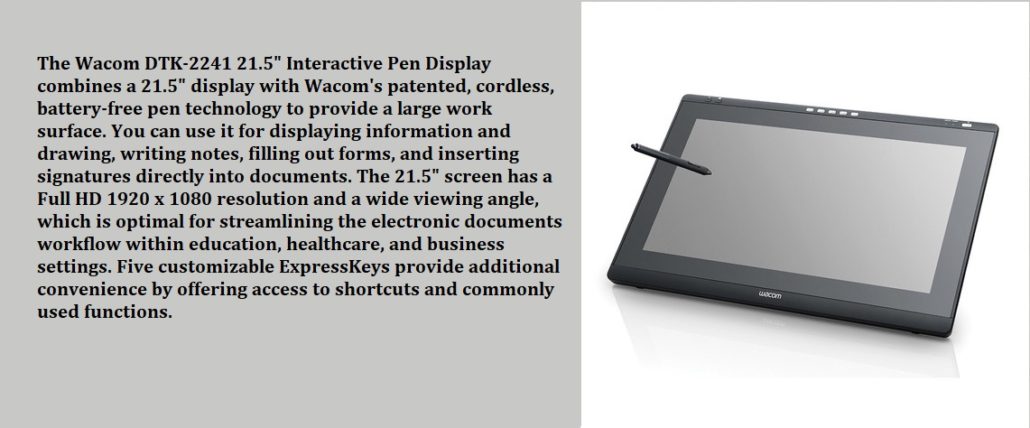
Wacoms DTK-2241 Interactive Pen Displays for eDOCUMENTS
Wacom’s DTK-2241 Interactive Pen Displays for eDocuments
Wacom’s newest DTK-2241 interactive pen display is a premium communication tool for education and healthcare. As a successor to the DTU-2231, the new device offers improved pen performance, a sharper HD LCD screen with a wider viewing angle and five programmable Express Keys for a fully intuitive workflow that benefits digital communication and presentations.
Dynamic and interactive presentations
Both high schools and universities and business institutions strive for greater involvement of the public. With Wacom’s DTK-2241, speakers can convert static material into active and engaging presentation content. By writing directly on the screen with the digital pen, new ideas, comments, sketches and diagrams can be added spontaneously during a presentation. This results in a lively interaction with more collaboration with the audience.
In addition, teachers can involve their students more in class because the DTK-2241 enables them to stay in constant visual contact with their audience. When the DTK-2241 is connected to a projector, it is possible to share ideas and information with audiences of all sizes. The DTK-2241 is therefore also suitable for lecture halls, classrooms and meeting rooms.
Effective communication with patients
Healthcare professionals often have to transfer complicated information to patients. Wacom’s DTK-2241 improves this process by enabling specialists, general practitioners, ophthalmologists and dentists to write directly, make notes and draw on electronic medical records and radiographs. This makes their explanation clearer, has more impact and makes it easier for the patient to understand. Moreover, it is an excellent solution for the eDocs workflow. Doctors provide advice remotely by viewing digital records, speeding up processes and improving the quality of care.
Useful functions for workflow efficiency
The impressive 21.5 “IPS LCD screen with high resolution and wide viewing angle offers a large screen on which the user can work. The non-reflecting screen is also scratch-resistant. The user’s valuable time is saved with the five programmable Express Keys. The Express Keys offer a easy access to shortcuts and commonly used functions Advanced EMR technology with 1,024 levels of pressure guarantees excellent writing and drawing performance with the highly durable digital pen, which also includes two switches for a faster workflow. To prevent loss, the pen can be attached to the device.
The built-in DVI-I pass-thru connector of the TK-2241 also supports analog VGA and allows mirroring of the pen display on a projector or other display. The DTK-2241 is HDCP compatible and has two USB ports for easy connection to external devices. The display can be used in multiple working positions and comes with an adjustable stand from 15 to 72 degrees. For even more convenience, the VESA mount can even be attached to a third-party standard. A security lock prevents theft of the device.
Wacom’s DTK-2241 can be easily integrated into existing systems and then forms an integral part of a paperless workflow. Due to its long service life and high reliability, it offers low total cost of ownership.
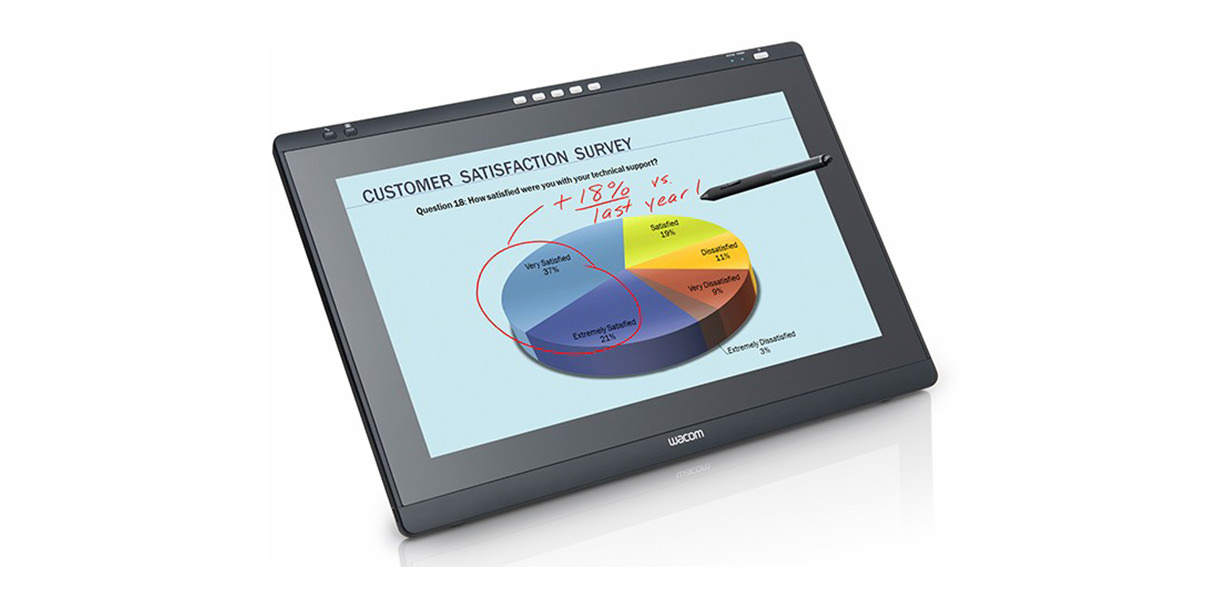
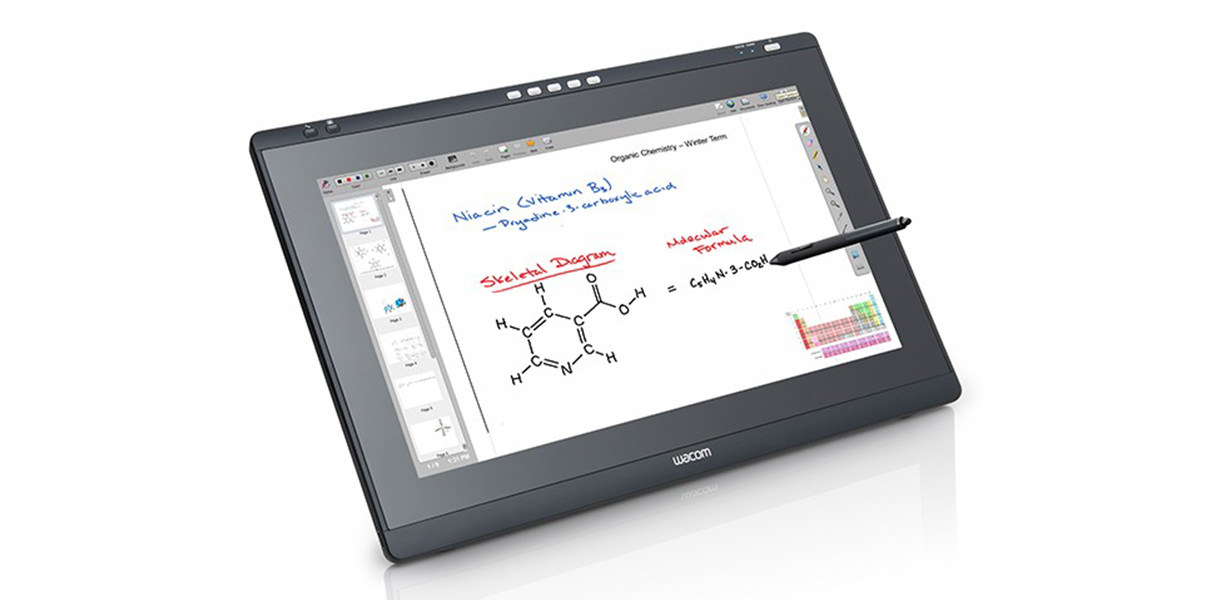
Wacom DTK-2241 Interactive Display for Signatures
DTK-2241 features and benefits
- 21.5″ IPS display with full HD (1920 x 1080) resolution and wide viewing angles
- Cordless and battery-free pen with 2 side-switches, 1024 levels of pressure sensitivity
- 5 user-assignable ExpressKeys to access common functions or tools
- Integrated USB hub with 2 USB ports to provide access to your favorite USB devices
- Internal scaler will take video input signals in different resolutions and display them in their native resolution and aspect ratio
- Built-in DVI-I pass-thru connector handles either digital or analog input and allows mirroring directly from the pen display to a projector or another display
- HDCP compliant
- Completely flat, textured, anti-glare surface
- Adjustable stand that allows for 15 to 72 degrees of incline
DTK-2241
- DTK-2241 display
- Adjustable stand
- Pen
- AC power adapter (universal)
- DVI-DVI and DVI-VGA video cables
- USB data cable
- CD with driver software and user manual
- Pen holder attachment
- Pen tether
- Quick Start Guide
What features make it a perfect signature pad?
Not Full Document view Signature displays offer HD display. Most of them come with standard displays that reduce your customer’s interest. Now, you should see things in a different way because every technology you use, it can impact over your buyers. Suppose, you run an eCommerce business, you would deliver products several times to your customers. Provide the signature pads to your salespersons so that they can capture signs of your clients on the high-tech pads. Customers will get impressed by your service and they would consider you as a reliable retailer.
eTop Solution is the leading Wacom signature supplier in the UAE. We have sold a number of signature displays in Dubai, Abu Dhabi and other cities of the UAE. All the business organizations of this region contact eTop Solution, whenever they need a useful and cutting-edge gadget for their sales demands. Wacom adds the state-of-art Encrypted Data techniques in its products. It produces very useful signature displays and pads that don’t require any external support to operate effectively. You can a pressure sensitive pen to view and edit the documents. This pen is mostly used for signing the documents that you store in the signature pads.
Should you buy it?
There are so many good reasons to buy Wacom Signature Displays. The first reason would be the quality of the product. It is a durable signature pad that offers warranty for replacement and repair, if it doesn’t operate properly. We offer you complete support for dealing with any kind of malfunction in the signature pad. eTop Solution assures you for long lasting service of Wacom’s signature displays. Our customers trust our words and buy these cutting-edge devices. They find it useful and very beneficial for their business and you should also get a few units for your business.
The DTK-2241 in Middle East Business Environments
While the DTK-2241 is described primarily as an education and healthcare tool, its 21.5-inch IPS full HD display makes it equally well-suited for any professional environment in the Middle East where large-format document interaction is part of the daily workflow. Legal teams reviewing and annotating contracts, financial advisors walking clients through investment documentation, and compliance officers working through regulatory filings all benefit from a screen large enough to display an A4 document at close to actual size — without the zooming, scrolling, and squinting that smaller signing displays require. The five programmable ExpressKeys make it easy to assign the most frequent workflow actions — page turn, accept, clear, submit — to a single press, keeping signing sessions moving without interrupting the customer interaction.
When You Need More Than a Compact Signing Pad
The DTK-2241 occupies a different position from the DTU-1031AX or DTU-1141B. Those devices are built for counter-top signing in transactional environments where the document is relatively brief. The DTK-2241 is for situations where the document is the focus of the conversation — where the professional and the client are working through content together, not just one person signing what the other has prepared. Its 21.5-inch workspace allows two people on opposite sides of a desk to both see the screen clearly, which changes the dynamic of document-based meetings in insurance, legal, and corporate settings across the region.
DTK-2241 Connectivity and Integration
The DTK-2241 connects via DVI-I and USB, with a built-in pass-through connector that allows mirroring to a projector or second display — useful for meeting rooms and training environments where the screen content needs to be visible to a larger audience simultaneously. The integrated USB hub with two ports allows additional devices to connect directly to the display rather than the computer, keeping cable management clean. It is compatible with Windows and Mac, and integrates with Wacom’s Sign Pro PDF and Ink SDK for document signing workflows, as well as with standard presentation and annotation software.
What is the difference between the DTK-2241 and the DTU-1141B?
The DTK-2241 has a 21.5-inch screen versus the DTU-1141B’s 10.1 inches. The DTK-2241 is designed for professional desk environments where full-document viewing, annotation, and presentation are part of the workflow. The DTU-1141B is the compact counter signing display optimized for transactional environments like bank branches and service centers.
Does the DTK-2241 require an external power supply?
Yes. Unlike the compact DTU series which run on USB bus power, the DTK-2241 requires an AC power adapter — it draws up to 29W, which is beyond what USB bus power can provide.
Is the DTK-2241 suitable for signing legally binding documents in the Middle East?
Yes, when used with compliant signing software. The biometric data captured through the EMR pen — pressure, speed, and stroke sequence — along with document hashing in Sign Pro PDF, makes signatures captured on the DTK-2241 legally valid under electronic transaction regulations across the region.
Can the DTK-2241 be used as a regular monitor when not signing?
Yes. It functions as a standard external display at all times — pen input is always available but does not prevent normal display use. This makes it a practical dual-purpose tool that earns its desk space beyond signing sessions alone.