Wacom STU-430-CH2 Signature Set with sign pro PDF
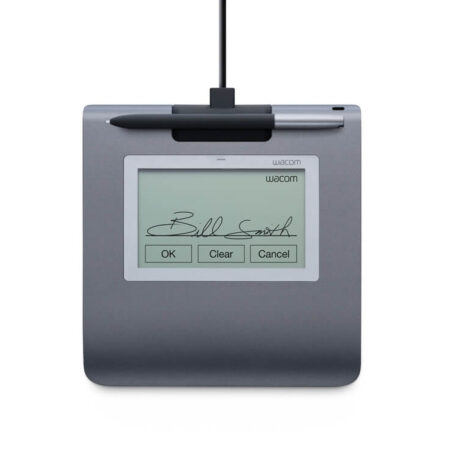
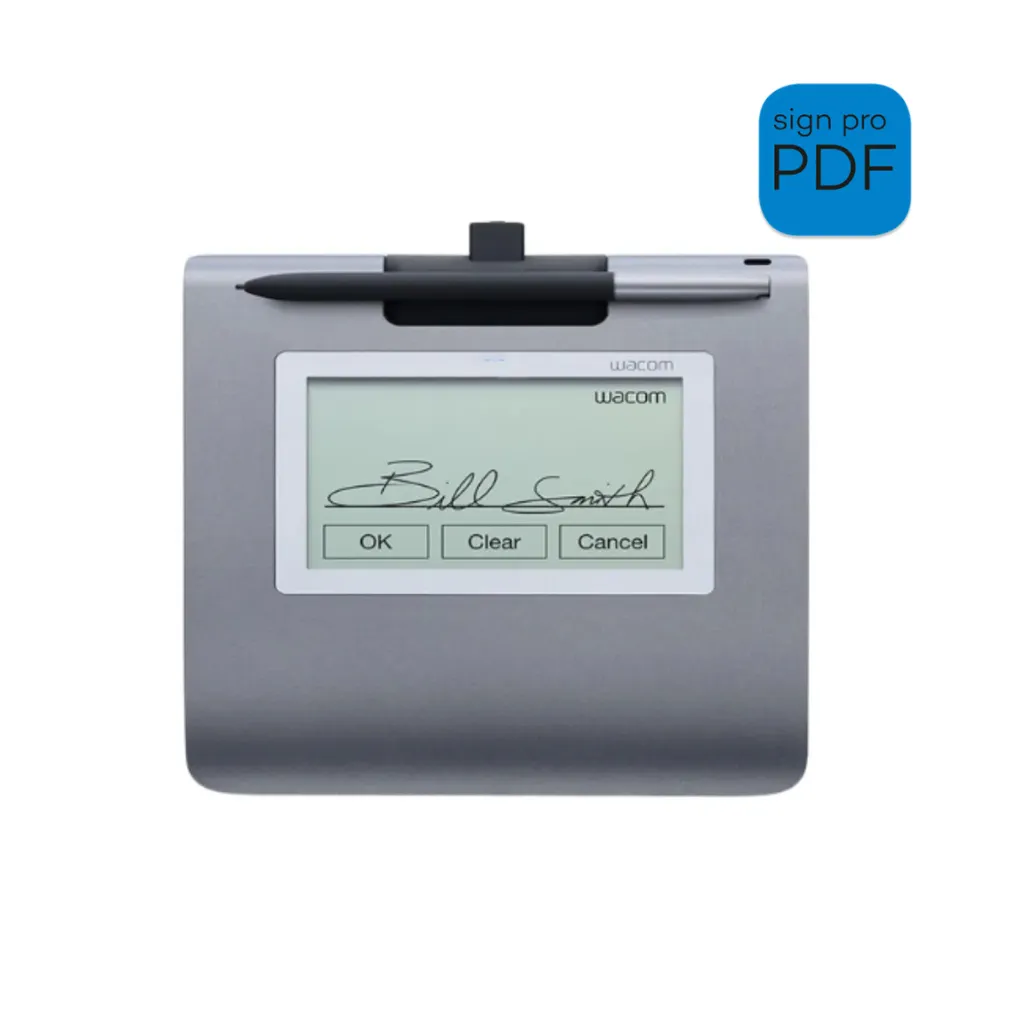
The Wacom STU-430-CH2 is a complete signing bundle: the 4.5″ monochrome STU-430 signature pad paired with a full sign pro PDF software licence. It is the fastest route from paper to digital signing, because everything needed to sign a PDF by hand arrives in one box with no development work required.
- Bundle: STU-430 signature pad plus sign pro PDF licence
- Display Type: 4.5-inch monochrome transflective LCD
- Reading Technology: Electromagnetic Resonance (EMR)
- Pen Pressure Levels: 1024
- Pen: Cordless and battery-free
- Communication interface: USB
- Software: sign pro PDF full licence (Windows)
- 1 Year Warranty
Streamline your workflow and transition to a seamless, paperless environment with the Wacom STU-430-CH2 Signature Set. It suits retail, logistics and frontline services processing hundreds of signed documents a week, where a pad has to survive a busy counter shift, start without fuss and capture a clean signature every time.
Most signing scenarios do not need a colour screen — they need durability and speed. The transflective 4.5-inch monochrome LCD is engineered to stay legible under fluorescent counter lighting, and the set is the most accessible price point in the Wacom range.
Because the bundle includes the software licence, there is nothing further to specify or integrate before signing your first document. The application software of the Signature Set is sign pro PDF. The software allows electronic registration of handwritten signatures and their integration into PDF documents. The software not only records the signature image that is displayed on the tablet or screen, but also the non-visible biometric data such as pressure, travel and speed. Subsequently, the document and the signature can not be modified and are protected securely. Then, the document can be saved, printed or sent.
What’s included with Wacom STU-430-CH2
The Wacom STU-430-CH2 package includes everything needed to connect the device to a compatible computer and start setting up your digital signature workflow.
- Wacom STU-430 Monochrome Signature Pad (black)
- Wacom battery-free cordless pen
- USB cable
- Wacom sign pro PDF full software licence (Windows)
- Quick Start Guide
Built for High-Volume Signing
- The STU-430-CH2 is designed for organisations that need to deploy signing quickly across many counters without an IT project behind each one. Unbox, connect over USB, install sign pro PDF and start signing.
- With 1024 levels of pen pressure sensitivity, the pad captures detailed signature information for biometric verification despite its entry-level position in the range.
Built for Secure Electronic Signatures
- sign pro PDF records the signature image shown on the pad together with the non-visible biometric data — pressure, travel and speed — then binds it to the PDF so neither can be altered afterwards.
- If your counters need colour, on-screen branding or displayed terms, the STU-540-CH2 set is the equivalent bundle built around the colour STU-540.
Frequently Asked Questions
What is included in the Wacom STU-430-CH2 signature set?
The STU-430 monochrome signature pad, a Wacom battery-free cordless pen, a USB cable, a full sign pro PDF software licence for Windows, and a quick start guide. Everything needed to sign PDFs by hand arrives in one box.
Do we need any development work to use this set?
No. That is the point of the CH2 sets. Unbox it, connect over USB, install sign pro PDF and start signing documents. Development only enters the picture if you later want signing embedded inside your own CRM or ERP.
How is the set different from buying the pad on its own?
The set includes the sign pro PDF licence. Buying the pad alone leaves you to supply the signing software or build it, which means either another purchase or a development project before you can sign your first document.
What kind of business is this set aimed at?
Retail, logistics and frontline services processing hundreds of signed documents a week, where the pad has to survive a busy counter shift and start without fuss. It is the most accessible price point in the Wacom range.
Does it need a colour screen?
Most signing scenarios do not. The STU-430 is monochrome by design — transflective and engineered to stay legible under fluorescent counter lighting. If you need branding or on-screen terms, the STU-540-CH2 set is the colour equivalent.
Is the signature legally binding in the UAE?
Yes. Electronic signatures are recognised under the UAE Electronic Transactions and Trust Services Law (Federal Decree-Law No. 46 of 2021). The pad supports compliance by capturing the biometric characteristics of the signature — the evidence used to verify a signer if a signature is ever challenged.
What does sign pro PDF actually capture?
It records the signature image shown on the pad together with the non-visible biometric data — pressure, travel and speed — then binds both to the PDF so neither the document nor the signature can be altered afterwards.
How much does the STU-430-CH2 set cost in the UAE?
Pricing depends on quantity, whether you need a sign pro PDF licence bundled, and any integration work. Request a quote and we will price hardware, software and development as one figure, with UAE delivery and local support included.
Need this configured for your workflow?
Tell us what you sign, how often, and which system it lives in. We will specify the hardware, software and integration — with UAE pricing.