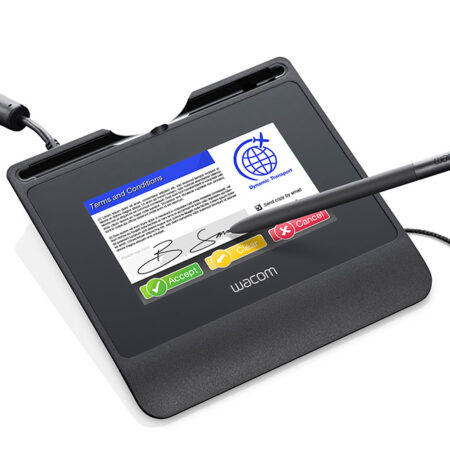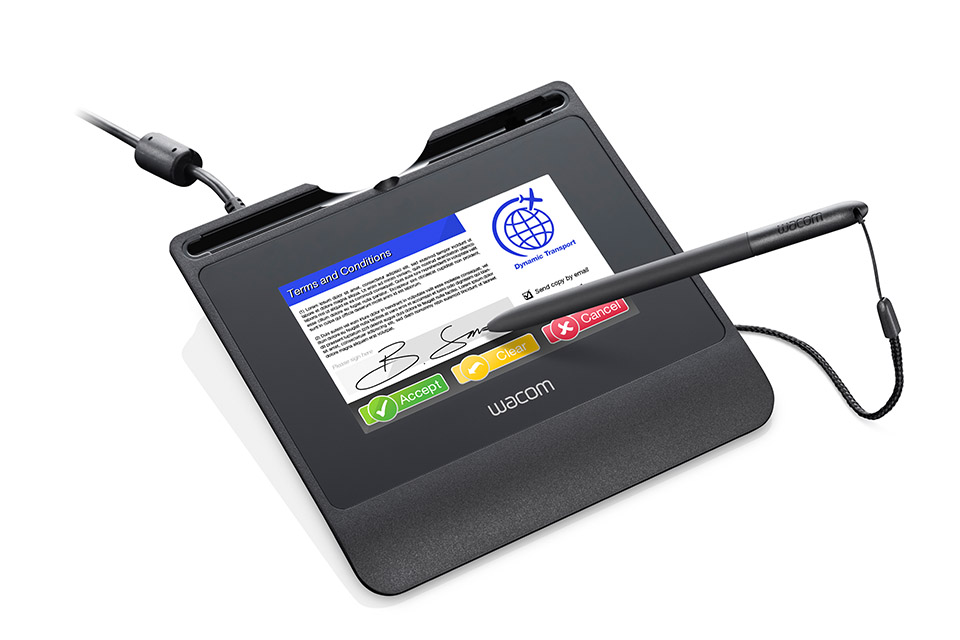
Wacom STU-540 Color LCD Signature Pad
The Wacom STU-540 is Wacom’s most advanced and robust colour signature pad. A 5-inch high-resolution colour screen, AES/RSA encryption and native Citrix support make it the model specified for customer-facing signing in banking, government and healthcare.
- Screen Size: 5 in
- Display Type: Colour LCD
- Native Resolution: 800 x 480 pixels
- Active Area: 5 in (108 x 65 mm)
- Pressure Levels: 1024
- Interface: USB
- Cover Glass: Hardened cover glass
- Encryption: State-of-the-art AES/RSA encryption
- Citrix: Native support for Citrix v7.6.3 and newer in standard USB mode; VCP mode for Citrix 6.5 available
- Best For: Customer-facing signing with branding and on-screen terms
Streamline your workflow and transition to a seamless, paperless environment with the Wacom STU-540 Signature Pad. Built for high-volume daily use, this compact and durable colour signature pad is designed for capturing handwritten electronic signatures across banking, insurance, retail, healthcare, hospitality and government service counters.
With its low-profile design and hardened cover glass, the STU-540 makes signing digital documents as natural and comfortable as traditional pen and paper, while the colour display lets you show branding, prompts or the terms being agreed to directly in front of the signer.
The Wacom STU-540 is the ideal solution for organisations moving to a digital signature workflow where the customer experience matters. The application software of the Signature Set is sign pro PDF. The software allows electronic registration of handwritten signatures and their integration into PDF documents. The software not only records the signature image that is displayed on the tablet or screen, but also the non-visible biometric data such as pressure, travel and speed. Subsequently, the document and the signature can not be modified and are protected securely. Then, the document can be saved, printed or sent.
What’s included with Wacom STU-540
The Wacom STU-540 package includes everything needed to connect the signature pad to a compatible computer and start setting up your digital signature workflow.
- Wacom STU-540 Colour Signature Pad
- Cordless and battery-free digital pen
- USB cable
- Quick Start Guide
- Pen tether
Secure Digital Signature Capture for Business
- The Wacom STU-540 is designed for organisations that need a reliable way to capture handwritten electronic signatures at desks, service counters and other customer-facing environments. Its 5-inch colour LCD at 800 x 480 provides a generous signing area that supports longer signatures, on-screen soft buttons and displayed document terms.
- With 1024 levels of pen pressure sensitivity, the STU-540 captures detailed signature information for biometric verification. The battery-free cordless pen uses Wacom EMR technology, helping reduce maintenance and eliminate the need for batteries.
Built for Secure Electronic Signatures
- Security is a key part of the Wacom STU-540 design. The signature pad supports encryption for secure transactions and carries a unique hardware ID that helps identify the specific device used during signing.
- The STU-540 also supports virtualised desktop environments with native Citrix v7.6.3 and later compatibility, making it suitable for banks and enterprises running thin-client or published-desktop infrastructure.
Frequently Asked Questions
What is the Wacom STU-540 used for?
It captures handwritten electronic signatures at a counter or desk. The signer signs on the 5-inch colour screen with a battery-free pen, and the pad records the biometric detail of the signing action — pressure, speed and rhythm — so the signature can be verified later rather than existing only as an image.
Does the STU-540 work with Citrix or a VDI environment?
Yes. The STU-540 supports a Virtual COM Port (VCP) mode for compatibility with Citrix XenDesktop and XenApp, alongside standard USB HID. On Citrix you map the client COM port to an available COM port on the image. This is the main reason enterprises choose the STU-540 over the STU-430 — one device specification covers both physical desktops and published desktops.
Do we have to use sign pro PDF, or can we integrate the pad with our own application?
Either. sign pro PDF is the ready-made route with no development, and it is what ships in the STU-540-CH2 set. If you want signing inside your own core banking, ERP or claims system, you integrate directly using the Wacom Ink SDK for signature or the sign pro PDF API instead.
Which SDK do developers use to integrate the STU-540?
The Wacom Ink SDK for signature, previously published as the STU SDK or signature SDK. It returns the signature with its biometric data to your application rather than a flat image. Wacom publishes documentation and sample code on GitHub, so your team can evaluate the integration before committing.
Are signatures captured on the STU-540 legally valid in the UAE?
Yes. Electronic signatures are recognised under the UAE Electronic Transactions and Trust Services Law (Federal Decree-Law No. 46 of 2021). The STU-540 supports compliance by capturing the biometric characteristics of the signature, which is the evidence used to verify the signer if a signature is ever challenged.
STU-540 or STU-430 — which should we buy?
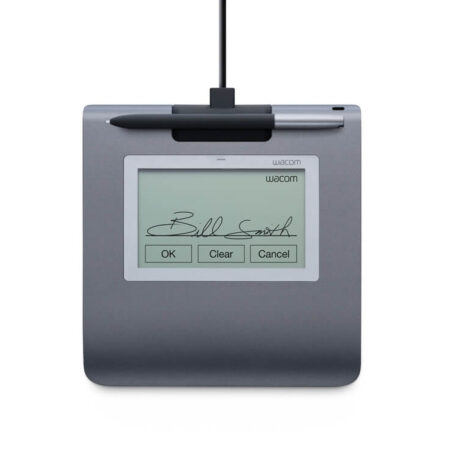
Choose the STU-540 if the signer should see anything on screen: your branding, a prompt, or the terms being agreed. Choose the STU-430 for straightforward high-volume signing where a 4.5-inch monochrome screen is enough and cost per counter matters most. Both offer 1024 pressure levels; the STU-540 adds colour, a larger active area and VDI support.
What is the difference between the STU-540 and the STU-541?
The display and pen performance are identical. They differ in security and connectivity: the STU-541 uses TLS encryption between the pad and the PC, while the STU-540 supports Virtual COM Port mode for Citrix and VDI deployments. Pick the STU-541 when security policy leads, the STU-540 when virtualised infrastructure leads.
Does the STU-540 work on macOS or Linux?
Wacom documents the signature toolchain for Windows, and sign pro PDF is a Windows application. macOS and Linux are not part of the supported configuration we would quote for a production deployment. If your environment is not Windows, tell us what it is and we will confirm what is genuinely supported before you buy.
Can we display our own branding or terms and conditions on the pad?
Yes — that is the practical advantage of the colour screen. The STU-540 can show images and text alongside the signing area, so customers see your logo, a prompt, or the clause they are agreeing to at the moment they sign. This is what the monochrome STU-430 cannot do.
Is the STU-540 worth it for a small business with one or two counters?
Often yes, but not always. If you sign a handful of documents a day, the STU-430-CH2 set is the more sensible spend. The STU-540 earns its premium when the signing moment is customer-facing and branded, or when you expect to grow into a virtualised IT setup. We will say which one fits rather than quoting the dearer option by default.
How much does the Wacom STU-540 cost in the UAE?
Pricing depends on quantity, whether you need the sign pro PDF licence bundled, and the integration work involved. Request a quote and we will price the hardware, software and any development as one figure, with UAE delivery and local support included.
Need this configured for your workflow?
Tell us what you sign, how often, and which system it lives in. We will specify the hardware, software and integration — with UAE pricing.