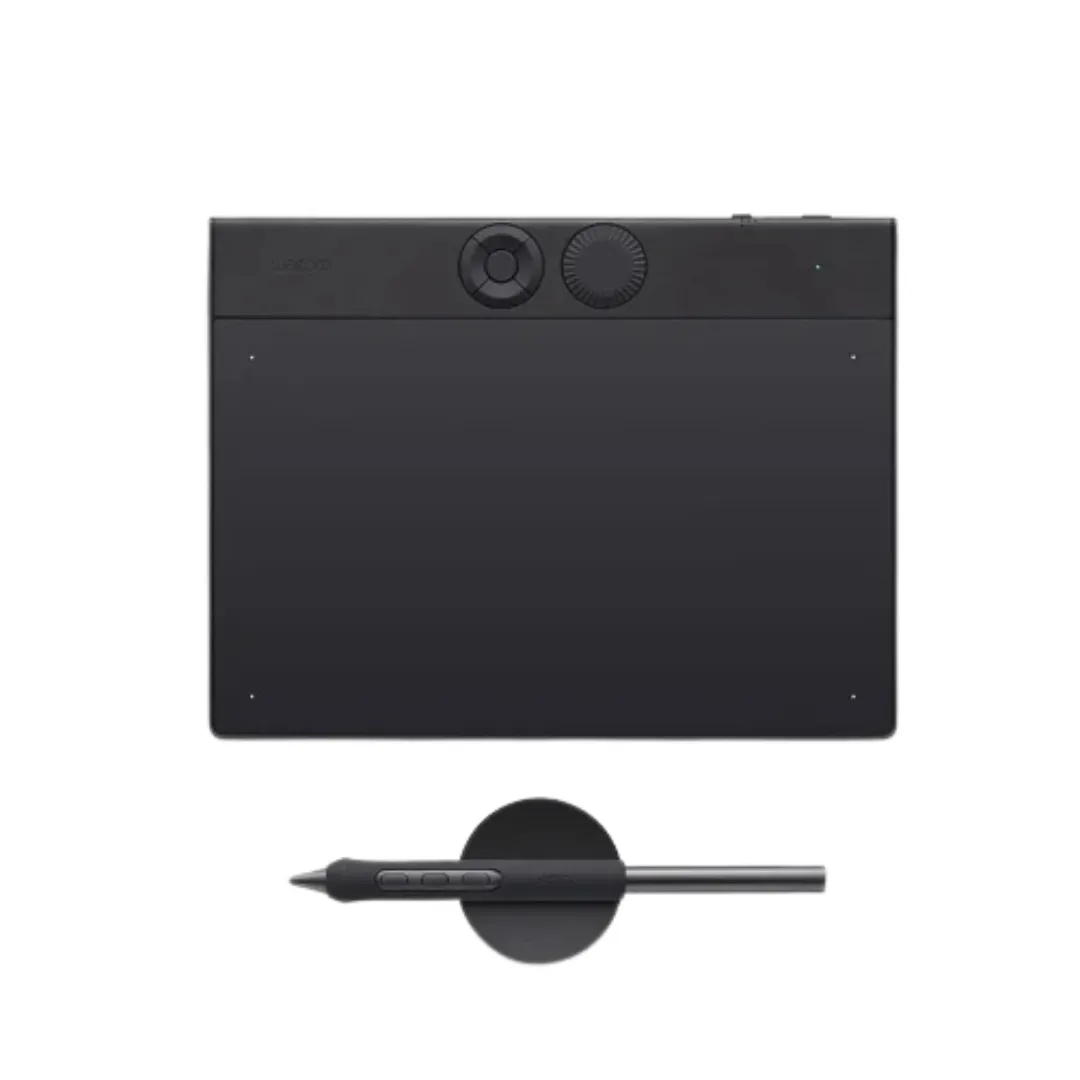
Wacom Intuos Pro Small (PTK470) Pen Tablet
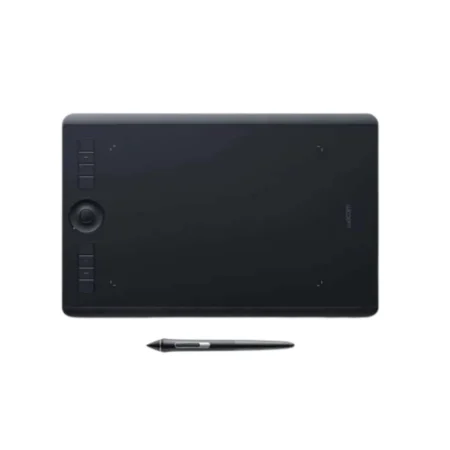
The Wacom Intuos Pro Small is a professional pen tablet with a 187 x 105 mm (7.4 x 4.1 in) active area, Wacom Pro Pen 3 and a mechanical dial. At 4 mm thin it is the portable option, light enough to carry daily and small enough to work beside a laptop.
- Model Code: PTK470
- Tablet Size: Small, 16:9 aspect ratio
- Product Dimensions: 215 x 163 x 4~7 mm (8.5 x 6.4 x 0.16~0.28 in)
- Active Area: 187 x 105 mm (7.4 x 4.1 in)
- Thickness: 4 mm (0.16 in)
- Product Weight: 240 g (8.47 oz)
- Product Colour: Black
- Pen: Wacom Pro Pen 3, plus compatible third-party pens
- Pen Switches: 3 side switches
- Pen Pressure Levels: 8192
- Pen Tilt: ± 60 degrees
- Pen Resolution: 5080 lpi
- Pen Technology: Electromagnetic resonance, cordless and battery-free
- Multi-Touch: No
- ExpressKeys: 5 customisable ExpressKeys
- Dial: 1 customisable dial
- Connectivity: Bluetooth or USB cable
- Battery: Built-in Li-ion, 16 hours minimum
- Charging: Rapid charge 2 hours, full charge 3.5 hours
- Ergonomics: Right or left-handed use
The Wacom Intuos Pro Small is a professional pen tablet: no screen of its own, so you watch your monitor while your hand works on the tablet. That trade buys you Wacom’s best pen performance for a fraction of what a pen display costs.
This is the small model, with a 187 x 105 mm (7.4 x 4.1 in) active area in a 4 mm thin body weighing 240 g (8.47 oz). It is the portable option, light enough to carry daily and small enough to work beside a laptop.
Wacom Pro Pen 3 provides 8,192 pressure levels, 60-degree tilt in both directions and 5080 lpi resolution, and the pen is configurable with different grips and nib types. The tablet adds 5 customisable expresskeys and 1 customisable dial for shortcuts you would otherwise reach for a keyboard to use.
What is included with the Wacom Intuos Pro Small
The Intuos Pro ships ready to work, wired or wireless.
- Wacom Intuos Pro Small pen tablet
- Wacom Pro Pen 3
- Desktop pen stand
- 10 Pro Pen 3 nibs – 5 standard, 3 felt and 2 rubber, held in the pen stand
- Nib removal tool
- USB cable
- Quick Start Guide
- Warranty documentation
Designed for Professional Creative Work
- A 187 x 105 mm (7.4 x 4.1 in) active area in a 16:9 aspect ratio, so the tablet maps naturally to a widescreen monitor.
- At 4 mm thin and 240 g (8.47 oz), it sits flat on a desk and takes up very little of it.
- 5 customisable ExpressKeys and 1 customisable dial put frequently used commands under your non-drawing hand.
- Configurable for right or left-handed use, so the keys stay on the correct side.
Draw Naturally with Wacom Pro Pen 3
- 8,192 levels of pressure sensitivity for fine control over line weight, opacity and brush behaviour.
- Tilt support of plus or minus 60 degrees for natural shading and calligraphic strokes.
- 5080 lpi pen resolution, with three side switches on the pen itself.
- Ten nibs are supplied – standard, felt and rubber – so you can match the surface feel to how you draw.
Work Wired or Wireless
The Intuos Pro connects over Bluetooth or by USB cable. The built-in battery runs for a minimum of 16 hours, charges to usable in about 2 hours and fully in 3.5.
For a wired connection a USB-A to USB-C adapter may be needed depending on your machine, which is worth checking before you order.
Comfortable for Long Creative Sessions
Because you are not leaning over a screen, a pen tablet keeps your head up and your monitor at a normal viewing distance. Many people find that easier over a full day than a pen display.
It takes a few hours to adapt to watching the screen while your hand works elsewhere. Almost everyone stops noticing it within a week.
Frequently Asked Questions
What is the Wacom Intuos Pro Small?
A professional pen tablet with a 187 x 105 mm (7.4 x 4.1 in) active area, Wacom Pro Pen 3, 5 customisable expresskeys and 1 customisable dial. It has no screen of its own and works with your existing monitor.
Does the Intuos Pro have a screen?
No. You draw on the tablet while watching your monitor. If you want to draw directly on the artwork, you need a pen display such as a Cintiq.
What is the active area?
187 x 105 mm (7.4 x 4.1 in) on the small model, in a 16:9 aspect ratio that maps naturally to a widescreen monitor.
Which size should I choose?
Small suits laptops and travel, Medium is what most professionals settle on, and Large suits big or multi-monitor setups and anyone who draws with full arm movement. Desk space is usually the deciding factor.
Does the Intuos Pro support touch?
No. This generation is pen input only, with ExpressKeys and a mechanical dial for shortcuts instead.
Can it be used left-handed?
Yes. The tablet can be configured for right or left-handed use so the ExpressKeys sit on the correct side.
How much does the Wacom Intuos Pro Small cost in the UAE?
Pricing moves with stock and quantity, and education or studio orders are priced differently from a single unit. Request a quote for current UAE pricing.
Does the pen need charging or batteries?
No. Wacom Pro Pen 3 is cordless and battery-free, powered by the tablet through electromagnetic resonance. The tablet itself has a rechargeable battery for Bluetooth use.
Can I use it with Windows and macOS?
Yes. Connection is by USB or Bluetooth Low Energy. For a wired connection a USB-A to USB-C adapter may be required depending on your machine.
Do you supply and support this in the UAE?
Yes. We are an Authorized Wacom Solution Provider based in Dubai, supplying genuine stock with manufacturer warranty and handling setup and after-sales support ourselves.
Need this configured for your workflow?
Tell us what you sign, how often, and which system it lives in. We will specify the hardware, software and integration — with UAE pricing.