 Dubai:
 :
: 

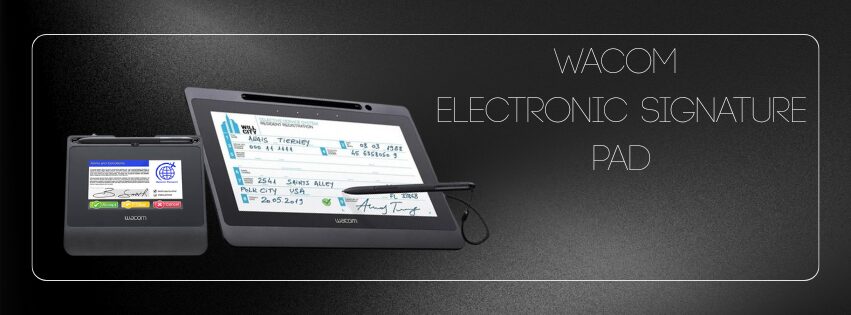
Electronic Signature Pads Dealer In Dubai UAE
Signature Pad: The Most Important Guide for Businesses in the GCC and Beyond
A signature pad is a piece of hardware, usually a small electronic tablet or pen display, that lets you sign your name and record your biometric data (such pressure, pen tilt, speed, and timing) on digital documents. Banks, government agencies, stores, and business receptions all utilize them a lot when people check in. A signature pad is an easy-to-use alternative to signing with a pen and paper that doesn’t need to be printed, scanned, faxed, or stored.
A modern signature pad lets you sign naturally without using a computer or touchscreen “faux-ink.” Instead, the device has a pen that writes easily on glass or plastic, and the software overlay shows “electronic ink” in real time. Biometric data is automatically collected in the background, which makes the signature legally stronger than just a scanned image.
Wacom is one of the top brands, and eTOP Trading is the official Middle East and Africa channel partner for Wacom Signature. They sell the STU series signature pads in the UAE.
Other companies, such Topaz (SigLite & SignatureGem), Signotec (Omega, Delta, Gamma), ePad Ink by Mizuno/ePadLink, and Euronovate (ENSign), also provide feature-rich options. They serve many different industries, including as healthcare, finance, logistics, and government, with a wide range of models, from low-cost monochrome pads to full-color, high-resolution screens.
Signature pads connect to software over USB or serial (RS-232) and come with SDKs (like Wacom Ink SDK) and official signature apps (like Wacom Sign Pro PDF). They support encrypted signature formats, whether they are ISO-compliant or proprietary. These formats usually come with built-in timestamps and unique pad IDs, which make sure that the signatures can be tracked and are safe for forensic use.
What is the Difference Between a “Digital Signature” and an “eSignature”?
People in marketing often use these words to mean the same thing, although they really mean distinct things:
An eSignature (electronic signature) is an electronic action in which a signer agrees to the contents of a document. This can be done with a signature pad, stylus, mouse, or checkbox. In most current legal systems, eSignatures that can be properly linked to a person are legally binding.
Digital Signature, on the other hand, is a certain way of using cryptography. Using digital certificates or key pairs, it binds the signer’s identity to a document hash with public-key cryptography. Under eIDAS and comparable regulations, a digital signature can frequently be thought of as “qualified” or “certified,” which makes it more likely to be accepted as evidence in court.
Signature pads collect biometric ink and transfer the signature data as either a binary FSS or a regular ISO-format file. When the software enables hash binding and encryption (as Sign Pro PDF does), this combines both biometric eSignature and cryptographic digital signature parts.
To put it simply:
| What It Means | Power of the Law |
| eSignature | Visual signature, maybe a timestamp, and a device ID are all okay in many contracts. |
| Digital Signature | Hash that can be verified by cryptography and shows signs of tampering |
| Strongest, can be based on a certificate or a “qualified” |
Wacom Business Solutions Signature Pad Products for Electronic Signature Pads, Signature Capture, Best Electronic Signatures, Secure eSigning Service, Electronic Signing Solution, Online Document Signing, Digital Signatures etc.
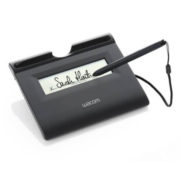
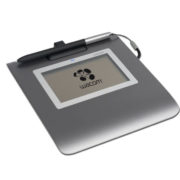
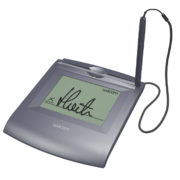
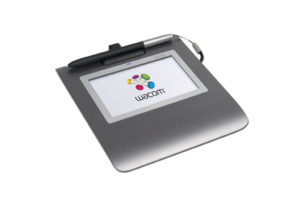
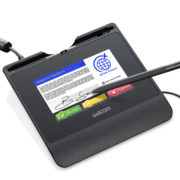
The Law on Digital Signatures in the UAE, KSA, Oman, and Qatar
United Arab Emirates
The Federal Decree-Law No. 2 of 2019 on Electronic Transactions and Trust Services, which was updated by Cabinet Decision No. 46 of 2021, says that electronic signatures, including biometric and digital signatures, are legally binding as long as the method can identify the signer, show consent, and link the signature to the document. The greatest legal status is for qualified eSignatures that are backed by trust service providers.
Saudi Arabia
The Electronic Transactions Law of Saudi Arabia (2007, modified 2022) establishes electronic records, eSignatures, and digital signatures according to technical safe-harbor requirements. Digital signatures that use PKI certificates from trusted Certificate Authorities have a lot of legal weight. Biometric eSignatures are allowed in both the public and private sectors as long as they meet evidence standards.
Sultanate of Oman
The Law on E-Commerce and Transactions (2019) in Oman enables multiple sorts of eSignatures, such as biometric and digital ones, as long as they prove who signed and show that they agree. Digital signatures that come from issuing trust providers, such banks or government CAs, are legally binding.
Qatar
Law No. 6 of 2006 in Qatar (which changed Law No. 13 of 2010) and the rules for distribution permit electronic transactions and signatures. They say that a “electronic signature” is reliable if it is connected to the signer, the signer is the only one who can manage it, and it can be checked. Digital certificates from accredited certification authority offer digital signatures complete evidentiary power.
Businesses in the GCC can follow local rules by using signature pads with software like Sign Pro PDF. This makes signatures both easy to use and legal.
UAE’s Plan to Go Green
The UAE is a world leader in environmental goals since its national objectives are in line with the Paris Agreement and the Sustainable Development Goals. The country started its Net-Zero by 2050 Strategic Initiative in 2021, making it the first MENA country to promise to be carbon neutral by the middle of the century. The Dubai Clean Energy Strategy 2050 aims for 100% clean energy by 2050, with solar and nuclear power making up around half of the energy used by then.
In 2024, the Nationally Determined Contributions will be updated to aim for a 47% drop in greenhouse gas emissions by 2035 compared to 2019 levels.
Starting a “UAE Consensus” at COP28 in 2024, with promises to increase the amount of renewable energy, double the efficiency of energy use, and stop deforestation.
In this situation, digital transformation tools like signature pads are both symbolic and useful for cutting down on paper use, minimizing CO2 emissions, and making operations run more smoothly.
The Cost of the Wacom STU 430, STU 540, DTU 1031AX, and DTU 1141B
The following are the usual pricing in UAE (AED) for Wacom signature pad models from etop Trading and other authorized sellers. When you book kits, please be aware that there is often a one-time rental or deposit fee of AED 25 for demo units before you pay in full or return them.
- Wacom STU 430: 4.3-inch monochrome display with a pen that doesn’t need batteries. Price: about AED 650.
- Wacom STU 540: 4.3-inch monochrome display that can be switched between serial ports. Price: about AED 800.
- Wacom DTU 1031AX: 10.3-inch Bluetooth tablet with a full-color display. Price: about AED 1,700.
- Wacom DTU 1141B: 10.1-inch full-color USB signature tablet. Price: less than AED 1,950, depending on quantity.
These demo booking costs make it possible to do proof-of-concept trials (POCs) quickly. Etop Trading often puts them together into bundled bids for pilot deployments.
API and Software Development
Wacom offers the Wacom Ink SDK for signature to make signature capture a key part of in-house applications. This developer suite works on Windows, Android, Linux (via JavaScript/WebAssembly), macOS, and mobile devices, making it easy to integrate across all of them. The SDK packages include the Signature Library API, which automatically finds devices, captures biometric data (such pressure, tilt, and speed), and creates signature objects in FSS or ISO format.
- SigCaptX (.NET/ActiveX): Works on Windows desktop and browser-based business systems and supports Chrome, Edge, and Firefox.
- Signature-SDK-JS: Lets you take signatures in real time on web sites using WebHID or HTML5 Canvas. This is great for kiosk or portal integrations.
The SDK is free to use for development and comes with a Lite version that works with Wacom devices on Windows without a commercial license. If you want to use third-party devices in your business or install a lot of them, you might need to get a separate commercial license. The same SDK that enables Wacom Sign Pro PDF also powers Wacom Sign Pro PDF, which lets you work with PDFs and sign them digitally.
What is Sign Pro PDF?
Wacom Business Solutions makes Sign Pro PDF, which is PDF signing software made just for signature pads. It lets the user:
- Open a PDF file, see and move the signature or eSeal regions;
- Capture handwritten biometric eSignatures directly from Wacom devices;
- You can also include freehand notes, form completion, and annotations that are based on handwriting.
- Use a cryptographic hash to protect the document so that any changes made after signing will make the signature invalid.
There are two ways to use the software:
- Mode Lite (Standard): You can download and use it for free forever. Allows up to 25 signatures before watermarking; rudimentary ink capture; only works with Wacom devices.
- Premium mode: You have to pay for a license. It has all the features you need, such infinite signatures, the ability to create form fields, handwriting-to-text, API connection, and interoperability with pen-enabled devices from other companies.
The Lite/Standard edition has everything an organization needs for proof-of-concept or low-volume deployment. It makes digitization quick and cheap, with no big upfront costs
Brands That Compete With It Are Topaz, Signotec, ePad Ink, and Euronovate
Even while Wacom is frequently the best choice because of its ecosystem and SDK support, there are other brands in the Middle East that are also very good:
- Topaz Systems (USA): In Dubai and the GCC, you can find their SigLite and SignatureGem LCD variants at many stores, including ID Vision and The Cards & Beyond. SigLite models have color display surfaces, and they sell Topaz-approved products all around the UAE and the Middle East.
- Signotec GmbH (Germany): Known for its Omega, Delta, and Zeta pads, which have monochrome or low-power color LCDs, fast sampling rates, and the ability to work as a terminal server. You may get it from distributors in the UAE, such as Security Supplies and IBS.
- ePadLink – ePad Ink: Their ePad-ink™ VP9805 variant is used a lot in the GCC and comes with the IntegriSign Desktop software tools and SDK. Digital Factors and Proactive Computers help people in the UAE.
- Euronovate (ENSign): Makes full-color signature pads with built-in RSA encryption chips (up to 4096 bits), which are great for certifying documents. Their ENSign 11 pad works with NFC, biometrics, and enhanced onboarding.
These rivals fill in gaps like color displays, encryption on the smartphone, or multi-touch. But not all of them have the same level of SDK support, PDF signing apps, or regional integration services as Wacom + eTOPSign..
When choosing the best signature pad option, you need to think about the design of the hardware, if it meets legal requirements, whether it has software support, and how easy it is to set up. Wacom has a full SDK, great regional support through etop Trading, and an easy-to-use Sign Pro PDF Lite (free) program. This makes it a great all-in-one solution for getting started quickly and scaling safely.
Still, firms like Topaz, Signotec, ePad Ink, and Euronovate are still major competitors, with some focusing on price, color screens, touch integration, or encryption features. The next important step is to put up a demo kit, perform a POC at real signing stations, and try out the Wacom Ink SDK workflows or the desired PDF/Vault platform connection.
Choosing the Right Wacom Signature Pad for Your Business
Not every counter needs the same device. The right signature pad depends on how many people sign each day, what your software environment looks like, and how much screen real estate you actually have at the desk.
Here is a straightforward way to think about it.
If your team handles high volumes of customer-facing signing — think busy reception counters or service desks — you want a color display with strong encryption built in. The STU-540 was built exactly for that environment. Customers can see what they are signing on screen, staff get a clean workflow, and every signature is encrypted at the device level before it even reaches your system.
If space is tight or the signing happens more in the background — internal approvals, back-office confirmations, delivery acknowledgments — a compact monochrome pad like the STU-300 or STU-430 does the job perfectly without taking up unnecessary counter space.
The DTU series makes sense when you need the customer to review a full document before signing. The larger interactive display lets people scroll, read, and sign on a single device — which works well for agreements, consent forms, and contracts where the content matters as much as the signature itself.
The short version: color display and encryption for high-traffic customer counters, compact monochrome for back-office and delivery use, full pen display for document-heavy signing workflows.
Buying a signature pad is straightforward. Buying the right electronic signature solution — hardware, software, and integration all working together — takes a bit more thought.
These are the four things Middle East businesses consistently overlook before purchasing:
Software compatibility comes first. The pad itself is only half the picture. If it does not integrate cleanly with your existing document management platform, banking system, or hospital management software, you will hit problems during deployment. Always confirm SDK compatibility before ordering.
Encryption level matters for regulated industries. Not all signature pads encrypt at the same level. For financial services, healthcare, and government applications in the Middle East, you want AES 256 and RSA 2048 encryption at minimum — which is what the STU-540 and DTU-1141B provide out of the box.
Biometric data is what makes signatures legally defensible. A lot of businesses do not realize that a signature image alone carries limited legal weight. It is the biometric data — pressure, speed, timing, pen angle — captured alongside the visual signature that makes it verifiable and tamper-evident under electronic transaction laws across the region.
Think about scale from day one. A device that works well at one counter needs to work equally well when you roll it out across ten branches. Wacom’s driver stability and SDK consistency across models means you are not troubleshooting hardware conflicts every time you expand.
Electronic Signature Pads vs. Digital Signature Apps — What Is the Difference?
This is one of the most searched questions from Middle East businesses exploring paperless workflows for the first time, and it is worth answering clearly.
A digital signature app — the kind you use on a phone or in a browser — is convenient for remote signing. Someone receives a document by email, taps to sign, and sends it back. Fast, simple, and perfectly valid for many everyday transactions.
A dedicated electronic signature pad like a Wacom STU device is designed for something different: in-person signing at a physical counter, kiosk, or desk. The difference is not just the hardware. It is the quality of the signature data being captured.
When someone signs on a Wacom pad, the device records the way they sign — not just the shape. Pen pressure, stroke speed, lift points, and timing are all captured in the background. That biometric profile is unique to each individual and is far harder to dispute or replicate than a tap on a touchscreen.
For businesses where the customer is physically present — banks, hospitals, government service centers, insurance counters — a dedicated signature pad gives you a level of verification that no app-based solution can match.