
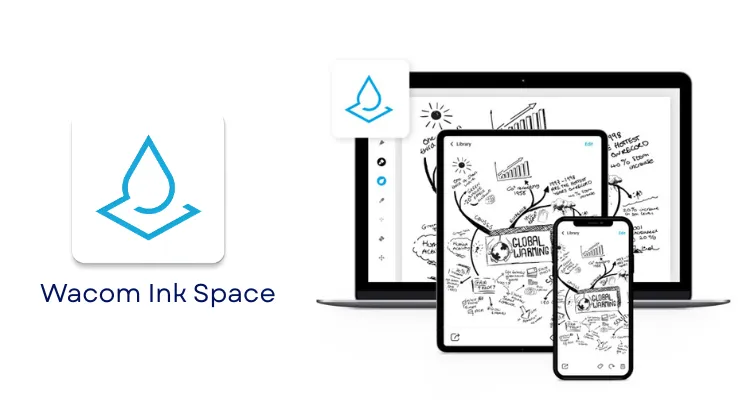
Wacom Ink Space
wacom ink space is an app that helps you nurture work created on paper. Transforms handwritten notes into the text; and turns sketches into image, vector or video file formats. Works in harmony with our Bamboo Slate and Bamboo Folio smart pads and Wacom Inkspace Intuos Pro Paper Edition pen tablet. Can be used to craft, enhance and share ideas more effectively than ever before.
Transport your thoughts into the digital world
Wacom Ink space is an app that helps nurture paper-based work. inkspace works in tandem with our Bamboo Slate and Bamboo Folio smart pads and Wacom Intuos Pro Paper Edition pen tablet to create, improve and share ideas more efficiently than ever before.
Time-saving tools
Taste how intuitive features of Wacom Ink space will streamline your workflow.
Text ink
Transform handwritten texts or DOC formats
Conveniently edit and exchange notes
Save time by not retyping every word
Recognizes 15 languages
Record your MP4 work together
Share your creative process with others.
Perfect to highlight your presentations
Picture & vector ink
Sync, store and export JPG, PNG, PDF, SVG or WILL file formats
Once exported, work with your favourite Mac or PC apps
No need to waste time scanning
Act for your favourite programmes
Wacom Ink space makes editing your work simple, allowing you to export files directly to your favourite platform.
As an artist, exporting an initial sketch to Adobe Illustrator will streamline the creative process. And as a writer, you can edit your notes straight to Dropbox, Evernote or Microsoft OneNote before a deadline.
Wacom Inkspace: Convert Handwritten Notes to Digital
Wacom Inkspace is a cloud-enabled application that bridges physical pen-on-paper work and professional digital workflows, making it directly relevant for creative teams, educators, and businesses across the UAE. This article explains what Inkspace does, which Wacom devices support it, how it compares to Wacom Notes, and whether it suits your specific workflow.
What Is Wacom Inkspace?
Wacom Inkspace is a free cloud platform and application suite developed by Wacom that captures, organises, converts, and syncs handwritten notes and paper sketches from compatible Wacom smartpads and paper-enabled tablets into editable digital files. Inkspace is not a stylus app for drawing directly on screens — it is specifically designed to digitise content created on real paper using Wacom pen hardware. The platform operates across iOS, Android, Windows, macOS, and a web portal, all connected through Wacom Cloud under a single Wacom ID account.
Compatible hardware includes the Wacom Bamboo Spark, Bamboo Slate, Bamboo Folio, and the Wacom Intuos Pro Paper Edition. When a user writes or sketches on real paper placed on one of these smartpads, the device records every pen stroke digitally and syncs it automatically to the Inkspace cloud for access on any connected device.
Handwriting-to-Text Conversion: The Core Capability of Wacom Inkspace
Wacom Inkspace converts handwritten notes into editable text documents using built-in handwriting recognition that supports up to 15 languages. Supported languages include English, German, Spanish, French, Italian, Portuguese, Simplified Chinese, Traditional Chinese, Japanese, Korean, and others depending on the app version. This makes Inkspace directly practical for UAE organisations operating in multilingual environments where Arabic, English, and other languages appear across teams and documents.
Converted content can be exported as rich text (RTF), DOC/DOCX, or PDF formats, making the output immediately usable in standard business workflows. Users and community feedback consistently confirm that recognition accuracy is strong for everyday note-taking in English and major European languages, though accuracy can decrease with irregular handwriting or less common script combinations.
Wacom Inkspace also delivers a broad export range for sketch and drawing content:
- JPG and PNG for raster image use in presentations and documents
- SVG and WILL (Wacom Ink Layer Language) for vector editing in professional creative software
- PDF for universal sharing across teams and clients
- MP4 video export that replays the exact stroke sequence of a drawing process
Multi-Format Export and Live Mode: Second Key Feature
Wacom Inkspace supports MP4 stroke-sequence video export, allowing designers, trainers, and content creators to record the entire drawing or writing process as a playback video. This means a UAE design studio can capture a client concept sketch on paper and export both the final SVG file for the design team and an MP4 tutorial for the client review — from a single session on paper.
Live Mode is a separate real-time feature in Wacom Inkspace that displays pen strokes on a connected screen or projector as they are drawn on paper. This supports remote teaching, hybrid design reviews, and live client presentations where a presenter sketches ideas on paper while participants watch the strokes appear in real time on screen. Community users highlight this as particularly useful for educators and workshop facilitators who want the natural feel of paper without losing screen visibility for an audience.
Cross-Platform Sync and Organisation Tools
Wacom Inkspace synchronises automatically across all connected devices through Wacom Cloud, so notes captured on a Bamboo Slate in a UAE office meeting appear immediately on a designer’s MacBook and on a manager’s iPhone. This cross-platform availability across iOS, Android, Windows, macOS, and a web browser eliminates the friction of manually transferring files between devices. Community feedback confirms that multi-device sync is a consistently valued convenience, though some users have reported occasional connection issues between the smartpad and apps that require reconnection.
Inkspace includes tagging, date-based organisation, and text search across converted handwritten content, which reduces time spent locating critical meeting records or project sketches. Editing tools allow users to split, merge, rotate, and delete pages, and to add new strokes, highlights, colours, and annotations without altering the original captured content. This non-destructive editing approach makes Inkspace suitable for teams that need version control over iterative documents such as contract annotations or revised design briefs.
Who Should Buy the Wacom Inkspace Setup in the UAE?
Wacom Inkspace is best suited for UAE professionals and organisations whose workflows involve significant volumes of handwritten content that must be stored, searched, shared, or refined digitally. The platform adds the most measurable value in four specific contexts.
Creative professionals in Dubai and Abu Dhabi — including concept artists, illustrators, and graphic designers — benefit from capturing initial ideas on paper and exporting them directly as SVG or WILL files for refinement in Adobe Illustrator or Photoshop. Students and educators can convert lecture diagrams and whiteboard sketches into searchable DOC files, reducing the time spent retyping notes. Business teams conducting meetings or workshops can store handwritten session notes in Inkspace’s cloud, tag them for retrieval, and share them across departments without manual transcription. Content creators and corporate trainers producing tutorial videos benefit directly from the MP4 stroke-sequence export, which removes the need for separate screen-recording software.
Wacom Inkspace vs Wacom Notes: Which One Is Right for Your Use Case?
Wacom Inkspace and Wacom Notes serve different workflows within the Wacom ecosystem. Inkspace is built around capturing content from physical paper using Wacom smartpad hardware, while Wacom Notes is a standalone app for writing directly on digital screens. Choosing between them depends on whether your workflow begins on real paper or on a screen.
| Feature | Wacom Inkspace | Wacom Notes |
|---|---|---|
| Core Technology | Paper-to-digital capture via Wacom smartpads and Wacom Cloud | Direct on-screen digital note-taking via pen-enabled devices |
| Key Differentiator | WILL format support, MP4 stroke playback, Live Mode for paper sessions | Simplified digital-first note-taking without paper hardware dependency |
| Best For | Users who prefer writing on real paper and need digital conversion | Users writing directly on Windows pen devices or Android tablets |
| Connectivity | Bluetooth/USB from smartpad hardware, synced via Wacom Cloud | App-based storage and sync on pen-enabled tablets and PCs |
| Export Formats | JPG, PNG, PDF, SVG, WILL, MP4, RTF, DOC/DOCX | Primarily note-storage formats; fewer creative export options |
| Hardware Required | Bamboo Slate/Folio/Spark or Intuos Pro Paper Edition | Any Wacom pen-enabled device or compatible pen tablet/PC |
| Live Mode | Yes — real-time stroke display on connected screen | Not a core feature |
Wacom Inkspace is the stronger choice for professionals and teams whose primary input is physical paper — designers sketching concepts, educators drawing diagrams, or business users taking handwritten meeting notes. Wacom Notes is better suited to users who have already made the transition to digital tablets and simply need a clean, reliable note-taking app without the paper capture layer.
Community feedback reinforces this distinction: Inkspace users consistently value the paper workflow and export flexibility, while those who switched to Wacom Notes did so specifically because they no longer relied on physical paper and found the Inkspace hardware requirement unnecessary for their daily use.
Choose Wacom Inkspace if…
- You write or sketch on real paper and need those notes digitised automatically
- You require multi-format export including SVG, WILL, or MP4 for creative or training workflows
- You need Live Mode for remote presentations or collaborative design reviews
- Your team operates across multiple devices and needs cloud-synced access to paper-based content
Choose Wacom Notes if…
- You write directly on a pen-enabled tablet or Windows PC and do not use physical paper
- You need a lightweight, straightforward digital note-taking app without smartpad hardware
- Your workflow does not require WILL format, stroke playback, or paper-capture features
What Is the Wacom Inkspace Price in UAE and Where Can You Buy It?
Wacom Inkspace is available as a free application, with cloud storage tiers linked to compatible Wacom device bundles and subscription options. Pricing for the compatible Wacom smartpad hardware and any associated storage upgrades is available on request through wacomme.ae, along with current availability, bundle options, and full UAE warranty support.
The Wacom Inkspace application itself is confirmed available in the UAE market through global app stores for iOS and Android, and as a desktop application for Windows and macOS. For guidance on selecting the right compatible Wacom hardware — such as the Intuos Pro Paper Edition or Bamboo Slate — to pair with an Inkspace workflow, wacomme.ae provides regional expert advice across the UAE and wider GCC.
Software and Integration
Wacom Inkspace integrates with Adobe Creative Cloud applications including Photoshop, Illustrator, and InDesign through exported JPG, PNG, PDF, SVG, and WILL file formats. Microsoft Office workflows are supported through DOC, DOCX, RTF, and PDF exports, allowing converted handwritten notes to enter standard business document pipelines immediately. The Inkspace web portal and apps run on iOS, Android, Windows, macOS, and web browsers.
Direct automated integrations with enterprise platforms such as Microsoft 365, Google Workspace, or Slack are not officially documented — content moves between Inkspace and these platforms through manual file export and import. Users in community discussions confirm this export-based approach, noting that while the workflow is functional, teams without clear process guidelines can find the transition between paper-based capture and fully digital collaboration somewhat fragmented.
Compliance and Regulatory Context in UAE
Wacom smartpad hardware used with Wacom Inkspace in the UAE must comply with the Emirates Conformity Assessment Scheme (ECAS) administered by the Emirates Authority for Standardization and Metrology (ESMA) and the Ministry of Industry and Advanced Technology (MoIAT). Consumer electronics sold in the UAE require Certificates of Conformity under ECAS before entering the market. Additionally, Federal Law No. 10 of 2018 on Product Safety and its executive regulations under Cabinet Resolution No. 66 of 2023 apply to consumer electronics that include Inkspace-compatible hardware. UAE buyers purchasing compatible Wacom devices through authorised channels can confirm that regulatory compliance obligations are met at point of sale.
Frequently Asked Questions
What is the Wacom Inkspace price in UAE?
Wacom Inkspace is a free application available for iOS, Android, Windows, macOS, and web. Pricing applies to compatible Wacom smartpad hardware and any premium cloud storage tiers. Contact wacomme.ae for current hardware pricing, bundle options, and UAE availability.
Where can I buy the Wacom Inkspace setup in Dubai?
Wacom Inkspace apps are downloadable directly from the Apple App Store, Google Play Store, and Wacom’s website. Compatible Wacom hardware for use with Inkspace — including the Intuos Pro Paper Edition and Bamboo Slate — is available in the UAE through wacomme.ae, which provides expert advice and regional support.
Does Wacom Inkspace come with UAE warranty support?
The Wacom Inkspace application itself is a cloud software service and does not carry a physical product warranty. Compatible Wacom hardware purchased through wacomme.ae includes UAE warranty coverage and local after-sales support. Confirm current warranty terms directly with wacomme.ae at point of purchase.
Is Wacom Inkspace better than Wacom Notes?
Wacom Inkspace is the stronger choice for users who work on real paper and need automatic digital capture, cloud sync, and multi-format export including SVG, WILL, and MP4. Wacom Notes is better suited to users writing directly on digital pen tablets who do not require paper-based capture hardware. The two apps serve distinct workflows rather than competing directly.
What is included with Wacom Inkspace?
Wacom Inkspace is a software platform — the app is free to download across iOS, Android, Windows, macOS, and web. Compatible Wacom smartpad hardware such as the Bamboo Slate or Intuos Pro Paper Edition is purchased separately and includes the relevant device components. Contact wacomme.ae for details on what is included with each compatible hardware bundle.
Which languages does Wacom Inkspace support for handwriting recognition?
Wacom Inkspace supports up to 15 languages for handwriting-to-text conversion, including English, German, Spanish, French, Italian, Portuguese, Simplified Chinese, Traditional Chinese, Japanese, and Korean. The exact language list may vary by app version. UAE users working in English-based professional environments will find recognition accuracy reliable for everyday note-taking.
Can Wacom Inkspace be used for remote collaboration in the UAE?
Wacom Inkspace supports Live Mode, which displays pen strokes from paper on a connected screen or projector in real time when using compatible Wacom hardware. This makes Inkspace directly useful for UAE educators, design teams, and client-facing professionals conducting remote sessions or hybrid workshops where live sketching is part of the presentation.
Wacom Inkspace: Overall Summary
Wacom Inkspace is a cloud-based digital ink platform by Wacom that converts handwritten notes and paper sketches from compatible smartpads into searchable, editable digital files across multiple export formats. Its strongest capability is the combination of handwriting-to-text conversion in up to 15 languages, multi-format export including SVG and MP4, and automatic cross-platform cloud sync. In the UAE, Inkspace is most relevant for creative professionals, educators, and business teams whose workflows depend on physical paper but require digital storage, search, and collaboration. The primary consideration for prospective buyers is the dependency on compatible Wacom smartpad hardware — the platform delivers full value only when paired with a supported device such as the Bamboo Slate or Intuos Pro Paper Edition.