 Dubai:
 :
: 

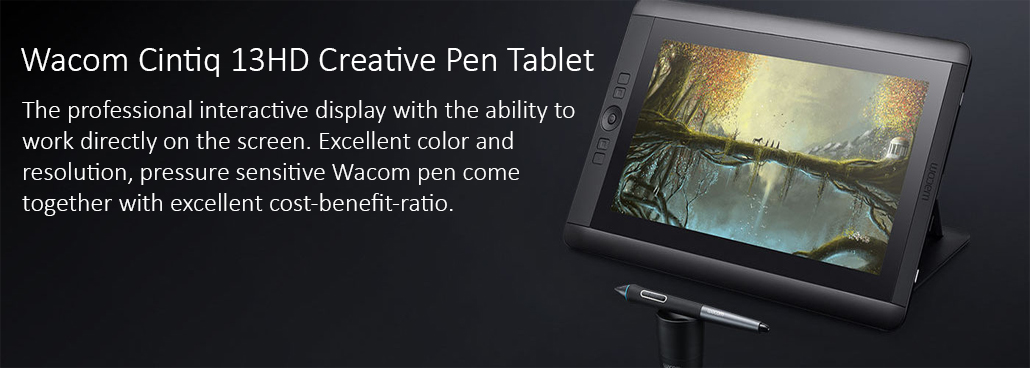
Wacom Cintiq 13HD Creative Pen Tablet
Wacom Cintiq 13HD Creative Pen Tablet
Wacom Cintiq 13HD Creative Pen Tablet for Drawing Jobs is our most progressive innovative pen show, in the littlest shape factor. It’s worked for professional craftsmen and fashioners who need to feel an immediate, pen-on-screen association with their work. Pressed with our most recent advancements and highlighting the Wacom Pro Pen 2, Wacom Cintiq Pro 13 might be minimized, yet it’s not compromised.
Get all the features of Wacom’s professional interactive displays, with the ability to work directly on the screen of the compact Cintiq 13 HD. Excellent color and resolution, professional ergonomics and pressure-sensitive Wacom pen come together with excellent cost-benefit ratio.
Interface your way
Interface with any Mac or PC with a solitary USB-C link (included) to a USB-C port for both video and information. Or on the other hand utilize the included Wacom Link connector to interface with a small DisplayPort (video) and standard USB port (information).
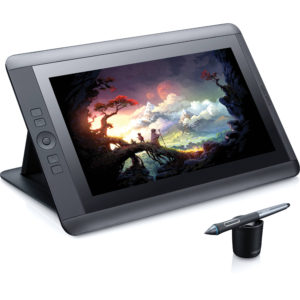
COMPLETE WITH THE POWERFUL PRO PEN
With the new ergonomic design, the Pro Pen offers a more comfortable feeling. You can also count on precise control thanks to the 2,048 levels of pressure sensitivity and tilt recognition. The pen responds to the slightest nuance of your touch when you press the pen against the surface of the tablet for full control of the thickness and opacity of the brush.
OPTIMIZATION TO FIT YOUR WAY
Work more easily and quickly with four customizable ExpressKeys ™, Rocker Ring and Home Button that provide one-touch access to your time-saving shortcuts. You define the shortcuts. Cintiq 13HD will earn your day.
SIMPLE INSTALLATION ON ANY COMPUTER
The new convenient 3-in-1 cable reduces cable clutter and makes installation on any Mac or PC much easier.
-
Product TypeInteractive pen display
-
Size375 x 248 x 14mm
14.75 x 9.75 x 0.5 in -
Weight1.25 kg
-
Screen Size (Measured Diagonally)33.8 cm
13.3 inch -
Technologya-Si Active Matrix TFT LCD (IPS)
-
Displayable Colors (maximum)16.7 Million
-
Aspect Ratio16.9
-
Contrast RatioRatio 700:1
-
BrightnessBrightness 250 cd/m2
-
Response Rate25 ms
-
Active Area299 x 171 mm
11.75 x 6.75 in -
Color GamutGamut 75% Adobe RGB
-
Industry Standard Pre-sets6500° K whitepoint default
-
Graphics InputHDMI
-
Multi-TouchNo
-
PenPro Pen
-
Pressure Levels2048, both pen tip and eraser
-
Tilt RangeRange 40 degrees
-
Tilt Recognition±60 levels
-
TypePressure-sensitive, cordless, battery-free
-
SwitchesTip switch, 2 side switches, eraser
-
Nibs9 standard
-
Pen BoxBox Yes
-
Pen StandYes
-
GripGrip Latex-free silicone rubber
-
ModelModel FUZ-A203
-
TechnologyPatented electromagnetic resonance method
-
Resolution5080 lpi
-
ExpressKeys™4 customizable, application-specific
-
Touch RingNo
-
Touch StripsNo
-
Rocker Ring And Home Button4 position customizable
-
Radial MenuYes
-
Precision ModeYes
-
Display ToggleYes
-
Dedicated Pan, Scroll, Zoom, Brush SizeNo
-
Stand Adjustability3 angles and detachable
-
OrientationRight or left-handed use
-
SizeSize 374 x 248 x 13 mm
-
Cables IncludedWacom 3-in-1
-
PC And Mac ConnectionHDMI and USB
-
Display ConnectionWacom 3-in-1
-
Peripheral ConnectionsUSB 2.0 port
-
Power Supply Input100 to 240 VAC, 50/60Hz
-
Power Supply Output19 VDC, 1.58 A (max)
-
Power ConsumptionMax. Power Consumption: 9.0 W, 1 W or less when asleep 0.5 W or less when off
-
System RequirementsPC: Windows® 7, 8, & 10
Mac: Mac OS X®, 10.10, 10.11, & 10.12 -
What’s IncludedIncluded Cintiq 13HD interactive pen display Adjustible stand Pro Pen, pen box with 9 replacement nibs and nib removal tool, pen stand Wacom 3-in-1 cable with HDMI and USB connectors AC power adapter Installation CD CD-ROM with driver software Quick start guide
-
CertificationsVCCI Class B, FCC Part 15 Subpart B (class B) and C, CE, KCC, BSMI, C-tick, CB, CCC, GOST-R, China RoHS, Korean RoHS, EU RoHS
-
Additional AccessoriesAirbrush, Art Pen, Classic Pen, Grip Pen, Cintiq soft case
-
Model NumberNumber DTK-1300
-
Limited Warranty2 years in USA, Canada, and Latin America 3 years in Europe, Africa, China, and Middle East 1 year in Japan & Asia Pacific
-
Size ApproximationsSpecification numbers like display size, active area and weight are approximate
What the Cintiq 13HD Is — and Who It’s Built For
The Wacom Cintiq 13HD is a 13.3-inch pen display that connects to any Mac or Windows computer and turns it into a direct drawing surface. Unlike a standard graphics tablet where you draw blind and look at a separate screen, the 13HD lets you draw directly on what you see — pen tip to image, with no spatial disconnect. The 1920×1080 full HD display, 2,048 levels of pen pressure sensitivity, and built-in stand make it a complete workstation addition for anyone who creates digitally. It is Wacom’s most accessible professional pen display — not the most powerful, but deliberately designed to be capable without being excessive. For artists, designers, architects, educators, and creative professionals in the Middle East who are moving from a basic tablet to their first screen-based workflow, the 13HD is the natural starting point.
What You Can Do with the Cintiq 13HD Across Different Creative Fields
Digital illustrators use the 13HD for line work, character design, and editorial illustration — the compact screen keeps focus tight and the pen response is responsive enough for detailed inking. Graphic designers working on UI/UX mockups, brand identity work, or layout sketching use it as a second screen where drawing feels natural rather than translated. Architects and interior designers in the Middle East use it to sketch over imported floor plans and render quick concept variations directly in tools like SketchBook or Photoshop. Photography retouchers prefer it for precise masking and dodging work where a mouse creates fatigue. Educators teaching digital arts use it to demonstrate techniques live on screen in front of students. The 13HD fits all of these workflows without requiring a dedicated studio setup — it works just as well on a smaller desk or at a client meeting as it does at a permanent workstation.
Cintiq 13HD vs Cintiq Pro 16 — The Decision That Matters Most
The 13HD and the Cintiq Pro 16 are the two most-compared devices in Wacom’s range, and the distinction comes down to where you are in your creative career. The 13HD delivers 1080p resolution on a non-laminated display with the older Pro Pen at 2,048 pressure levels. The Cintiq Pro 16 steps up to 4K, laminated glass with no parallax, and Pro Pen 2 at 8,192 levels — the difference in pen feel is immediately noticeable to anyone who draws for extended periods. If you are a student, a freelancer building your client base, or someone who creates digitally part-time, the 13HD gives you everything you need to produce professional work without the full Pro investment. If you are working commercially with clients who expect color-accurate deliverables and you draw for most of your working day, the Pro 16 is worth prioritizing from the start.
Cintiq 13HD vs Cintiq 22HD — Portability vs Working Space
The 22HD offers nearly double the screen area of the 13HD, which matters for artists who work on complex, detail-heavy compositions where zooming in and out becomes disruptive. It also carries 16 built-in ExpressKeys versus the 13HD’s four, which many studio artists rely on for speed. The trade-off is size and portability — the 22HD is a fixed desk device that does not travel. The 13HD fits in a bag, works comfortably in different environments, and requires only HDMI and USB to connect. For creatives in the Middle East who work across locations — home, studio, client offices, co-working spaces — the 13HD’s portability is a genuine working advantage the 22HD cannot match.
Does an electronic handwritten signature satisfy legal requirements?
- In most European countries, the USA, and a growing number of countries around the world, legislation is in place to encourage the rapid adoption of electronic signatures and reduce the use of antiquated paper method
- The following acts reinforce the validity of electronic agreements.
- 2000 U.S. Electronic Signatures in Global and National Commerce Act (ESIGN)
- Uniform Electronic Transactions Act (UETA)
- European Directive (EC/1999/93)
- For example, ESIGN states that a contract “may not be denied legal effect, validity, or enforceability solely because an electronic signature or electronic record was used in its formation.”
Is scanning a paper signature the same as an electronic handwritten signature?
Not at all. A static image, or a photo of a signature will help make signature information more accessible, but it does not provide as many benefits as capturing the signature directly in an electronic form without printing. Document scanners use CCD sensors to read the image of a handwritten signature as color and brightness information of individual pixels. The signature is recorded as static image data only. The appearance of a signature alone is not a secure criterion, because the individual dynamic parameters of the signature are missing. Signature pads take security to the next level by analyzing the signature as it is handwritten on a sensor panel using a special pen. In addition to the appearance of the signature, they record biometric parameters such as acceleration, pressure progression and the angle of the pen while signing, thereby producing a kind of a “digital fingerprint”. This fingerprint is as individual and unique as its owner, and together with a digital certificate, is today the safest method of reading electronic signatures.
What are the advantages of the handwritten signature compared to card and PIN based methods?
- An individual’s signature cannot be lost or stolen like a card can be
- It is impossible to forget one’s signature, unlike a PIN
- Signatures cannot be disclosed to third parties
- Signatures are always given deliberately, where cards and disclosed PINs may be used without consent
- Signatures are considered suitable for authenticating declarations of intent
- Signing with a pen is a familiar and customary process
What cables does the Cintiq 13HD use?
The 13HD connects via HDMI for video and USB for data and power. This makes it compatible with most modern computers without adapters, and those with DisplayPort or mini DisplayPort can connect easily using standard adapters.
Does the 13HD work without the Wacom driver?
The display will output video without the driver, but pen pressure sensitivity and tilt recognition require the Wacom driver to be installed. The driver is available as a free download from Wacom’s support site.
Does the Cintiq 13HD have touch?
No. The standard 13HD is pen-only. A separate touch version — the Cintiq 13HD Touch — added finger touch capability, but the standard model does not support touch input.