 Dubai:
 :
: 

Wacom Intuos Pro Medium In Middle East
Wacom Intuos Pro Medium Dealer/Supplier in Dubai UAE Middle East
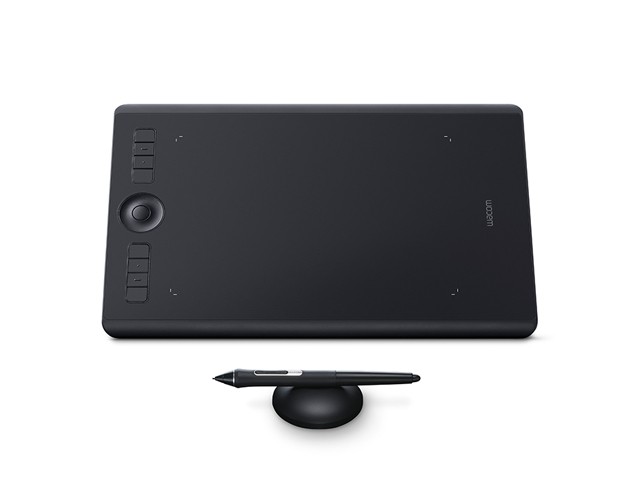
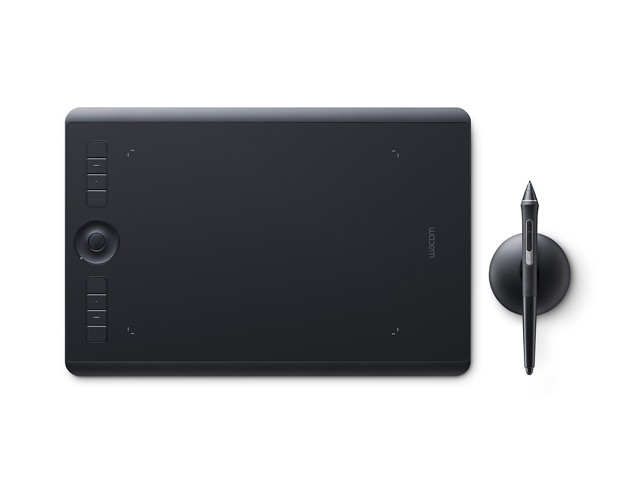
Wacom Intuos Pro Medium Supplier In Dubai UAE & Middle East offers paper to digital workflow with more natural creative control than ever before. Wacom / Pen Tablets / Intuos Pro Tablets / Wacom Intuos Pro Medium Wacom Intuos Pro Medium and available in Algeria, Angola, Botswana, Ethiopia, Ghana, Kenya, Libya, Nigeria, Rwanda, South Africa, Tanzania, Tunisia, Uganda, Bahrain, Cyprus, Egypt, Jordan, Kuwait, Lebanon, Oman, Qatar, Saudi Arabia, Turkey, United Arab Emirates, Yemen, Other African & Asian Countries.
Rethinking the professional standard in innovative pen tablets. Worked with top notch materials and intended to take advantage of the astonishing Wacom Pro Pen 2, Wacom Intuos Pro is our best innovative pen tablet to date. With worked in Bluetooth availability and a smooth new structure, it’s anything but difficult to set-up and looks incredible around your work area. Start making your next stand-apart project.
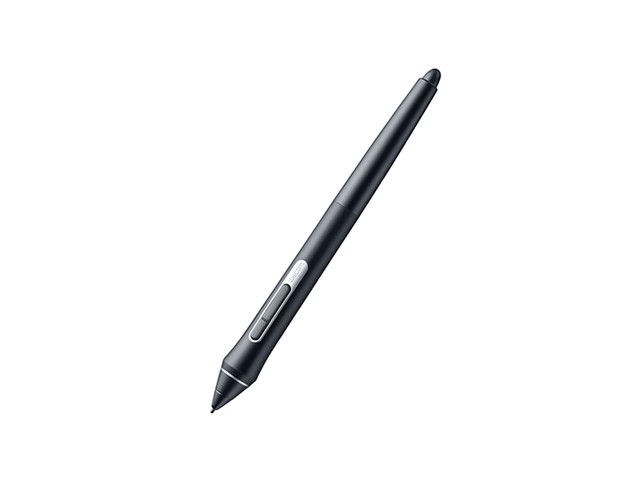
Our new Wacom Pro Pen 2 is intended to immediately turn into a characteristic expansion of your hand. Its uncommon affectability and responsiveness give you the control you have to take your work to the following level. Wacom Pro Pen 2’s side switches put alternate routes and controls actually readily available.
Wacom Intuos Pro is fabricated utilizing premium materials, for example, dark anodized aluminum and glass fiber composite tar. The outcome is a pen tablet that feels reassuringly solid however is an unimportant 8mm thick.
Included with each Wacom Intuos Pro, the new steel-based Pen Stand stores your extra nibs and has a worked in device to make supplanting them super-basic.
-
Specifications
- Physical Size – 338 x 219 x 8 mm
- Pressure Levels – 8192 on pen tip & eraser
- 8 ExpressKeys™
- Built-in Bluetooth connectivity
-
- Wacom Intuos Pro Pen Tablet Medium
- Wacom Pro Pen 2 (battery free)
- Pen stand (includes 6 standard nibs, 4 Felt nibs)
- 4 extra pen color rings
- Texture sheet sample card
- 2m (6.6ft) PVC-free USB cable
- Quick start guide
-
- USB port
- Windows® 7 or later, Mac OS X 10.10 or later
- Bluetooth Classic for wireless connection
- Internet connection to download driver* and software
Why the Wacom Intuos Pro Medium (PTH-660) Is the Most Popular Size
Of all the Intuos Pro sizes, the Medium is the one most professionals end up with — and the reasons are consistent across industries and working styles. The active drawing area of 224 x 148mm is large enough for comfortable, unrushed drawing without requiring constant repositioning of the hand across the surface. It maps naturally to the proportion of most monitor setups — movement across the tablet corresponds to a sensible movement on screen without the cramped feel of the Small or the wide arm sweeps the Large occasionally demands. It fits on most desks alongside a keyboard and a monitor without dominating the workspace. At 338 x 219 x 8mm and 680g, it is light enough to sit comfortably on the desk, move when needed, and use on a lap during video calls or presentations. For professionals who cannot yet decide which size suits them, the Medium is the answer — it rarely disappoints.
What the Pro Pen 2 Delivers on the Intuos Pro Medium
The Wacom Intuos Pro Medium ships with the Pro Pen 2 — Wacom’s flagship battery-free stylus. At 8,192 levels of pressure sensitivity, it captures subtle gradations in stroke weight that define professional illustration, digital painting, and detailed retouching. The ±60-degree tilt recognition responds to how the pen is angled, allowing line weight and shading to vary naturally by tilting the pen the way you would a real brush or marker. The pen is battery-free — it draws power electromagnetically from the tablet surface — which means it is always ready, never needs charging, and maintains the same consistent weight in hand across every drawing session. Two programmable side buttons and an eraser on the end complete the tool. The result is a stylus that genuinely responds to technique, not just the presence of pressure.
Intuos Pro Medium vs Intuos Pro Small — The Size That Changes Everything
The Small active area is 160 x 100mm versus the Medium’s 224 x 148mm — a difference that feels modest in measurements but significant in daily use. On the Small, artists with larger hand movements find themselves constantly repositioning, and detailed work in the corners of the active area demands a precision of placement that interrupts the drawing flow. The Medium removes these constraints for the vast majority of users. The one genuine advantage of the Small is portability — it fits in any bag and travels comfortably. For professionals who work primarily at a desk, the Medium is the clear choice. For those who frequently work away from a fixed setup, the Small is worth considering alongside the Medium.
Intuos Pro Medium vs Intuos Pro Large — When Bigger Is Better
The Large active area is 311 x 216mm — significantly wider than the Medium’s 224 x 148mm — and comes at a higher price point that is only justified when the working setup genuinely demands it. For most creative workflows, the Medium is sufficient and more practical. The Large makes sense in two specific situations: when the working monitor is very large — 27 inches or more — and the artist prefers a 1:1 or near-1:1 mapping between tablet and screen movement, and when the artist’s natural drawing style involves wide arm gestures rather than wrist-and-finger movement. Concept artists working on large landscape compositions and illustrators with a physically expansive drawing style sometimes find the Medium’s active area subtly limiting. For everyone else, the Medium’s balance of size, comfort, and desk practicality is the right answer.
The Best Drawing Tablet for Graphic Design, Illustration, and Retouching in the Middle East
Graphic designers at agencies across the UAE use the Wacom Intuos Pro Medium (PTH-660) as their standard creative input device — it replaces the mouse for all illustration, retouching, and precision layout work while taking up less desk space than any pen display. Digital illustrators and character designers working freelance or in entertainment studios find the Medium’s active area the right scale for detailed work in Clip Studio Paint, Photoshop, or Procreate for desktop. Architects using digital sketching for concept development choose it because the pen precision it delivers for freehand line work over imported drawings is something no mouse-based workflow can match. Photography studios use it for masking and retouching work where the pen’s sensitivity translates directly to output quality. Universities and design colleges specify it for student workstations where durability, driver reliability, and consistent performance across years of heavy use matter — making it equally well-suited to serious beginners building their skills as it is to experienced professionals relying on it daily.
Contact us for current Wacom Intuos Pro Medium pricing in the UAE and Middle East.
What is the active area size of the Intuos Pro Medium?
he active drawing area is 224 x 148mm — the portion of the tablet surface that registers pen input. The overall tablet measures 338 x 219 x 8mm and weighs 680g, with the ExpressKeys positioned at the top outside the active area. The active area maps to your full monitor display by default.
Does the Intuos Pro Medium support wireless use?
Yes. The Intuos Pro Medium connects via USB or Bluetooth wireless. Wireless mode provides a completely cable-free desk setup with battery life sufficient for a full day of drawing. The USB connection is also available for wired use and charging when preferred.
Where do I download the Intuos Pro Medium driver?
The Wacom driver for the Intuos Pro Medium (PTH-660) is a free download from Wacom’s support site at wacom.com/support. The driver manages all pressure sensitivity, tilt recognition, ExpressKey assignments, and Touch Ring settings, and is updated regularly for new Windows and macOS versions. Installing the latest driver is recommended before first use.
How many ExpressKeys does the Intuos Pro Medium have?
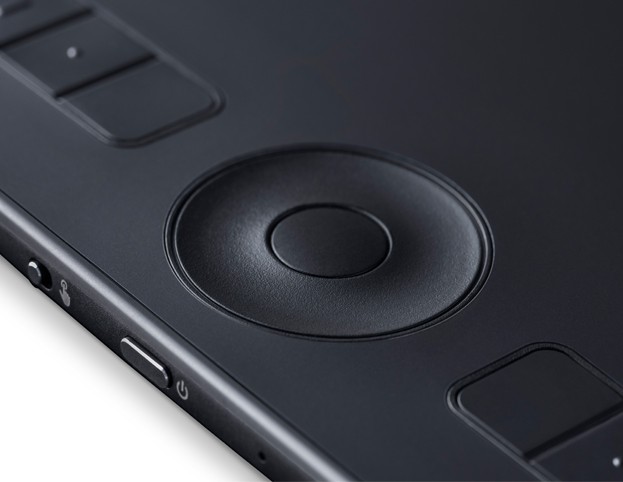
Eight programmable ExpressKeys plus a Touch Ring with four assignable modes. Each key can be mapped to any keyboard shortcut, application function, or modifier key — and different assignments can be saved per application, so the keys adapt automatically when you switch between Photoshop, Illustrator, and other tools.
Is the Intuos Pro Medium good for photo retouching?
Yes — it is one of the most widely used tools for professional photo retouching. The Pro Pen 2’s pressure sensitivity gives precise brush size and opacity control for masking, dodge and burn, frequency separation, and skin retouching work that mouse-based input cannot replicate at the same level of precision and speed.
What is the difference between the Intuos Pro Medium and the Intuos Pro Medium Paper Edition?
The Paper Edition adds a clip holder on the tablet surface that holds real paper, allowing the pen to trace drawings on paper while simultaneously capturing them digitally. This paper-to-digital workflow suits artists who prefer starting on paper and refining digitally. The standard Intuos Pro Medium (PTH-660) is pen-on-surface digital input only.