
For artists and designers who want to work completely digital from start to finish, Wacom Intuos Pro lets you illustrate, edit, or design with more natural creative control than ever before.
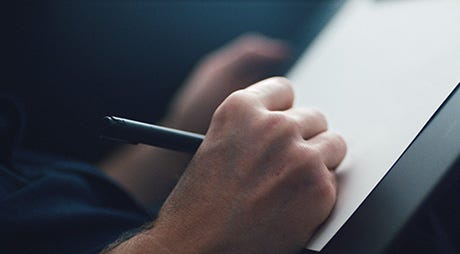
Premium pen technology

Build for professionals

The Creatives’ choice
Features
- Features a creative pen with tilt-recognition and virtually lag-free tracking.
- Customizable ExpressKeys™, Radial Menu and a pen side switch to help boost productivity.
- Super-slim tablet design with a compact footprint and premium materials.
- Accessories (sold separately) include: Wacom Fine tip Pen, Wacom Ballpoint Pen, Pen Nibs, Refills, Wacom Soft Case Medium, Wacom Texture Sheets

Wacom Pro Pen 2 – Natural and precise
Our state-of-the-art creative pen, Wacom Pro Pen 2 is included with Wacom Intuos Pro. Featuring 8,192 levels of pressure sensitivity and unparalleled tilt recognition every stroke and move of your hand is followed with unerring accuracy.

Virtually no lag

No parallax

Natural tilt recognition

No batteries or recharging
-
Specification
Model Number PTH-660P Size* 338 x 219 x 8 mm (13.2 x 8.5 x 0.3 in) Active Area* 224 x 148 mm (8.7 x 5.8 in) Weight* 700 g (1.54 lbs) Paper Size A5; up to 10 sheets (Included) What’s Included Wacom Intuos Pro Creative Pen Tablet, Wacom Pro Pen 2, Pen Stand (includes 6 standard nibs, 4 felt nibs), 4 extra pen color rings, Texture Sheet sample card, 2 m (6.6 ft) USB cable, quick start guide, Wacom Finetip Pen, Wacom Paper Clip, 10 single Paper sheets – A5 or A4 (depending on tablet size), Accessory Soft Case, 3 finetip ink refills Wacom Pro Pen 2 Battery-free Pro Pen 2 with 2 customizable side switches and 8192 pressure levels in both pen tip and eraser (patented electromagnetic resonance method) Multi-Touch Pan, zoom and rotate gestures available in most applications including Adobe® Photoshop® and Illustrator® Pen Tilt Recognition / Range ±60 levels / 60 degrees Paper Mode Features*** With included Inkspace App****: Export to PSD, SVG, PNG, JPG, WILL formats; Sync to your PC or Mac, store files up to 5 GB in Wacom cloud; Tablet stores up to 200 pages with unlimited layers Connectivity USB-C; Bluetooth Classic for connecting to a PC or Mac; Bluetooth LE for connecting to mobile devices (in paper mode for M and L models) ExpressKeys™ 8 customizable (6 for small size), application-specific ExpressKeys™, Touch Ring, Express View Display, Radial Menu, Display Toggle, Brush Size, Precision Mode Productivity Boosters ExpressKeys™, Home Button, Touch Ring, time-saving settings, Home Button with Layer function in paper mode** Ergonomics Right or left-handed use; Wacom Pro Pen 2 with comfortable, ergonomic grip System Requirements Standard USB port, Windows® 7 or later; Mac OS® X 10.10 (10.12 for small size) or later; Bluetooth Classic for wireless connection to PC or Mac; Bluetooth 4.2 LE for wireless connection to mobile devices (in paper mode for M and L models); internet access***** to download driver and Wacom Inkspace Basic Creative software (for paper mode) Limited Warranty 2 years in the USA, Canada, Latin America, Europe, Middle East, and Africa; 1 year in China, Asia Pacific and Japan
- In most European countries, the USA, and a growing number of countries around the world, legislation is in place to encourage the rapid adoption of electronic signatures and reduce the use of antiquated paper method
- The following acts reinforce the validity of electronic agreements.
- 2000 U.S. Electronic Signatures in Global and National Commerce Act (ESIGN)
- Uniform Electronic Transactions Act (UETA)
- European Directive (EC/1999/93)
- For example, ESIGN states that a contract “may not be denied legal effect, validity, or enforceability solely because an electronic signature or electronic record was used in its formation.”
Not at all. A static image, or a photo of a signature will help make signature information more accessible, but it does not provide as many benefits as capturing the signature directly in an electronic form without printing. Document scanners use CCD sensors to read the image of a handwritten signature as color and brightness information of individual pixels. The signature is recorded as static image data only. The appearance of a signature alone is not a secure criterion, because the individual dynamic parameters of the signature are missing. Signature pads take security to the next level by analyzing the signature as it is handwritten on a sensor panel using a special pen. In addition to the appearance of the signature, they record biometric parameters such as acceleration, pressure progression and the angle of the pen while signing, thereby producing a kind of a “digital fingerprint”. This fingerprint is as individual and unique as its owner, and together with a digital certificate, is today the safest method of reading electronic signatures.
- An individual’s signature cannot be lost or stolen like a card can be
- It is impossible to forget one’s signature, unlike a PIN
- Signatures cannot be disclosed to third parties
- Signatures are always given deliberately, where cards and disclosed PINs may be used without consent
- Signatures are considered suitable for authenticating declarations of intent
- Signing with a pen is a familiar and customary process