
The Wacom MobileStudio Pro 13 is perfect for professionals who need a more portable studio of tools to dive into their creative genius wherever they go. This 13″ studio features professional computing power, a precise and advanced pen, 4K (2560×1440) display, and high-performance creative applications.
The long-lasting battery invites you to bring your projects to life without disrupting your creative flow. You’ll love how productive you can be when you can run demanding creative applications for hours.
Ready to break free
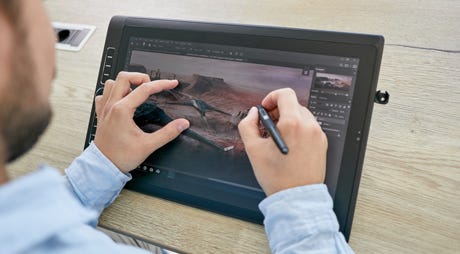
Whatever, wherever… you can create the most stunning works of art with Wacom MobileStudio Pro. Enjoy true independence with a whole studio of creative tools in your hands – an awesome display, a precise and powerful pen and gain ultimate versatility and flexibility to do anything anywhere you want.
Freedom to create, your way
Expand your creative horizon
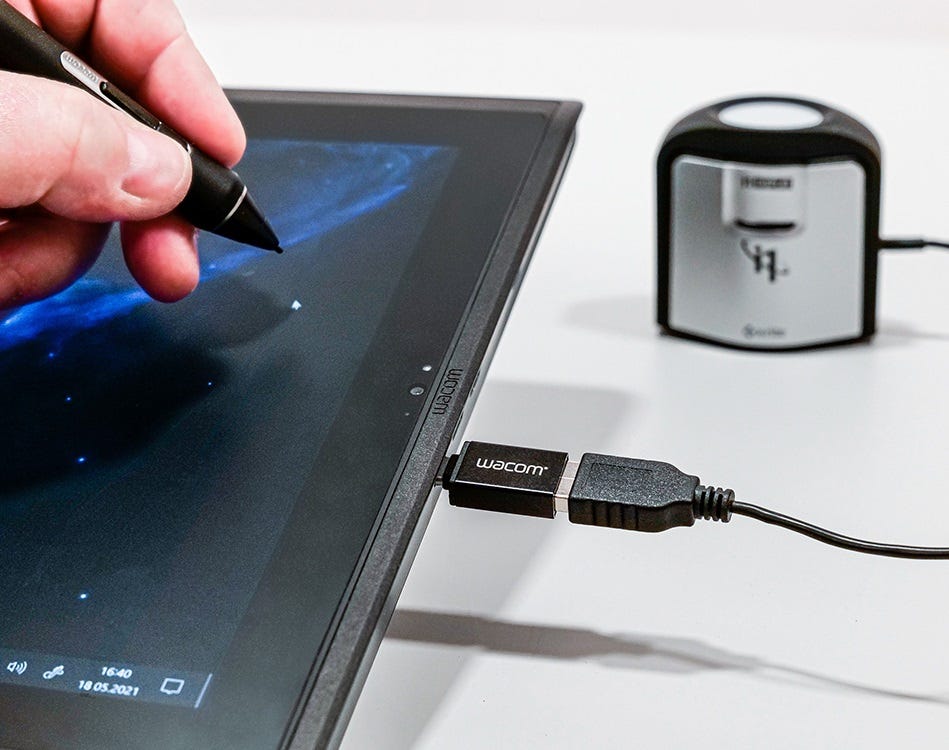
The Wacom MobileStudio Pro gives you the freedom the create any way you want, anywhere. As a standalone pen computer for remote work or connected to your Mac/PC as a pen display, it is flexible and versatile. And now you can also connect USB-A peripherals, such as ColorManager, directly to the USB-C port on the MobileStudio Pro, with the USB On-The-Go Adapter. Discover a truly seamless mobile working experience, across devices.
Complete creative independence
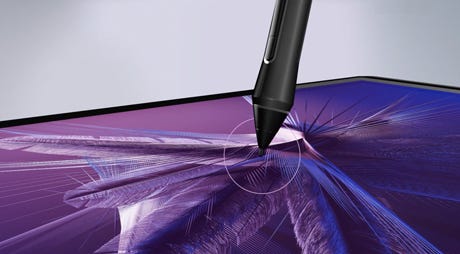
Wacom Pro Pen 2 has been engineered with a focus on achieving excellence, pushing limits, and honing the finest details to offer the unique Wacom experience that our customers love. Wacom’s advanced screen technology brings harmony to your work. The thin etched glass minimizes parallax and provides a distinct, tactile experience as you draw, mimicking the feel of a pen on paper. And our special bonding agent brings the glass as close to the LCD as possible, so every mark appears precisely where you expect it to be.
Upgradable performance
What’s freedom without choice? MobileStudio Pro comes with an upgradable DDR memory on the 15.6” version and an upgradable SSD on both the 13.3” and 15.6”. Inside, the new ‘Backdoor’ feature makes it easier than ever so you can upgrade whenever you need to.

Get more done on-the-go
Wacom MobileStudio Pro can take on 2D and 3D applications with its i7 Intel® chip, so you don’t always need to be plugged in to your computer to get work done. The 15.6” model also packs an NVIDIA® Quadro® graphics card available, while the 13.3” comes with an Intel® Iris™ Plus Graphics 655. So whether it’s sculpting, surface texturing or VFX from now on nothing will slow you down.

Features
- Wacom’s most natural and advanced pen with virtually lag-free tracking.Wacom’s most natural and advanced pen with virtually lag-free tracking.
- High-resolution WQHD (2560 x 1440) display and superior color quality with 82% Adobe RGB coverage (CIE1931).
- Fast data processing and quick data transfer thanks to professional computing power, powered by an i7 Intel® chip, 16 GB system memory, 512 GB SSD, and Thunderbolt3 connectivity.
- Convenient features that aid independence. Wacom Link™ Plus adaptor* to attach to any Mac or PC for use as a standard Cintiq display. Wacom Stand with three working angles. Plus, the ‘Backdoor’ feature makes it easy for you to replace or upgrade the SSD and RAM Memory. Wireless Keyboard* for additional shortcut keys and everyday office work.
- Multi-touch, customizable ExpressKeys™, Radial Menus and one-touch shortcuts for better productivity.
- Enjoy performance 2D, 3D and video applications with performance graphics card Intel® Iris™ Plus Graphics 655.
Features
- Wacom’s most natural and advanced pen with virtually lag-free tracking.Wacom’s most natural and advanced pen with virtually lag-free tracking.
- Fast data processing and quick data transfer thanks to professional computing power, powered by an i7 Intel® chip, 16 GB system memory, 512 GB SSD, and Thunderbolt connectivity.
- High-resolution WQHD (2560 x 1440) display and superior color quality with 82% Adobe RGB coverage (CIE1931).
- Enjoy high performance 2D, 3D, video and CAD applications with high-performance graphics card Intel® Iris™ Plus Graphics 655.
- Multi-touch, customizable ExpressKeys™, Radial Menus and one-touch shortcuts for better productivity.
- Convenient features that aid independence. Wacom Link™ Plus adaptor* to attach to any Mac or PC for use as a standard Cintiq display. Wacom Stand with three working angles. Plus, the ‘Backdoor’ feature makes it easy for you to replace or upgrade the SSD and DDR Memory. Wireless Keyboard* for additional shortcut keys and everyday office work.

Wacom Pro Pen 2 – Natural and precise
| Our state-of-the-art creative pen, Wacom Pro Pen 2 is included with Wacom MobileStudio Pro. Featuring 8,192 levels of pressure sensitivity and unparalleled tilt recognition every stroke and move of your hand is followed with unerring accuracy. |

Virtually no lag

No parallax

Natural tilt recognition

No batteries or recharging
What’s included
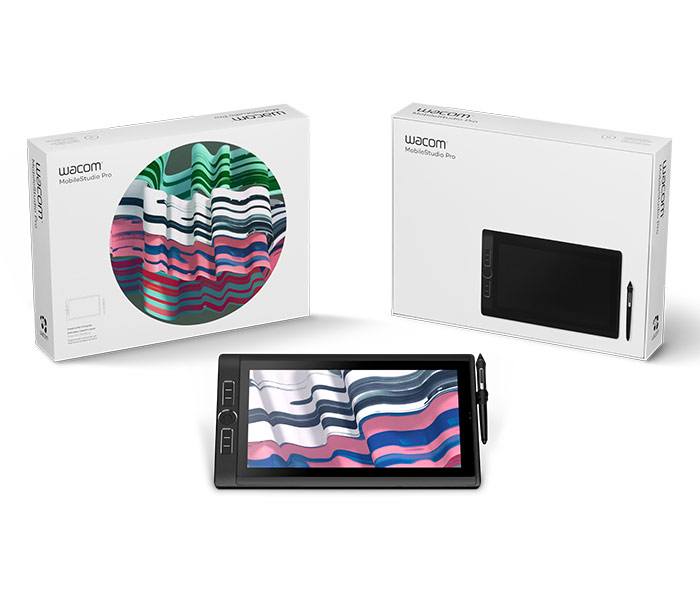
- Wacom MobileStudio Pro 13
- Wacom Pro Pen 2
- Pen case with 3 replacement nibs, color rings and nib removal tool
- Pen holder
- Wacom Stand
- AC Power Adapter + power cable
- Quick Start Guide
- Cleaning cloth
- Regulation sheet
- In most European countries, the USA, and a growing number of countries around the world, legislation is in place to encourage the rapid adoption of electronic signatures and reduce the use of antiquated paper method
- The following acts reinforce the validity of electronic agreements.
- 2000 U.S. Electronic Signatures in Global and National Commerce Act (ESIGN)
- Uniform Electronic Transactions Act (UETA)
- European Directive (EC/1999/93)
- For example, ESIGN states that a contract “may not be denied legal effect, validity, or enforceability solely because an electronic signature or electronic record was used in its formation.”
Not at all. A static image, or a photo of a signature will help make signature information more accessible, but it does not provide as many benefits as capturing the signature directly in an electronic form without printing. Document scanners use CCD sensors to read the image of a handwritten signature as color and brightness information of individual pixels. The signature is recorded as static image data only. The appearance of a signature alone is not a secure criterion, because the individual dynamic parameters of the signature are missing. Signature pads take security to the next level by analyzing the signature as it is handwritten on a sensor panel using a special pen. In addition to the appearance of the signature, they record biometric parameters such as acceleration, pressure progression and the angle of the pen while signing, thereby producing a kind of a “digital fingerprint”. This fingerprint is as individual and unique as its owner, and together with a digital certificate, is today the safest method of reading electronic signatures.
- An individual’s signature cannot be lost or stolen like a card can be
- It is impossible to forget one’s signature, unlike a PIN
- Signatures cannot be disclosed to third parties
- Signatures are always given deliberately, where cards and disclosed PINs may be used without consent
- Signatures are considered suitable for authenticating declarations of intent
- Signing with a pen is a familiar and customary process