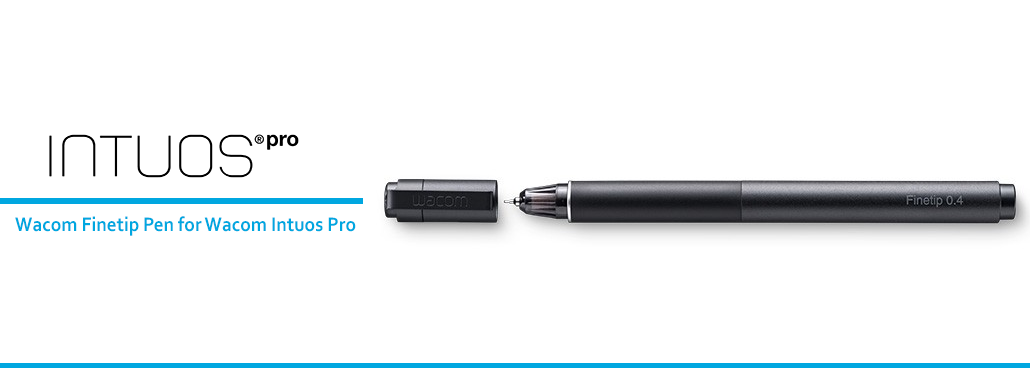
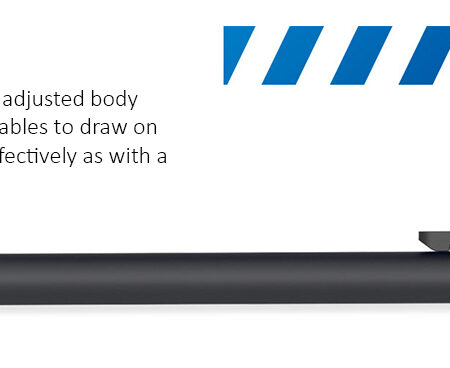
The Wacom Finetip Pen is a real ink pen for the Intuos Pro Paper Edition. Its 0.4 mm nib and black gel ink cartridge draw on paper while the tablet captures the same strokes digitally at 8,192 pressure levels.
Type: Ink pen for paper-to-digital capture
Nib Size: 0.4 mm
Ink: Black gel ink cartridge
Pressure Levels: 8,192
Power: Battery-free
Refills: Wacom Finetip FT 0.4 refills only
Compatible With: Wacom Intuos Pro Medium (PTH-660) and Large (PTH-860), used with the Wacom Paper Clip
Supplied As: Included with Intuos Pro Paper Edition; available separately as a replacement pen
Best For: Fine line work, technical sketching and detailed notes on paper
The Intuos Pro Paper Edition solves a specific problem: some people think better on paper but need the result as a digital file. The Finetip Pen is the tool that makes that work. You draw on real paper with real ink, and the tablet underneath records every stroke.
The 0.4 mm nib is the finest of the two paper pens Wacom makes, which makes it the right one for detailed line work rather than loose sketching. It is battery-free and carries the same 8,192 pressure levels as Wacom’s digital pens, so pressure variation is captured rather than flattened.
Why Specify This Pen
A 0.4 mm nib for fine, controlled lines, where the Ballpoint Pen’s 1.0 mm nib is built for speed.
8,192 pressure levels, so the digital capture reflects how hard you pressed.
Battery-free, with nothing to charge before a session.
Three refills supplied as standard.
How Paper Capture Works
The Wacom Paper Clip holds a sheet over the tablet surface. As you draw with the Finetip Pen, the ink goes on the paper and the Intuos Pro records the strokes at the same time. You end with both artefacts: the physical page and a digital file that can be taken into your drawing application and worked on further.
Choosing Between Finetip and Ballpoint
Take the Finetip Pen (0.4 mm gel ink) for detail, small text and technical line work. Take the Wacom Ballpoint Pen (1.0 mm oil ink) for fast, confident sketching where the line wants to be heavier. Both capture at 8,192 pressure levels; the difference is the nib and the ink.
How We Supply It
eTOP Trading LLC is an Authorized Wacom Solution Provider based in Dubai. We supply the Finetip Pen and its FT 0.4 refills, on their own or with an Intuos Pro. Confirm your tablet model code when you enquire.
Frequently Asked Questions
What is the Wacom Finetip Pen?
It is a 0.4 mm gel ink pen for the Wacom Intuos Pro. It writes on real paper while the tablet captures the same strokes digitally at 8,192 pressure levels.
Which tablets does the Finetip Pen work with?
The Wacom Intuos Pro Medium (PTH-660) and Large (PTH-860), used together with the Wacom Paper Clip.
Which refills does it take?
Wacom Finetip FT 0.4 refills. Only these should be used to replace the gel ink cartridge.
Does the Finetip Pen need a battery?
No. It is battery-free.
What is the difference between the Finetip and the Ballpoint Pen?
The Finetip has a 0.4 mm nib with black gel ink for fine detail. The Ballpoint has a 1.0 mm nib with black oil ink for faster, heavier sketching.
Need this configured for your workflow?
Tell us what you sign, how often, and which system it lives in. We will specify the hardware, software and integration — with UAE pricing.