
Wacom MobileStudio Pro 16 — A Complete Creative Studio You Can Take Anywhere
The Wacom MobileStudio Pro 16 (DTHW1621HK0B) is unlike every other product on this site. Every other Wacom device — whether a signature pad, a Cintiq pen display, or an Intuos tablet — requires a computer to function. The MobileStudio Pro 16 is the computer. It is a self-contained Windows pen computer with a full Intel Core i7 processor, dedicated NVIDIA GPU, 512GB SSD, and a 16-inch 2560×1440 display built into a single device you can carry in a bag and set up anywhere in under a minute. No host machine. No cables to a laptop. No compromise on the software you run or the quality of work you produce.
For creative professionals in the Middle East whose work does not pause when they leave their desk, the MobileStudio Pro 16 is the only device in the Wacom range that solves that problem completely.
The Wacom MobileStudio Pro 16 is perfect for professionals who need a more portable studio of tools to dive into their creative genius wherever they go. This 16″ studio features professional computing power, a precise and advanced pen, 4K (2560×1440) display, and high-performance creative applications.
The long-lasting battery invites you to bring your projects to life without disrupting your creative flow. You’ll love how productive you can be when you can run demanding creative applications for hours.
Ready to break free
Whatever, wherever… you can create the most stunning works of art with Wacom MobileStudio Pro. Enjoy true independence with a whole studio of creative tools in your hands – an awesome display, a precise and powerful pen and gain ultimate versatility and flexibility to do anything anywhere you want.
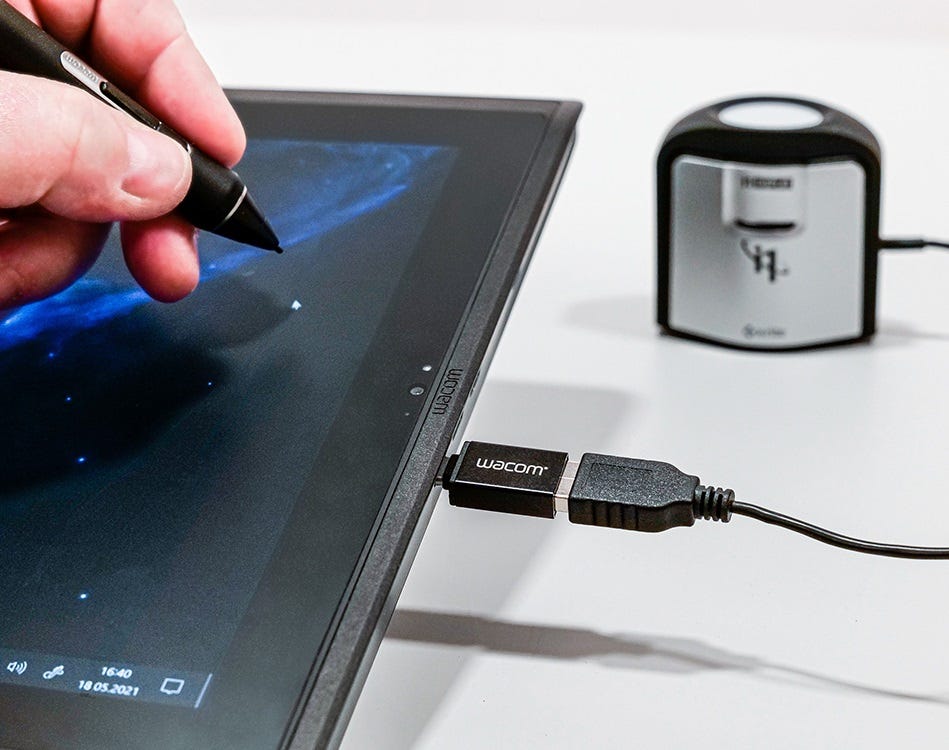
Freedom to create, your way
Expand your creative horizon
The Wacom MobileStudio Pro gives you the freedom the create any way you want, anywhere. As a standalone pen computer for remote work or connected to your Mac/PC as a pen display, it is flexible and versatile. And now you can also connect USB-A peripherals, such as ColorManager, directly to the USB-C port on the MobileStudio Pro, with the USB On-The-Go Adapter. Discover a truly seamless mobile working experience, across devices.
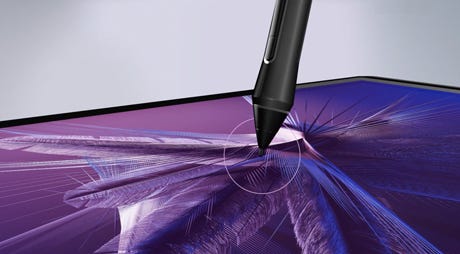
Complete creative independence
Wacom Pro Pen 2 has been engineered with a focus on achieving excellence, pushing limits, and honing the finest details to offer the unique Wacom experience that our customers love. Wacom’s advanced screen technology brings harmony to your work. The thin etched glass minimizes parallax and provides a distinct, tactile experience as you draw, mimicking the feel of a pen on paper. And our special bonding agent brings the glass as close to the LCD as possible, so every mark appears precisely where you expect it to be.
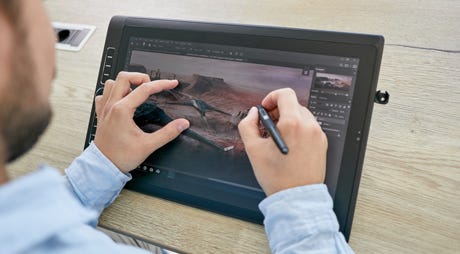
Upgradable performance
What’s freedom without choice? MobileStudio Pro comes with an upgradable DDR memory on the 15.6” version and an upgradable SSD on both the 13.3” and 15.6”. Inside, the new ‘Backdoor’ feature makes it easier than ever so you can upgrade whenever you need to.
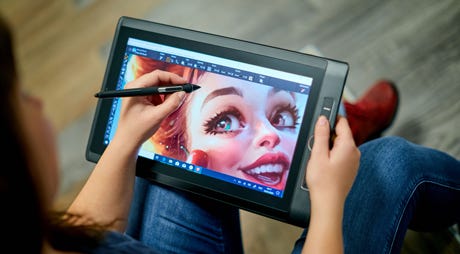
Get more done on-the-go
Wacom MobileStudio Pro can take on 2D and 3D applications with its i7 Intel® chip, so you don’t always need to be plugged in to your computer to get work done. The 15.6” model also packs an NVIDIA® Quadro® graphics card available, while the 13.3” comes with an Intel® Iris™ Plus Graphics 655. So whether it’s sculpting, surface texturing or VFX from now on nothing will slow you down.

Features
- Wacom’s most natural and advanced pen with virtually lag-free tracking.Wacom’s most natural and advanced pen with virtually lag-free tracking.
- High-resolution 4k (3840 x 2160) display and superior color quality with 85% Adobe RGB coverage (CIE1931).
- Fast data processing and quick data transfer thanks to professional computing power, powered by an i7 Intel® chip, 16 GB system memory, 512 GB SSD, and Thunderbolt3 connectivity.
- Convenient features that aid independence. Wacom Link™ Plus adaptor* to attach to any Mac or PC for use as a standard Cintiq display. Wacom Stand with three working angles. Plus, the ‘Backdoor’ feature makes it easy for you to replace or upgrade the SSD and DDR Memory. Wireless Keyboard* for additional shortcut keys and everyday office work.
- Multi-touch, customizable ExpressKeys™, Radial Menus and one-touch shortcuts for better productivity.
- Enjoy high performance 2D, 3D and video applications with high-performance graphics card NVIDIA® Quadro P1000 mit 4GB VRAM®.

Wacom Pro Pen 2 – Natural and precise
| Our state-of-the-art creative pen, Wacom Pro Pen 2 is included with Wacom MobileStudio Pro. Featuring 8,192 levels of pressure sensitivity and unparalleled tilt recognition every stroke and move of your hand is followed with unerring accuracy. |

Virtually no lag

No parallax

Natural tilt recognition

No batteries or recharging
What’s included
- Wacom MobileStudio Pro 16
- Wacom Pro Pen 2
- Pen case with 3 replacement nibs, color rings and nib removal tool
- Pen holder
- Wacom Stand
- AC Power Adapter + power cable
- Quick Start Guide
- Cleaning cloth
- Regulation sheet
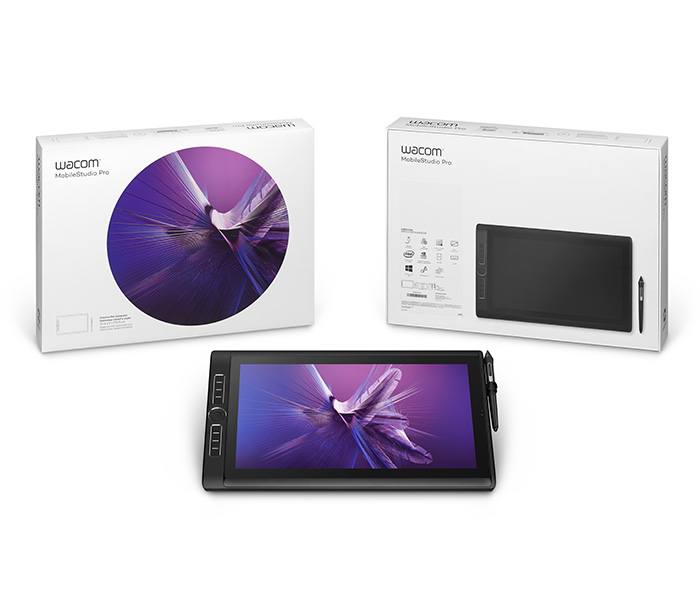
What Makes the MobileStudio Pro 16 Different From Every Other Wacom Device
The distinction that matters most is this: the MobileStudio Pro 16 runs Windows natively. This means every professional creative application you use at your studio workstation — Adobe Photoshop, Illustrator, After Effects, Autodesk 3ds Max, ZBrush, AutoCAD, Clip Studio Paint, Toon Boom Harmony — runs on the MobileStudio Pro 16 at full desktop capability, with no compatibility layers, no cloud dependency, and no reduced feature set. You open the lid, open your application, and work at full production quality from any location.
This is the defining separation between the MobileStudio Pro 16 and every other portable drawing device on the market. An iPad Pro runs iOS applications — not full desktop Windows software. A laptop with a drawing tablet requires two devices and eliminates pen-on-screen directness. The MobileStudio Pro 16 combines the full Windows professional software environment, a high-quality pen display, and dedicated GPU performance into one device.
Two Ways to Work — Standalone and Connected
The MobileStudio Pro 16 is designed to function in two distinct modes. Understanding both is important when evaluating whether it fits your workflow.
Standalone Mode — A Complete Independent Creative Workstation
In standalone mode the MobileStudio Pro 16 operates entirely on its own. The Intel Core i7 processor and dedicated NVIDIA Quadro GPU handle demanding creative workloads directly. You run your applications, save to the 512GB internal SSD, connect to Wi-Fi or a hotspot, and work with no external device required. This is the mode that matters most when you are working away from the office — at a client site, on location, at home, or anywhere else that is not your primary desk.
Connected Mode — A Professional Pen Display for Your Existing Setup
In connected mode the MobileStudio Pro 16 connects to your Mac or Windows desktop via USB-C and functions as a high-quality pen display — drawing all its video signal and processing from the host computer. In this mode it behaves like a Cintiq Pro: a 16-inch laminated pen display with the Pro Pen 2 and a full ExpressKey layout, driven by your main workstation. This makes it a genuine dual-role device. At the desk it extends your primary workstation as a professional pen display. Away from the desk it works completely independently. Most professional users end up using both modes regularly — the device earns its value in both contexts.
USB On-The-Go — Connecting Peripherals Directly
The MobileStudio Pro 16 supports USB On-The-Go via the USB-C port, allowing USB-A peripherals — including Wacom’s ColorManager display calibration device — to connect directly to the MobileStudio Pro without a hub. This matters for professionals who calibrate their display regularly as part of a colour-managed workflow, removing a dependency on external hardware that would otherwise complicate the portable setup.
Understanding the Model Code — DTHW1621HK0B
DTHW1621HK0B is the product SKU for the MobileStudio Pro 16 in the Intel Core i7, 512GB SSD, second generation configuration. If you are sourcing for procurement, searching for compatible drivers or accessories, or comparing with regional listings elsewhere, this is the reference to use. The 16 in the model name indicates the 16-inch screen. The i7 indicates the Intel Core i7 processor tier. 512GB refers to the internal SSD storage capacity. If you require a different storage configuration or have a specific procurement specification, contact us for availability across the full MobileStudio Pro 16 range.
Who the MobileStudio Pro 16 Is For
The MobileStudio Pro 16 is not for every creative professional. It is a premium device that solves a specific problem — the need to work at full professional creative capability away from a fixed desk. For that group of professionals, nothing else in the Wacom range or any comparable category does what it does.
- Concept artists and senior illustrators who split their time between studio and location work — client briefings, production sets, remote working days — and refuse to accept a degraded creative experience away from their primary workstation.
- Architects and interior designers who present directly to clients on device, sketch over imported drawings on site, and return to the studio to continue the same project in the same application without format conversion or file transfer.
- 3D artists, VFX professionals, and motion graphics designers whose workflows require GPU-accelerated performance — real-time 3D sculpting, rendering, and compositing — that lightweight tablets and thin laptops cannot sustain.
- Creative directors and senior designers who move between studio, home, and client offices regularly and need every location to deliver the same standard of creative tool.
- Corporate and enterprise creative teams that conduct on-site workshops, training sessions, or client presentations where portable professional drawing workstations are needed temporarily without permanently installing hardware.
MobileStudio Pro 16 vs Cintiq Pro 16 — The Decision Most Buyers Face
These two devices are the most commonly compared in the Wacom professional range, and the decision is clear once the difference is properly understood. The Cintiq Pro 16 is a 4K pen display. It delivers exceptional display quality and Pro Pen 2 performance at a fixed desk — but it requires a host computer to function. Remove the computer and the Cintiq Pro 16 is an expensive screen with no capability.
The MobileStudio Pro 16 is that same professional pen display experience — same Pro Pen 2, full laminated screen, full ExpressKey layout — with a complete Windows computer built in. The display on the Cintiq Pro 16 is 4K (3840×2160) versus the MobileStudio Pro’s 2560×1440, which is a genuine display quality advantage for the Cintiq Pro 16 at the desk. If your work is entirely desk-based and you never need your creative setup to move, the Cintiq Pro 16 is the right choice and the more cost-efficient one. If portability and creative independence are requirements of your actual working life — not occasionally useful, but genuinely required — the MobileStudio Pro 16 is the only device that provides them.
MobileStudio Pro 16 vs iPad Pro — Why They Are Not the Same Device
The iPad Pro is frequently positioned as an alternative to the MobileStudio Pro 16, and the comparison misses the fundamental point of what each device is. The iPad Pro is an excellent mobile creative tool for illustration, sketching, and work within the Apple ecosystem on iPadOS. It does not run full Windows desktop applications. There is no desktop Photoshop with full plugin support, no ZBrush, no 3ds Max, no AutoCAD, no professional production pipeline that exists only in the Windows desktop environment.
The MobileStudio Pro 16 runs the complete Windows professional software environment with no compromises or limitations. For creatives whose workflow depends on specific Windows applications, studio-standard plugins, or production pipelines that are built around the desktop platform, the iPad Pro is a different category of device for different tasks — not an alternative for the same workflow. Both are valuable tools. They do not compete directly.
How It Compares — MobileStudio Pro 16 vs Cintiq Pro 16 vs iPad Pro
| Feature | MobileStudio Pro 16 ★ | Cintiq Pro 16 | iPad Pro |
| Type | Standalone Windows pen computer | Pen display (needs host computer) | iOS tablet |
| Runs Windows software | Yes — fully | Via connected computer | No |
| Screen size | 16 inch | 15.6 inch | 12.9 inch |
| Resolution | 2560×1440 (QHD) | 3840×2160 (4K) | 2732×2048 |
| Laminated display | Yes | Yes | Yes |
| Pen | Pro Pen 2 (8,192 levels) | Pro Pen 2 (8,192 levels) | Apple Pencil |
| Processor | Intel Core i7 (built-in) | Uses host computer | Apple M-series |
| Dedicated GPU | NVIDIA Quadro (built-in) | Uses host GPU | Apple GPU |
| Storage | 512GB SSD (built-in) | None | 128GB–2TB |
| Works without computer | Yes — completely | No | Yes |
| ExpressKeys | 8 + Touch Ring | None built-in | None |
| Best for | Mobile professional production | Fixed desk precision work | Sketching, iOS creative apps |
Technical Specifications — Wacom MobileStudio Pro 16 (DTHW1621HK0B)
| Specification | DTHW1621HK0B — MobileStudio Pro 16 i7 512GB Gen 2 |
| Display Size | 16 inch |
| Resolution | 2560 x 1440 (QHD) |
| Display Type | IPS LCD, fully laminated |
| Processor | Intel Core i7 (8th Gen) |
| GPU | NVIDIA Quadro M1200 (dedicated) |
| RAM | 16GB DDR4 |
| Storage | 512GB SSD |
| Operating System | Windows 10 (upgradeable to Windows 11) |
| Pen | Wacom Pro Pen 2 |
| Pen Pressure Levels | 8,192 |
| Pen Tilt Recognition | ±60 degrees |
| Pen Technology | Electromagnetic Resonance (EMR) — battery-free |
| ExpressKeys | 8 programmable + Touch Ring |
| Multi-touch | Yes — on display surface |
| Battery | Built-in rechargeable lithium battery |
| Connectivity | USB-C (x2), USB-A, SD card reader, 3.5mm audio |
| Wireless | Wi-Fi 802.11 a/b/g/n/ac, Bluetooth 4.2 |
| Camera | Front-facing 8MP Intel RealSense camera |
| Dimensions | 424 x 285 x 16.4 mm |
| Weight | Approx. 2.1 kg |
| Modes | Standalone Windows computer / Connected pen display |
No. It is a fully standalone Windows computer. It runs independently with no external computer required. It can also connect to a Mac or PC via USB-C and operate as a pen display in connected mode, but standalone use requires no host machine at all. This is the fundamental difference between the MobileStudio Pro 16 and the Cintiq range.
The DTHW1621HK0B configuration includes a dedicated NVIDIA Quadro M1200 GPU, specifically optimised for professional creative and design applications. GPU-accelerated rendering, 3D sculpting, real-time compositing, and professional visualisation workflows all benefit from dedicated graphics performance. This is a significant capability advantage over standard consumer laptops with integrated graphics.
The 16-inch display runs at 2560×1440 — QHD resolution with a fully laminated IPS panel. This is not 4K UHD (3840×2160) as on the Cintiq Pro 16 and Cintiq Pro 27, but at 16 inches QHD produces high pixel density that is more than sufficient for detailed professional creative work. The lamination means no parallax — the pen registers exactly where it appears to touch.
Yes. The Wacom Pro Pen 2 is included in the box — the same stylus used across the Cintiq Pro and Intuos Pro ranges, with 8,192 levels of pressure sensitivity, ±60-degree tilt recognition, battery-free electromagnetic operation, and two programmable side buttons. Replacement nibs and a pen holder are also included.