
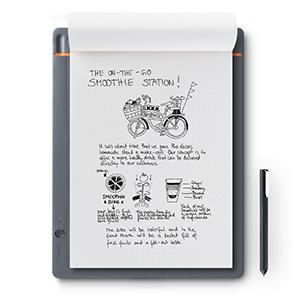
Bamboo Slate lets you work the way you work best, easily transforming your handwritten notes and drawings into digital, sharable files. You can collaborate, refine, and get your ideas moving.
There’s something magical about using a real pen and real paper to capture your ideas. But when you need to collaborate with a larger team—or just want a workspace to refine and organize your good thinking—handwritten notes can feel limiting.
Bamboo Slate bridges the divide between analog and digital. You can go ahead, write or draw on your favorite paper. Just press Bamboo Slate’s single button before you turn each page to save a digital copy of your work to your devices and the cloud (using our cloud-based app).
- Start with a pen in your hand and a clean sheet of paper. Capture your thoughts and ideas. Then turn them into digital, shareable files while you write. When you’re ready to turn the page, just touch a button, and bamboo slate saves your ideas
- Use the free, next-generation Wacom Inkspace app to convert your handwritten notes to text, edit your digitized notes, and export them into JPG, PNG, PDF, SVG, or WILL files
- With an optional upgrade to the all-new Ink Space Plus, you can convert handwriting to rich text. (Free 3-month Ink space Plus trial included with purchase)
- System requirements: Bluetooth-enabled iOS or Android smartphone or tablet with Wacom Ink space app/Internet connection/Maximum notepad thickness: About 80 pages (less than 8 millimeters)
- And for a short time, we’re offering a limited edition Bamboo Slate large in red and blue. The pixel pattern is inspired by Minecraft and designed with the high energy, gig economy go-getter in mind
Compatible Devices
- Bluetooth Smart Ready device. Check the website for list of tested devices
- iPad mini 1 or later
- iPad 3 or later
- iPad Air or later
- iPad Pro 13.3
- iPhone 6 or later
- Android devices (Android 4.3 or later)
- Fujitsu Arrows Tab (QH77)
- Nexus 5 und 7
- Nokia Lumia
- Samsung Galaxy S4, S5
- Samsung Galaxy Tab 10.1
Specifications:
- Ergonomics: Right or left-handed use
- Color: Medium gray with orange accent color
- Size: Approx. 249 x 186 x 7 mm
- Active Area: Approx. A5 / half letter (140 × 216 mm)
- Pressure Levels: 1024
- Model: CDS-610S
- Pen: Ballpoint pen
- Weight: 264 g (smartpad) / 17 g (pen)
- Cable Included: Yes
- Technology: Patented electromagnetic resonance method
- System Requirements: Bluetooth-enabled iOS or Android smartphone or tablet with Wacom Inkspace app, internet
connection, maximum notepad thickness about 80 pages (<8 mm) - Warranty: 1 year
- Items Delivered: Bamboo Slate, pen with one extra refill, notepad, micro USB cable, quick start guide (smartphone
and tablet not included) - Additional Accessories: notepads (A5/half letter, 3 pack), replacement pen, replacement ink cartridges.