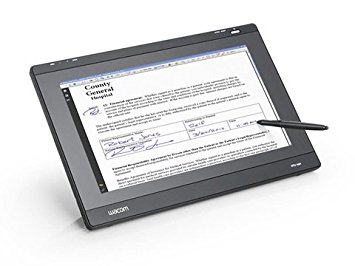
Wacom DTH-2242 Interactive Pen Display
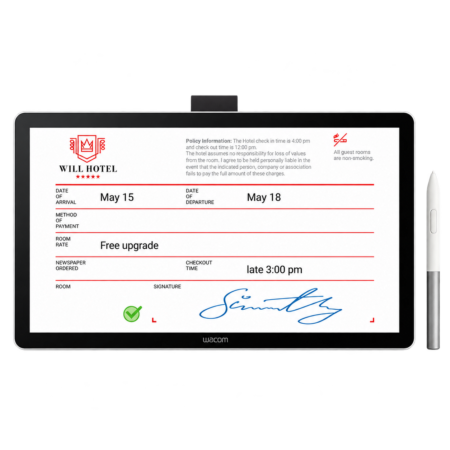
The Wacom DTH-2242 is a 21.5-inch interactive pen display for full-page document review and signing. It is specified where the whole page has to be visible and annotated, rather than just a signature captured.
- Screen Size: 21.5 in
- Display Type: Full HD colour LCD
- Pressure Levels: 2048
- Interface: USB
- Multi-Touch: Yes
- Best For: Full-page review, annotation and multi-signature documents
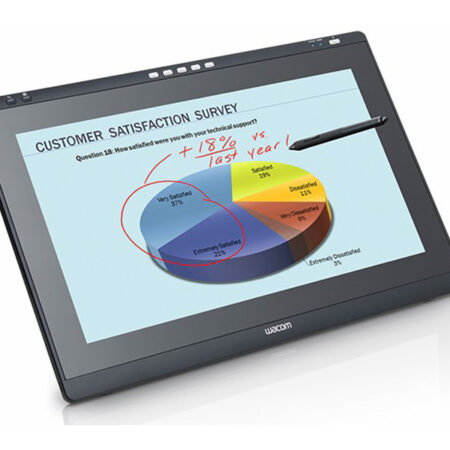
Streamline your workflow and transition to a seamless, paperless environment with the Wacom DTH-2242 Interactive Pen Display. It enhances work efficiency where teams annotate documents together, present to a room, or review large drawings before approving them.
Combining pen and touch on a large panel means navigation is immediate — zoom, shrink or scroll by hand, then switch to the pen for precise mark-up or a signature.
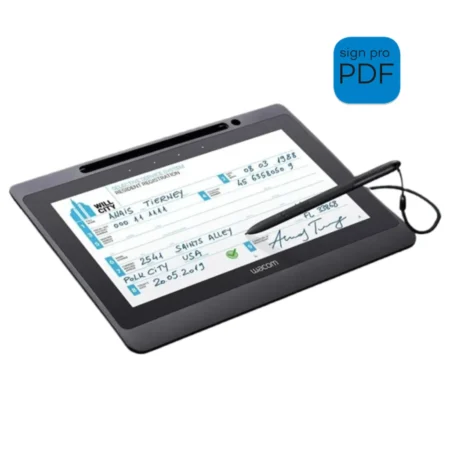
The large workspace suits an intuitive way of teaching and creating more interactive presentations. The application software of the Signature Set is sign pro PDF. The software allows electronic registration of handwritten signatures and their integration into PDF documents. The software not only records the signature image that is displayed on the tablet or screen, but also the non-visible biometric data such as pressure, travel and speed. Subsequently, the document and the signature can not be modified and are protected securely. Then, the document can be saved, printed or sent.
What’s included with Wacom DTH-2242
The Wacom DTH-2242 package includes everything needed to connect the device to a compatible computer and start setting up your digital signature workflow.
- Wacom DTH-2242 Interactive Pen Display
- Cordless and battery-free digital pen
- Connection cables
- Display stand
- Quick Start Guide
Pen and Touch on a Large Workspace
- Its 54.6 cm LCD panel offers a large workspace, combining pen and touch technology to quickly capture notes, sketches or diagrams as well as navigate the system.
- Touch gestures for zooming, shrinking and scrolling make it approachable for people who have never used a pen display before.
Built for Interactive Documents
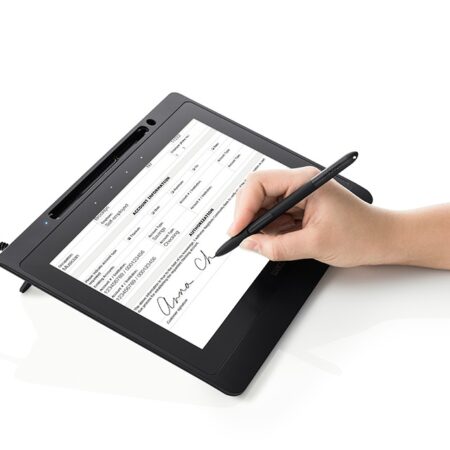
- The display accepts precise handwritten input for annotation and signing directly on the document, keeping review and approval in one place.
- For dedicated counter signing, a DTU signing display or STU signature pad is smaller, simpler and considerably more economical.
Frequently Asked Questions
What is the Wacom DTH-2242 used for?
A 21.5-inch (54.6 cm) interactive pen display combining pen and touch on one large workspace. It captures notes, sketches and diagrams quickly and makes navigation, zooming and scrolling immediate for presentation and document review.
What does combining pen and touch achieve?
Navigation becomes immediate. You zoom, shrink or scroll by hand, then switch to the pen for precise mark-up or a signature — without touching a mouse or keyboard mid-session.
Is it suitable for teaching?
Yes. The large workspace supports an intuitive way of teaching and creating more interactive presentations, which is why it appears in classrooms and training rooms as well as offices.
Should we use this for counter signing?
No — it is too large and too expensive for that job. For dedicated counter signing, a DTU signing display or STU signature pad is the right specification.
How does it compare with the DTK-2241?
Similar size class. The DTH-2242 adds multi-touch for gesture navigation; the DTK-2241 offers five programmable ExpressKeys instead. Pick on whether your team prefers gestures or physical shortcut keys.
Are signatures captured on it legally valid in the UAE?
Yes. Electronic signatures are recognised under the UAE Electronic Transactions and Trust Services Law (Federal Decree-Law No. 46 of 2021). The device supports compliance by capturing the biometric characteristics of the signature alongside the visible mark.
How do developers integrate it?
Through the Wacom Ink SDK for signature for capture inside your own application, or the sign pro PDF API where you want complete PDFs signed from an existing CRM, ERP or document system. The sign pro PDF application covers it with no development at all.
How much does the Wacom DTH-2242 cost in the UAE?
Ask us for a current quote. Pricing depends on quantity, bundled software and integration work, and we price hardware, software and development together with UAE delivery and local support.
Need this configured for your workflow?
Tell us what you sign, how often, and which system it lives in. We will specify the hardware, software and integration — with UAE pricing.