Buy Now Wacom Signature Set STU + Sign Per PDF
The Signature Pad STU is the ideal solution for those who want to get into the field of digital signature capture. It is inexpensive and robust, so it is proven in daily use with frequent use.
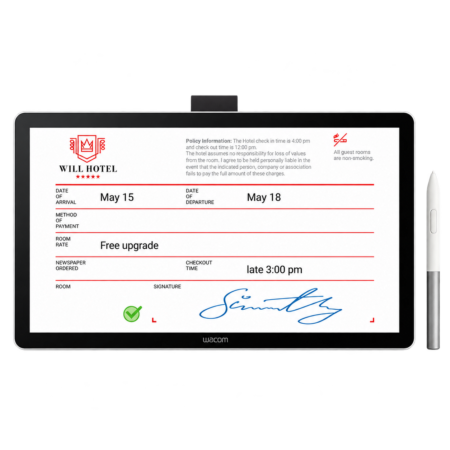
The application software of the Signature Sets is sign per PDF. The software allows the electronic recording of handwritten signatures and their integration into PDF documents. The software not only records the image of the signature visible on the pad or display, but also the invisible, biometric data such as the pressure, course and speed.
The document and the signature can not be changed after the fact and are protected against it. The document can then be saved, printed or sent.
Sign offers, orders and invoices digitally
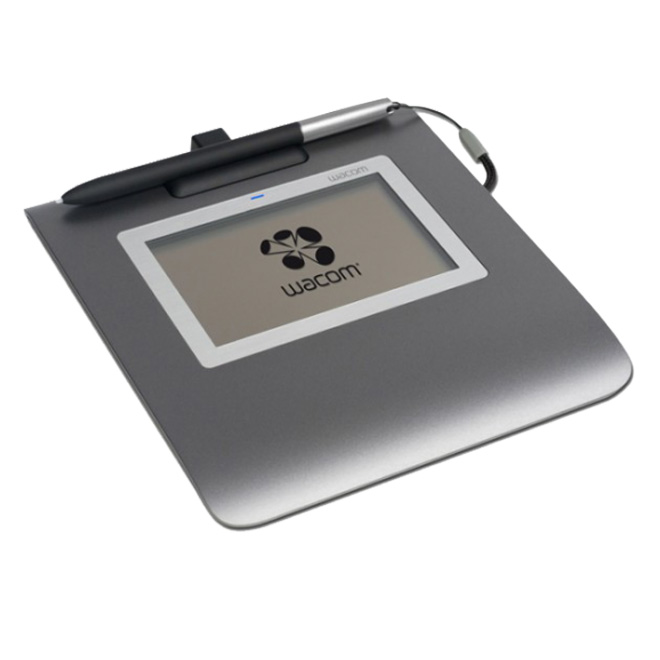
A signature solution with a flat, rugged 4.5-inch black and white LCD signature pad. Create and sign PDF documents digitally from any Windows application.
Fill out forms or comment on documents by hand
You can also fill out forms, add handwritten comments, information, notices or notes to documents, and even fill out drawings in documents.
The functions of Wacom Sign Per PDF
Create and sign PDF documents
Supports Wacom signature tablets and displays, Bamboo and Intuos pen tablets, and Cintiq and PL / DTH / DTK pen display series (for exact model names, refer to the compatibility list)
Virtual printer driver for creating PDF documents from any printable Windows application
Capture handwritten signatures with biometric features Fill out forms in AcroForms (write / read)
Freehand drawing
Handwritten notes with pen and eraser
Electronic seals (personal, date or picture)
Sticky notes, inserting and editing comments
Positioning of signatures by area selection using the screen cursor or by full-text search using keywords
Create pre-defined signature areas to edit documents with configurable access rights and additional information for the signer
Signature certificate with user key selection
Define permissions for document certification and encryption for further editing of documents (modification, compilation, annotation, form filling, text extraction, and printing)
Display of signatures in the document with 3 weights and 4 colors (blue, red, green and black)
Password protected program access
Help function with index
Multilingual installation program
Language support for 13 languages (English, German, Dutch, French, Italian, Spanish, Russian, Polish, Portuguese (Brazil), Japanese, Korean, Traditional and Simplified Chinese)
Compatible with Win 8.1
Technical details
Black and white signature pad with EMR technology
LCD display with a resolution of 320 x 200 pixels
Wireless, batteryless Wacom pen
1,024 pressure levels and 2,540 lpi pen resolution
USB 2.0 (Full Speed) interface
3 year warranty on STU-430
Package contents
Signature pad STU-4301
Pen with pen tape
USB cable, 3 m (type A to mini B)
Quick Start Guide for STU-430
Wacom sign per PDF (download version)
Software download key for Wacom sign per PDF, including download instructions
Quick Start Guide for Wacom sign pro PDF (Download Version)
system requirements
manual
Microsoft Windows 8, Windows 7, Vista from SP2 or Windows XP from SP2 (32 or 64 bit)
A USB 1.1 port (or higher) with power supply
One-time Internet access for downloading software, drivers and documentation *
* Download may cause additional costs for internet connection.
Frequently Asked Questions
What is included in this Wacom signature set?
A Wacom STU signature pad paired with a sign pro PDF software licence, so you can capture handwritten electronic signatures on PDF documents without any development work.
Which STU pad is included?
The set is offered around the STU-430 and STU-540 pads. Tell us your requirement — monochrome for high-volume counter signing, colour where branding and on-screen terms matter — and we will confirm the exact set.
Do we need any development work?
No. sign pro PDF is installed software. Development only becomes relevant if you later want signing driven automatically from a CRM or ERP, which the sign pro PDF API handles.
Are signatures captured with this set legally valid in the UAE?
Yes. Electronic signatures are recognised under the UAE Electronic Transactions and Trust Services Law (Federal Decree-Law No. 46 of 2021), and the set captures the biometric characteristics used to verify a signer.
What does sign pro PDF actually record?
The signature image shown on the pad plus the non-visible biometric data — pressure, travel and speed — bound to the PDF so neither document nor signature can be altered afterwards.
Who typically buys a signature set?
Organisations moving off paper for the first time who want a working signing setup out of the box rather than sourcing hardware and software separately.
Can we scale this across many counters?
Yes, and it is the usual starting point. Once volumes grow or signing needs to happen inside another system, we can move you to the sign pro PDF API without changing the hardware.
How much does the Wacom signature set cost in the UAE?
Ask us for a current quote — pricing moves with stock and quantity, and studio or education orders are priced differently from a single unit. Genuine Wacom stock, UAE delivery, manufacturer warranty.
Need this configured for your workflow?
Tell us what you sign, how often, and which system it lives in. We will specify the hardware, software and integration — with UAE pricing.