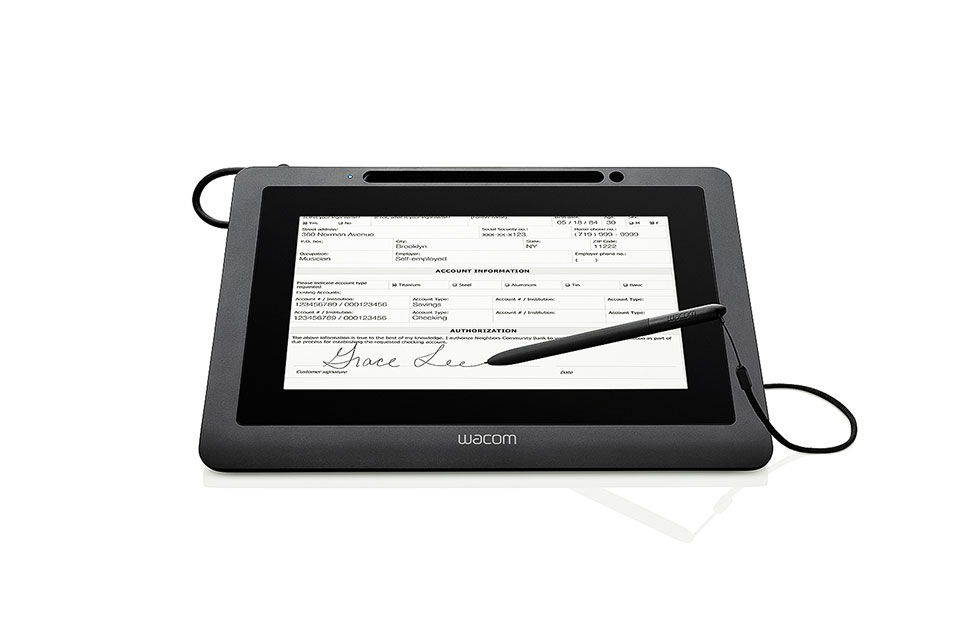
Wacom DTU-1031X Signature Display
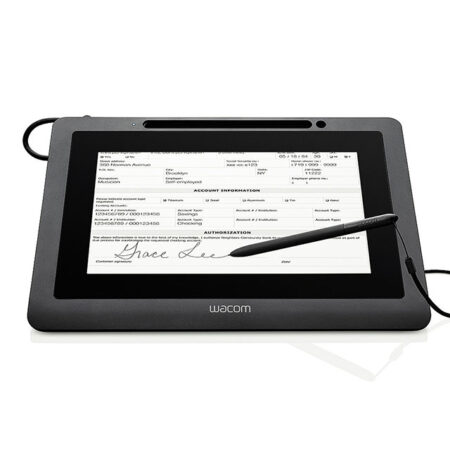
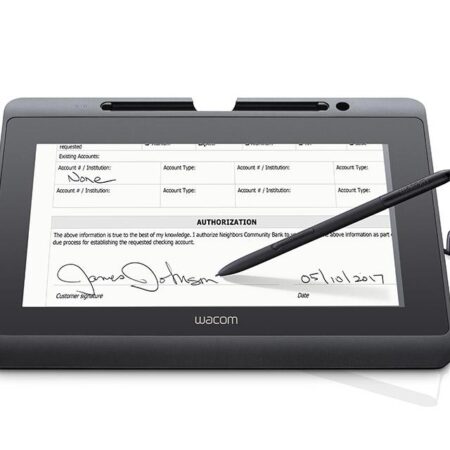
The Wacom DTU-1031X is the cost-effective signature display for corporate and institutional customers who need minimal configuration. Its 10.1″ LCD lets customers clearly see the contents of a document and sign it securely, with very little to set up before the first signature.
- Display Type: 10.1-inch LCD
- Reading Technology: Electromagnetic Resonance (EMR)
- Pen: Cordless and battery-free
- Setup: Minimal configuration required
- Communication interface: USB
- 1 Year Warranty
Streamline your workflow and transition to a seamless, paperless environment with the Wacom DTU-1031X Signature Display. It is aimed at deployments where cost per counter and speed of rollout matter more than the latest specification.
Minimal configuration is the point of this model: it is designed to be connected and used, which keeps the cost of a multi-branch rollout predictable.
Customers still see the full document on screen before signing, which is the main advantage over a signature pad. The application software of the Signature Set is sign pro PDF. The software allows electronic registration of handwritten signatures and their integration into PDF documents. The software not only records the signature image that is displayed on the tablet or screen, but also the non-visible biometric data such as pressure, travel and speed. Subsequently, the document and the signature can not be modified and are protected securely. Then, the document can be saved, printed or sent.
What’s included with Wacom DTU-1031X
The Wacom DTU-1031X package includes everything needed to connect the device to a compatible computer and start setting up your digital signature workflow.
- Wacom DTU-1031X Signature Display
- Cordless and battery-free digital pen
- Connection cable
- Quick Start Guide
View and Sign Full-Size Documents
- The DTU-1031X allows users to view or populate full-size documents and electronically sign them, so the signer reads what they are agreeing to on the same screen they sign on.
- Its 10.1-inch LCD keeps the desk footprint small, suiting reception desks and teller positions with limited space.
Built for Secure Electronic Signatures
- Signatures are captured with their biometric detail, giving a signed document meaningfully stronger evidence than a scanned image would.
- Choose the DTU-1031X for budget-led rollouts. Where Full HD clarity is needed, step up to the DTU-1141B.
Frequently Asked Questions
What is the Wacom DTU-1031X?
The cost-effective 10.1-inch signature display in the DTU family, designed for minimal configuration. Customers see the contents of a document clearly and sign it securely, with very little to set up first.
What makes it cost-effective?
Minimal configuration is the design goal — it is built to be connected and used. For a multi-branch rollout that keeps both the unit cost and the deployment effort predictable.
How does it differ from the DTU-1031?
They are close siblings on the same 10.1-inch format. The DTU-1031 can additionally operate as a second monitor; the DTU-1031X is positioned as the leaner, more economical option. We will confirm which is currently available before quoting.
Why choose a signing display over a signature pad?
A signature pad shows the signing area, not the document. A signing display shows the whole page, so the customer reads what they are agreeing to on the same screen they sign on. If your documents are read elsewhere — on paper or a monitor — an STU pad is smaller and considerably cheaper.
Are signatures captured on it legally valid in the UAE?
Yes. Electronic signatures are recognised under the UAE Electronic Transactions and Trust Services Law (Federal Decree-Law No. 46 of 2021). Signing displays support compliance by capturing the biometric characteristics of the signature alongside the visible mark.
How do developers integrate it?
Through the Wacom Ink SDK for signature for capture inside your own application, or the sign pro PDF API where you want complete PDFs signed from an existing CRM, ERP or document system. If you would rather avoid development entirely, the sign pro PDF application handles it as installed software.
Is it suitable for a budget-led rollout across many branches?
Yes, that is exactly its position in the range. If you need Full HD clarity for dense contract text, step up to the DTU-1141B; otherwise the DTU-1031X does the same job for less.
How much does the Wacom DTU-1031X cost in the UAE?
Ask us for a current quote. Pricing depends on quantity, whether a sign pro PDF licence is bundled and any integration work, and we price hardware, software and development as one figure with UAE delivery and local support.
Need this configured for your workflow?
Tell us what you sign, how often, and which system it lives in. We will specify the hardware, software and integration — with UAE pricing.