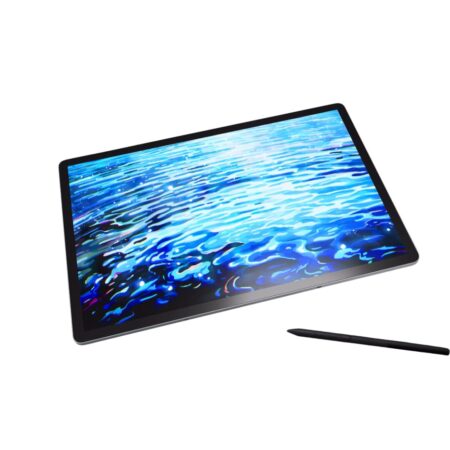
Wacom MovinkPad 11 (DTHA116C) Portable Pad
The Wacom MovinkPad 11 is a standalone Android drawing tablet with Wacom Pro Pen 3 built in. Unlike a pen display it needs no computer: an 11.45-inch IPS screen, Mediatek Helio G99, 8 GB memory and 128 GB storage run creative apps on their own.
- Model Code: DTHA116C
- Product Type: Portable Pad – standalone, no computer required
- Screen Size: 11.45 in (29 cm)
- Display Resolution: 2200 x 1440 pixels
- Display Technology: IPS
- Active Area: 243 x 159 mm (9.6 x 6.3 in)
- Aspect Ratio: 3:2
- Colour Gamut: sRGB 99% (CIE 1931, typ)
- Display Colours: 16.7 million (8-bit x RGB = 24-bit)
- Contrast Ratio: 1200:1 (typ)
- Brightness: 400 cd/m2 (typ)
- Refresh Rate: 60/90 Hz
- Viewing Angle: 170 degrees (85/85 H, 85/85 V, typ)
- Surface: AF + AG glass, direct bonded
- Touch: Projected capacitive, 10 fingers
- Pen: Wacom Pro Pen 3 with nib holder
- Pen Pressure Levels: 8192
- Pen Tilt: 60 degrees
- Pen Resolution: 5080 lpi
- Pen Switches: 3 side switches
- Processor: Mediatek Helio G99
- Memory: 8 GB
- Storage: 128 GB
- Operating System: Android 14
- Wireless: Wi-Fi 802.11a/b/g/n/ac, Bluetooth 5.2
- Ports: 1x USB Type-C (USB 2.0)
- Battery: Lithium-ion, 7700 mAh (typ)
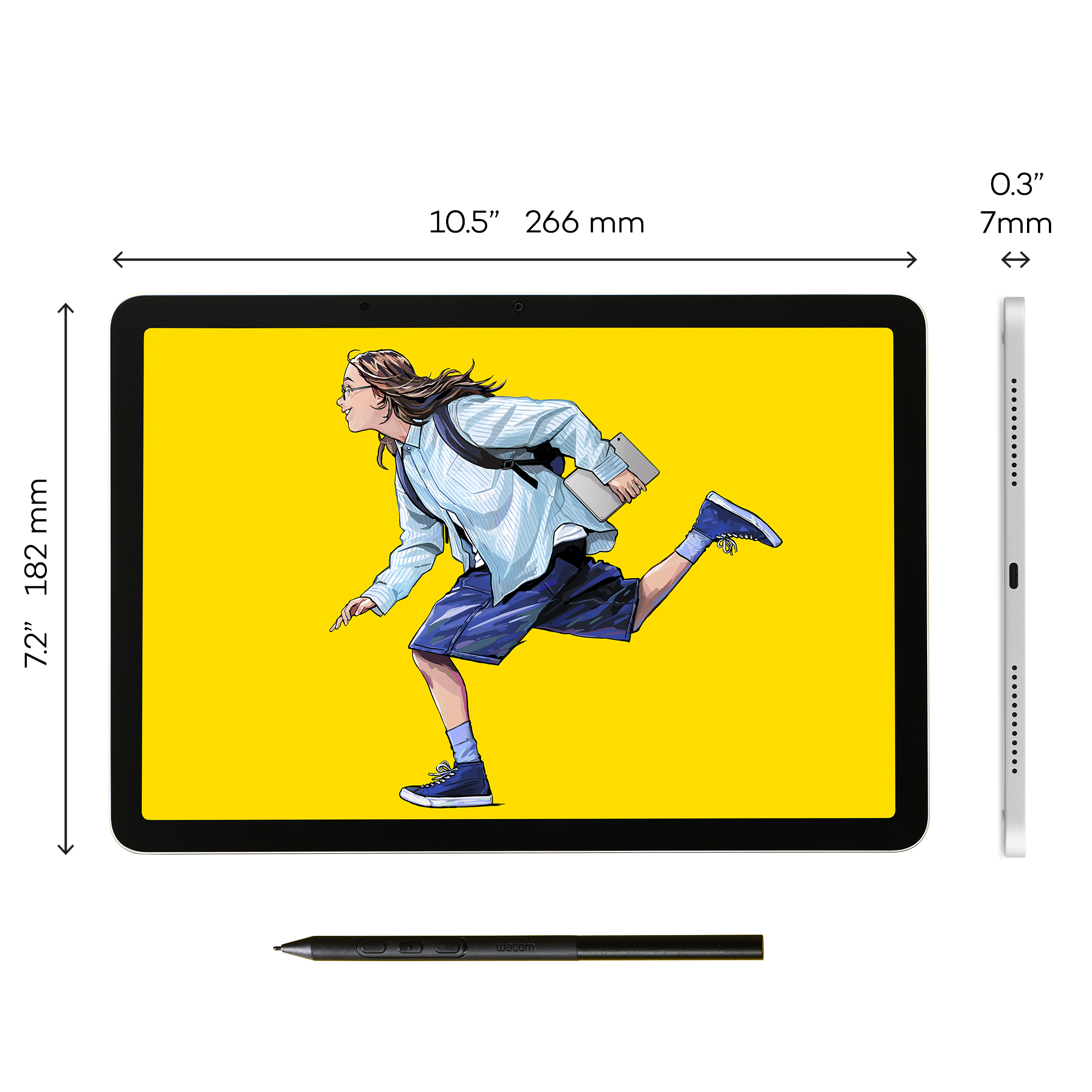
- Product Dimensions: 266 x 182 x 7 mm (10.5 x 7.2 x 0.3 in)
- Product Weight: 588 g (1.3 lb)
- Product Colour: Light Gray
- Warranty: 2 years
The Wacom MovinkPad 11 is the model to choose when you want to draw away from a desk. It is a complete Android tablet with Wacom Pro Pen 3 support built in, so there is no host computer, no cables and nothing to set up before you start.
The 11.45-inch IPS screen runs 2200 x 1440 in a 3:2 aspect ratio – taller than widescreen, which suits drawing and note-taking better – with sRGB 99% coverage, 400 cd/m2 brightness and a 60/90 Hz refresh rate.
Inside is a Mediatek Helio G99 with 8 GB of memory and 128 GB of storage running Android 14, and a 7700 mAh battery. At 588 g and 7 mm thin it is genuinely portable.
What is included with the Wacom MovinkPad 11
The MovinkPad 11 arrives ready to draw on straight out of the box.
- Wacom MovinkPad 11
- Wacom Pro Pen 3 with nib holder
- Replacement nibs
- USB-C cable and power adapter
- Quick Start Guide
- Warranty documentation
Designed to Work Anywhere
- No computer needed – Android 14 runs your creative apps on the device itself.
- At 588 g and 7 mm thin, with a 7700 mAh battery, it is built to be carried daily.
- A 3:2 aspect ratio gives more vertical space than a widescreen panel, which suits sketching, note-taking and reading reference side by side.
- AF and AG glass with direct bonding keeps fingerprints and reflections down and removes the parallax gap.
Draw Naturally with Wacom Pro Pen 3
- The full Wacom Pro Pen 3 – the same pen used on the Cintiq Pro range – with 8,192 pressure levels.
- 60-degree tilt recognition and 5080 lpi pen resolution.
- Three customisable side switches, and a nib holder built into the pen.
- Cordless and battery-free, so the pen never needs charging.
Work Faster with Multi-Touch
Projected capacitive touch with 10-finger support means you pan, zoom and rotate exactly as you would on a phone, while the pen keeps drawing.
On a standalone device that matters more than on a pen display, because touch is also how you drive the operating system.
Comfortable for Long Creative Sessions
A 400 cd/m2 panel stays readable in bright rooms, and the 90 Hz refresh option makes the pen feel more immediate than a standard 60 Hz screen.
The 7700 mAh battery is sized for a working day away from power, which is the whole point of the format.
Frequently Asked Questions
What is the Wacom MovinkPad 11?
A standalone Android drawing tablet with Wacom Pro Pen 3 support. It has an 11.45-inch 2200 x 1440 IPS screen, a Mediatek Helio G99 processor, 8 GB memory and 128 GB storage, and needs no computer.
Does the MovinkPad 11 need a computer?
No, and that is the point of it. It runs Android 14 and your creative apps on the device itself. Every pen display in the Wacom range – Wacom One, Cintiq, Cintiq Pro – needs a host computer; the MovinkPad does not.
What pen does it use?
Wacom Pro Pen 3, the same pen used on the Cintiq Pro range, with 8,192 pressure levels, 60-degree tilt and 5080 lpi resolution.
What software can I run on it?
Android creative applications, installed on the device. It runs mobile editions rather than full desktop software, so if you need desktop Photoshop or a full 3D package, a pen display connected to a computer is the right choice instead.
Does it support touch?
Yes, projected capacitive touch with 10-finger support, which is also how you navigate Android.
MovinkPad 11 or Wacom One?
The MovinkPad works on its own; Wacom One needs a computer. If you want to draw on a train or on site, the MovinkPad. If you always work at a desk with a computer, Wacom One gives you a larger screen for less.
How much does the Wacom MovinkPad 11 cost in the UAE?
Pricing moves with stock and quantity. Request a quote for current UAE pricing, delivery and warranty terms.
Does the pen need charging or batteries?
No. Wacom Pro Pen 3 is cordless and battery-free, powered by the pad itself through electromagnetic resonance.
Do you supply and support this in the UAE?
Yes. We are an Authorized Wacom Solution Provider based in Dubai, supplying genuine stock with manufacturer warranty and handling setup and support ourselves.
Need this configured for your workflow?
Tell us what you sign, how often, and which system it lives in. We will specify the hardware, software and integration — with UAE pricing.