
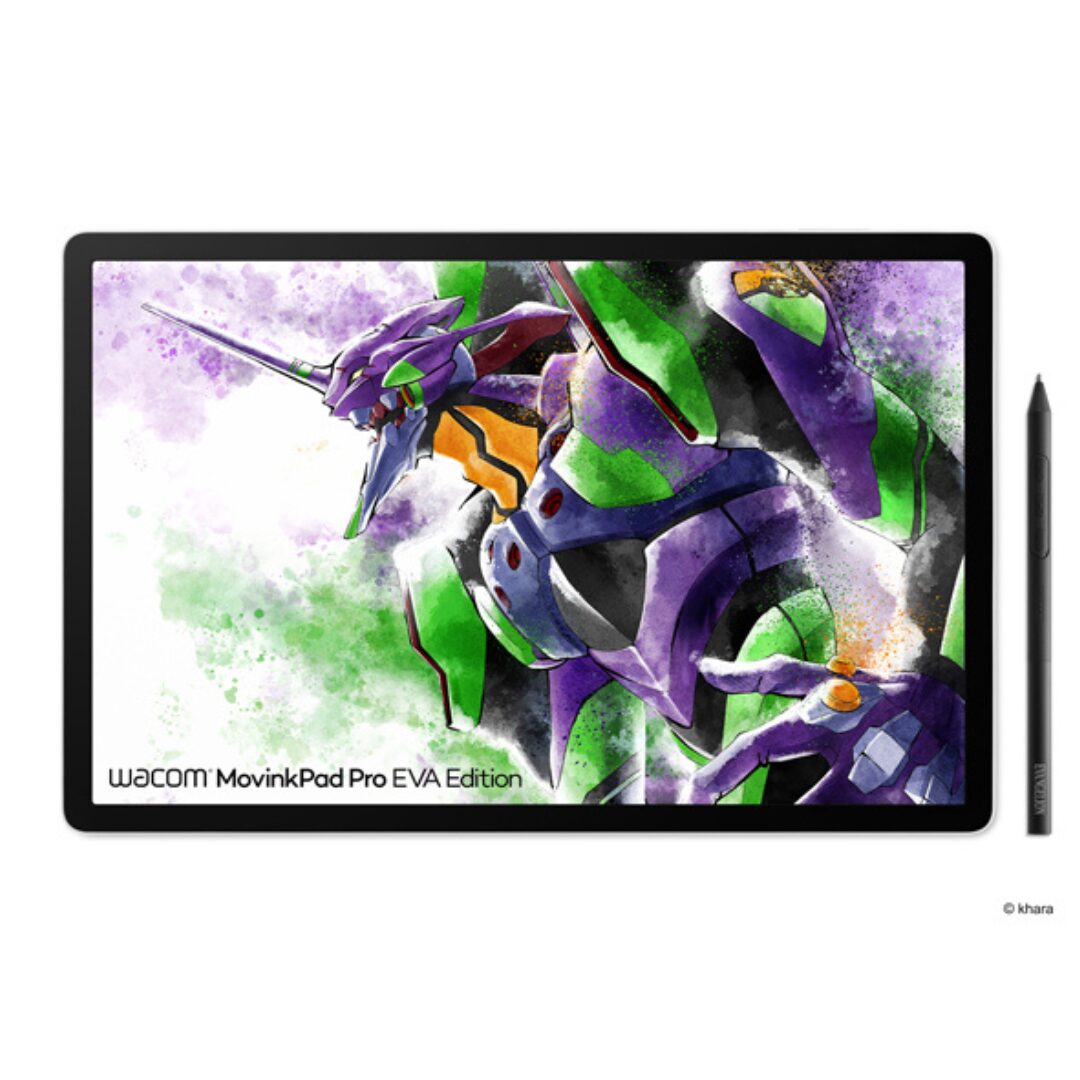
Wacom MovinkPad Pro EVA Edition vs Wacom One, Cintiq and Cintiq Pro
Introduction
Whether you’re looking for a Standalone Android Drawing Tablet (DTP) to add to your mobile creative workflow or a tethered Pen Display for your studio, there are now so many different options available when choosing a Wacom Pen Device in 2026.
In this Wacom Standalone Drawing Tablet review & comparison, we will take a close look at the differences between the Wacom MovinkPad Pro EVA Edition and the higher-end Wacom Pen Displays such as Wacom One, Wacom Cintiq, and Wacom Cintiq Pro. For creative artists, illustrators, designers, and mobile professionals in the UAE, this guide will help you select the ideal Wacom creative device based on your workflow, workspace, and performance requirements.
What Is the Wacom MovinkPad Pro EVA Edition?
The Wacom MovinkPad Pro EVA Edition, announced by Wacom in February 2026, is a Limited Edition Pen Display Tablet featuring EVANGELION designs.
The Wacom MovinkPad Pro EVA Edition uses the same award-winning hardware as the globally announced Wacom MovinkPad Pro 14 model. It is a fully self-contained Android 15 Tablet and can also function as a Pen Display for Mac and Windows computers through USB-C connectivity.
Exclusive EVANGELION Features
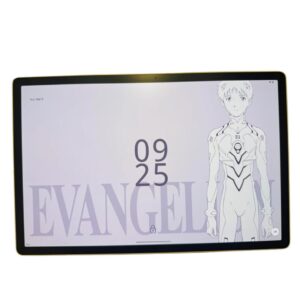
- EVANGELION-themed UI skins in Wacom Canvas and Wacom Shelf
- 11 exclusive EVANGELION wallpapers
- EVANGELION boot animation
- Wacom Clock EVA widget app
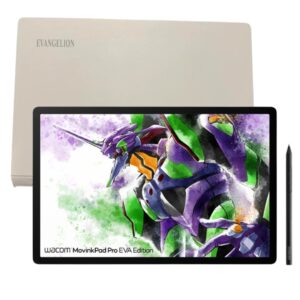
- Special EVANGELION-inspired rear artwork and design accents
- Limited Edition collector-focused design
What Is the Wacom MovinkPad Pro EVA Edition?
The Wacom MovinkPad Pro EVA Edition, announced by Wacom in February 2026, is a Limited Edition Pen Display Tablet featuring EVANGELION designs. The Wacom MovinkPad Pro EVA Edition uses the same award winning hardware as the global announced Wacom MovinkPad Pro 14 model. It is announced as a fully Self-contained Android 15 Tablet. It can also be used as Pen Display Tablet for Mac or Windows via USB-C.
This edition includes many features of EVANGELION within the hardware and software of the product. Such as EVANGELION-themed UI skins in Wacom Canvas and Wacom Shelf, 11 EVANGELION wallpapers, EVANGELION-themed boot animation, and the Wacom Clock EVA widget app. The artwork on the rear of the device, along with many of the color accents, are of motifs of the Evangelion Unit 01, and other images associated with the series. This is not a tool for work for creators, but also a hardware item for EVANGELION fans to collect.
Key Feature: 14-Inch OLED Display with 2880 x 1800 Resolution
The Wacom MovinkPad Pro EVA Edition features a premium 14-inch OLED display with a resolution of 2880 × 1800 pixels in a 16:10 aspect ratio.
For artists, illustrators, and designers, OLED technology delivers:
- True blacks
- Exceptional contrast
- Superior color accuracy
- Enhanced visual depth
The screen also includes Wacom Premium Textured Glass with:
- Anti-glare coating
- Anti-reflection treatment
- Anti-fingerprint surface
- Paper-like drawing feel
Display Specifications
| Feature | Specification |
| Display Size | 14 Inches |
| Resolution | 2880 × 1800 |
| Aspect Ratio | 16:10 |
| Display Technology | OLED |
| Refresh Rate | 60Hz / 120Hz |
| Touch Support | 10-Finger Multi-Touch |
| Color Gamut | 100% sRGB |
| Color Gamut | 100% DCI-P3 |
| Surface | Premium Textured Glass |
| Parallax | Minimal (Direct Bonding) |
| Thickness | 5.9mm |
Display Highlights
- OLED display with direct bonding
- 100% sRGB coverage
- 100% DCI-P3 coverage
- 120Hz refresh rate
- Professional-grade color accuracy
- Near-zero pen latency
- Excellent outdoor and studio visibility
Core Feature: Wacom Pro Pen 3 with EMR Technology
The Wacom MovinkPad Pro EVA Edition ships with the professional-grade Wacom Pro Pen 3.
The same pen technology is used in Wacom’s flagship Cintiq Pro series, delivering industry-leading accuracy and responsiveness.
Benefits of Wacom Pro Pen 3
- Battery-free EMR technology
- No charging required
- Highly accurate pen tracking
- Customizable grip options
- Replaceable pen nibs
- Excellent palm rejection
- Professional drawing experience
Pro Pen 3 Features
| Feature | Details |
| Technology | Electromagnetic Resonance (EMR) |
| Battery Required | No |
| Customizable Grip | Yes |
| Replaceable Nibs | Yes |
| Palm Rejection | Excellent |
| Professional Grade | Yes |
| Included | Wacom Pro Pen 3 |
The combination of Pro Pen 3 and the 120Hz OLED display creates one of the most responsive drawing experiences currently available.
Build and Design
At only 5.9mm thick, the Wacom MovinkPad Pro EVA Edition is among the thinnest professional creative tablets available today.
Hardware Specifications
| Specification | Details |
| Processor | Snapdragon 8s Gen 3 |
| RAM | 12GB |
| Storage | 256GB |
| Operating System | Android 15 |
| Battery Capacity | 10,000mAh |
| Battery Life | Up to 10.5 Hours |
| Thickness | 5.9mm |
Design Advantages
- Lightweight construction
- Portable design
- Premium materials
- EVANGELION-themed rear artwork
- Built for mobile professionals
- Suitable for studio and travel use
Connectivity
The Wacom MovinkPad Pro EVA Edition simplifies connectivity through a single USB-C port.
Connectivity Features
| Feature | Supported |
| USB-C Charging | Yes |
| Data Transfer | Yes |
| USB-C Alt Mode | Yes |
| Display Output | Yes |
| Android Standalone Use | Yes |
| Mac Compatibility | Yes |
| Windows Compatibility | Yes |
| Wi-Fi | Yes |
| Bluetooth | Yes |
The device can function as:
- A standalone Android creative tablet.
- A professional pen display for Mac.
- A professional pen display for Windows PCs.
Who Is the Wacom MovinkPad Pro EVA Edition For?
The MovinkPad Pro EVA Edition is ideal for:
Creative Professionals
- Illustrators
- Digital Artists
- Concept Artists
- Character Designers
- Animators
- Graphic Designers
- Painters
Mobile Professionals
- Traveling artists
- Freelancers
- Remote creatives
- Client-facing designers
Whether you are a traveling artist or a studio-based illustrator, designer, animator, painter or concept artist, this device is for the creative professional on the move. Here’s a unique fact about this EVA Edition: it is the first Android Pen Display in the creative market designed specifically for the mobile artist. And here’s another: this is the first Pen Display ever in the market to be designed by Wacom for the Evangelion fans. The EVA Edition comes in a special limited edition rear EVANGELION-themed artwork and accents on the chassis of the creative device that is designed to be carried around to any creative studio or meeting in the UAE.
The limited-edition EVANGELION artwork on the rear panel of the MovinkPad Pro EVA Edition is fixed on the chassis and therefore not removable. This makes the tablet the perfect collector’s item for fans of the famous Anime series. For designers and artists on the move, who are often called to meetings with clients all over the UAE, such as in Abu Dhabi or Dubai, the very slim and lightweight MovinkPad Pro EVA Edition is the perfect travel companion.
Thanks to the powerful 10,000 mAh battery, the device has a long battery life of up to 10.5 hours of active use. This means that users have more time to work on their projects. In addition, the Wacom MovinkPad Pro EVA Edition is equipped with the latest Snapdragon 8s Gen 3 SoC, 12 GB of RAM and 256 GB of internal memory, which enables artists to work efficiently and smoothly without any lags or delays. The high-end 14-inch 2880 x 1800 100% DCI-P3 OLED display with direct bonding is ideal for accurate and high-contrast color display, which is crucial for artists that work with color in a professional environment. For example, character designers and digital painters will greatly benefit from the excellent display of the MovinkPad Pro EVA Edition, which is one of the best displays available on the market for such applications. In summary, the MovinkPad Pro EVA Edition is the ideal device for creative professionals, who require professional hardware for their work and who also like to express their personality.
EVANGELION Fans
The EVA Edition is also a collector’s product featuring exclusive artwork and software customization unavailable on standard models.

Wacom MovinkPad Pro EVA Edition vs Wacom One vs Cintiq vs Cintiq Pro
Complete Comparison Table
| Feature | Wacom MovinkPad Pro EVA Edition | Wacom One | Wacom Cintiq | Wacom Cintiq Pro |
| Launch Year | 2026 | Current Generation | Established Series | Current Pro Series |
| Display Technology | OLED | IPS LCD | IPS LCD | Premium IPS LCD |
| Resolution | 2880 × 1800 | 1920 × 1080 | 1920 × 1080 | Up to 4K |
| Screen Size | 14″ | 14″-16″ | 16″-22″ | 16″-27″ |
| Pen Technology | Pro Pen 3 | Wacom One Pen | Pro Pen 2 | Pro Pen 3 |
| Battery-Free Pen | Yes | Yes | Yes | Yes |
| Touch Support | Yes | No | No | Selected Models |
| Standalone Android | Yes | No | No | No |
| USB-C Connectivity | Yes | Yes | Partial | Yes |
| Multi-Touch | Yes | No | No | Selected Models |
| Color Accuracy | 100% DCI-P3 | Standard | Standard | Professional Grade |
| Portability | Excellent | Moderate | Low | Low |
| Best For | Mobile Professionals | Beginners | Studio Artists | Professional Studios |
Which Wacom Device Should You Choose?
Choose Wacom MovinkPad Pro EVA Edition If:
- You need a standalone Android drawing tablet.
- You travel frequently.
- You want OLED display quality.
- You need professional color accuracy.
- You want Wacom Pro Pen 3.
- You are an EVANGELION fan.

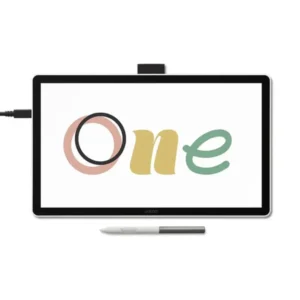
Choose Wacom One If:
- You are a beginner.
- You need an affordable entry-level pen display.
- You primarily learn digital art.
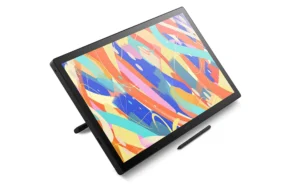
Choose Wacom Cintiq If:
- You work from a fixed desk.
- You need a larger drawing surface.
- You prefer a traditional studio setup.
Choose Wacom Cintiq Pro If:
- You require 4K workflows.
- You work in animation or VFX.
- You need professional color management.
- You require the largest available displays.
Frequently Asked Questions
What is the Wacom MovinkPad Pro EVA Edition price in UAE?
Pricing for the Wacom MovinkPad Pro EVA Edition in the UAE is not listed publicly and varies based on availability and configuration. Pricing is available on request through wacomme, where you can also confirm current stock status and any available bundle options.
Where can I buy the Wacom MovinkPad Pro EVA Edition in Dubai?
The most reliable way to purchase the Wacom MovinkPad Pro EVA Edition in Dubai is through wacomme.ae, which can confirm UAE availability, warranty details, and delivery options. Given the limited-edition nature of this product, early enquiry is strongly recommended.
Does the Wacom MovinkPad Pro EVA Edition come with UAE warranty?
UAE warranty coverage depends on the seller. Purchasing through an authorised channel such as wacomme.ae ensures that your device is covered by valid UAE warranty and eligible for local after-sales support. Always confirm warranty terms at the time of purchase.
Is the Wacom MovinkPad Pro EVA Edition better than the Wacom Cintiq Pro?
It depends entirely on your workflow. The Cintiq Pro is better for fixed studio environments requiring a large 4K display and complex desktop software pipelines. The MovinkPad Pro EVA Edition is better for mobile creatives who need a standalone Android drawing device that also connects to a computer as a pen display — a use case the Cintiq Pro cannot serve at all.
Is the Wacom MovinkPad Pro EVA Edition better than the Wacom One?
For most professional use cases, yes. The MovinkPad Pro EVA Edition offers a superior OLED display, higher resolution, DCI-P3 colour accuracy, multi-touch support, and standalone operation that the Wacom One does not provide. The Wacom One remains a practical choice for beginners and students who need a straightforward pen display at an introductory level.
What is included in the box with the Wacom MovinkPad Pro EVA Edition?
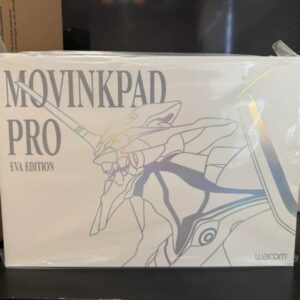
The EVA Edition includes the Wacom Pro Pen 3, EVANGELION-themed packaging and accessories, and the exclusive software content including custom UI skins, 11 EVA wallpapers, boot animations, and the Wacom Clock EVA widget app. Full box contents should be confirmed via wacomme.ae at the time of purchase.
Can the Wacom MovinkPad Pro EVA Edition be used with Photoshop and desktop software?
Yes. When connected to a Mac or Windows computer via the USB-C port, the MovinkPad Pro EVA Edition operates as a pen display, allowing you to use desktop applications such as Adobe Photoshop, Illustrator, and Clip Studio Paint EX through your computer’s processing power. The Android standalone mode additionally supports a growing range of native creative applications.
Conclusion
Whether you are a digital artist in Dubai, Abu Dhabi, Sharjah, or anywhere across the UAE, Middle East the Wacom MovinkPad Pro EVA Edition offers an exceptional blend of portability, professional-grade display quality, and standalone Android functionality.
Its OLED display, Wacom Pro Pen 3 technology, Snapdragon 8s Gen 3 processor, and exclusive EVANGELION design elements make it one of the most unique creative devices available in 2026.