
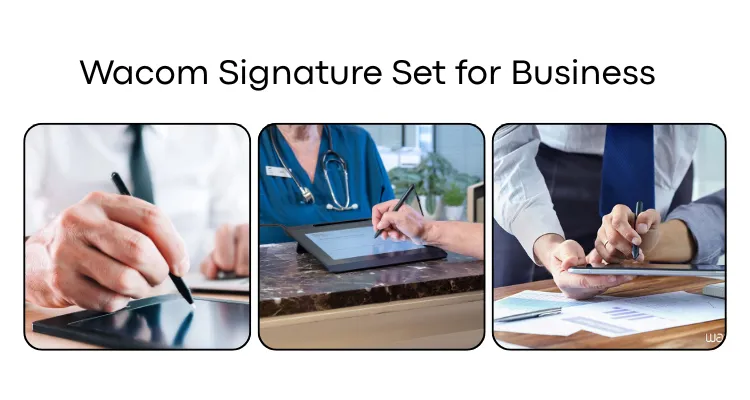
Wacom Signature Set for Business
This guide covers every configuration of the Wacom Signature Set — from the compact STU-430 to the full-display DTU-1031AX — so UAE decision-makers can identify the right bundle for their counter, branch, or office workflow. By the end, you will know which hardware tier suits your use case, how the software works, and where to get it in the UAE.
What Is a Wacom Signature Set?
A Wacom Signature Set is a bundled business solution that combines a Wacom signature pad or pen display with Wacom sign pro PDF software for Windows, packaged as a ready-to-deploy paperless signing workflow. Unlike purchasing hardware alone, a Signature Set includes everything an organisation needs to start capturing legally binding handwritten electronic signatures on PDF documents from day one. Wacom offers four primary configurations: the STU-430 Signature Set, the STU-540 Signature Set, the DTU-1031AX-CH2 Signature Set, and the DTU-1141B Signature Set where available by market.
Each bundle captures not only the visual image of a handwritten signature but also biometric data — including pen pressure, speed, and stroke — using Wacom’s Electromagnetic Resonance (EMR) pen technology. This biometric layer provides stronger fraud resistance than a simple image capture, which is why these sets are widely deployed in banks, clinics, and government counters across the UAE and the wider Middle East.
Wacom sign pro PDF: The Software at the Core of Every Signature Set
Wacom sign pro PDF is the Windows desktop application included with every Wacom Signature Set, and it defines the entire signing workflow without requiring custom development. The software opens and creates PDF documents, embeds handwritten signatures with biometric data, supports free-hand annotations and electronic sticky notes, and locks completed documents using cryptographic hashing so neither the signature nor the content can be altered after signing. This document-sealing capability is the critical feature for UAE banks, healthcare providers, and government entities that must demonstrate document integrity in audits or disputes.
Sign pro PDF also operates via a virtual printer, meaning staff can generate a signable PDF from any Microsoft Office application — Word or Excel — simply by printing to the sign pro PDF driver. This design keeps training requirements minimal and allows frontline staff to begin using the system with little IT intervention.
Wacom sign pro PDF delivers six core capabilities that make it enterprise-ready for UAE workflows:
- Open, create, and sign PDFs directly within the application
- Capture biometric signature data including pressure, speed, and stroke via Wacom hardware
- Embed signatures with cryptographic hash to seal documents against post-signing changes
- Add handwritten annotations and electronic sticky notes to PDFs
- Fill PDF form fields and position signature areas with a drag-and-drop interface
- Send signed documents via email directly from within the application
Hardware Specifications Across the Wacom Signature Set Range
Each Wacom Signature Set hardware tier is designed for a specific counter environment, and the specifications determine which configuration fits a given deployment. All models use EMR pen technology at 2540 lpi pen resolution and support AES 256 / RSA 2048 encryption for secure signature transmission, with the exception of the DTU series which relies on sign pro PDF’s encryption layer.
The four Wacom Signature Set models differ meaningfully across display size, colour capability, resolution, and pressure sensitivity:
- STU-430: 4.5-inch monochrome LCD, 320 x 200 pixels, 1024 pressure levels, USB connection — compact and cost-effective for high-volume counters
- STU-540: 5-inch colour LCD, 800 x 480 pixels, 1024 pressure levels, USB connection — supports branded on-screen instructions and logos for premium branch experiences
- DTU-1031AX-CH2: 10.1-inch LCD pen display, 1280 x 800 pixels, 512 pressure levels, HDMI/DVI plus USB — customers view and sign the full document on one screen
- DTU-1141B: 10.1-inch Full HD LCD, 1920 x 1080 pixels, 512 pressure levels, HDMI plus USB — highest display resolution in the range for document clarity
Who Should Buy the Wacom Signature Set in the UAE?
The Wacom Signature Set is purpose-built for UAE organisations that process high volumes of customer-facing document signing at physical counters or desks and need to eliminate paper without commissioning custom software. Any organisation where staff print, hand to a customer to sign, then scan the result is an immediate candidate for a Signature Set deployment.
The most relevant buyer profiles in the UAE are:
- Banks and financial institutions in Dubai and Abu Dhabi handling account openings, loan agreements, KYC forms, and card applications at teller or advisor counters
- Hospitals and clinics requiring signed consent forms, patient registration sheets, and insurance approval documents at reception or admission desks
- Government and public sector entities processing permits, licences, declarations, and civil service applications at service windows
- Retail and service businesses capturing signatures on warranty cards, service agreements, delivery notes, and membership forms
- SMEs and offices formalising contracts, purchase orders, HR documents, and NDAs without a dedicated enterprise eSignature platform
The STU-430 Signature Set is the natural starting point for SMEs and retailers where budget and desk space are primary constraints. The STU-540 Signature Set suits premium branch environments — hospitality desks, private banking counters — where on-screen branding and a colour display improve the customer experience. The DTU-1031AX-CH2 Signature Set is best for advisory settings where the customer needs to read a multi-page document before signing, such as loan agreements or insurance contracts.
Wacom Signature Set STU-430 vs Wacom STU-300: Which One Is Right for Your Use Case?
The Wacom STU-300 series represents Wacom’s standalone signature pad hardware sold without a bundled software solution. Understanding the difference between a full Wacom Signature Set and a hardware-only STU-300 purchase helps UAE buyers avoid selecting the wrong procurement path for their organisation’s readiness level.
| Feature | Wacom Signature Set (STU-430 / STU-540 / DTU-1031AX) | Wacom STU-300 Series |
|---|---|---|
| Model / SKU | STU-430, STU-540-CH2, DTU-1031AX-CH2 (Signature Set bundles) | STU-300 (standalone hardware) |
| Core Technology | EMR pen hardware + sign pro PDF software included | EMR pen hardware only — no bundled software |
| Key Differentiator | Ready-to-deploy PDF signing workflow from day one | Requires separately sourced or custom eSignature software |
| Best For | Organisations without existing eSignature software seeking rapid rollout | Organisations with existing signing software or custom integration platforms |
| Connectivity | USB (STU series); HDMI + USB (DTU series) | USB |
| Display | 4.5-inch monochrome to 10.1-inch Full HD colour depending on model | Smaller or lower-resolution display compared to STU-430 and STU-540 |
| Business Workflow Bundle | Included — counter, advisor, and meeting room tiers defined | Not included — no pre-defined workflow bundles |
| Deployment Speed | Same-day operation possible with sign pro PDF included | Dependent on software sourcing and integration timeline |
The Wacom Signature Set is unambiguously the right choice for organisations that do not yet have an eSignature software platform and want to start capturing signatures in PDFs immediately. The bundled sign pro PDF removes the need for a parallel software procurement process, which is a significant operational advantage for UAE entities running branch rollouts across multiple locations.
The Wacom STU-300 series is the better fit for technology teams that already own an eSignature platform or have commissioned a custom integration and simply need Wacom’s EMR hardware as the signing input device. Buying a Signature Set in this scenario means paying for software the organisation will not use.
Key Takeaways
Choose the Wacom Signature Set if…
- Your organisation has no existing eSignature software and needs immediate PDF signing capability
- Frontline staff need a straightforward workflow that requires minimal technical training
- You are rolling out across multiple UAE branches and need a standardised, self-contained solution
- You require biometric signature capture with document sealing for compliance and audit purposes
Choose the Wacom STU-300 Series if…
- Your IT team already manages a licensed eSignature platform or has built a custom integration
- You need Wacom EMR hardware only as the pen input component of a broader system
- Budget is optimised by avoiding bundled software your organisation will not use
What Is the Wacom Signature Set Price in UAE and Where Can You Buy It?
Pricing for the Wacom Signature Set range — covering the STU-430, STU-540-CH2, and DTU-1031AX-CH2 configurations — varies by model and order volume. The Wacom Signature Set is confirmed available in the UAE market across all primary bundle configurations.
Pricing is available on request through wacomme.ae, along with current availability, bundle options, and full UAE warranty support. Wacomme.ae is the authorised Wacom Business Solutions provider for the Middle East and can advise on the right Signature Set configuration for your branch layout, transaction volume, and rollout scale across the UAE, KSA, Qatar, Kuwait, and other GCC markets.
Compliance and Regulatory Context in the UAE
UAE organisations procuring Wacom Signature Set hardware must ensure conformity with Federal Law No. 10 of 2018 on Product Safety, which establishes baseline safety obligations, conformity assessments, and recall powers for electronic products placed on the UAE market. The Ministry of Industry and Advanced Technology (MoIAT) oversees the Emirates Conformity Assessment Scheme (ECAS) and the Emirates Quality Mark (EQM), which apply to regulated electronic devices including signature pads and pen displays imported into the UAE.
Wacom signature pads and pen displays in the Signature Set range are wired USB or HDMI peripherals without confirmed radio modules, which means Telecommunications and Digital Government Regulatory Authority (TDRA) radio conformity requirements are unlikely to apply directly. However, procurement teams at UAE banks, government entities, and healthcare providers should confirm ECAS conformity status through wacomme.ae as part of their sourcing process, particularly given Cabinet Resolution No. 66 of 2023 which sets the executive regulations for the Product Safety Law.
Wacom Signature Set FAQ
What is the Wacom Signature Set price in UAE?
The Wacom Signature Set price in the UAE depends on the specific model — STU-430, STU-540-CH2, or DTU-1031AX-CH2 — and the quantity required for your deployment. Pricing is available on request through wacomme.ae, which can also advise on volume pricing for multi-branch rollouts.
Where can I buy the Wacom Signature Set in Dubai?
The Wacom Signature Set is available in Dubai and across the UAE through wacomme.ae, the authorised Wacom Business Solutions provider for the Middle East. Wacomme.ae supplies all primary Signature Set configurations and provides deployment support including installation guidance and pilot design.
Does the Wacom Signature Set come with UAE warranty?
Full UAE warranty support for the Wacom Signature Set is available through wacomme.ae. Confirm current warranty terms and coverage for your chosen model — STU-430, STU-540-CH2, or DTU-1031AX-CH2 — directly with wacomme.ae at the time of purchase.
Is the Wacom Signature Set better than the Wacom STU-300 series?
The Wacom Signature Set is better for organisations that need a complete, ready-to-use PDF signing workflow without sourcing separate software. The Wacom STU-300 series is better suited for organisations that already own eSignature software and need hardware only. For most UAE businesses without an existing eSignature platform, the Signature Set delivers faster deployment and lower total implementation effort.
What is included in the Wacom Signature Set box?
The Wacom Signature Set STU-430 includes the STU-430 signature pad, a Wacom pen, a USB cable, and a licence for sign pro PDF software for Windows. The STU-540 Signature Set includes the STU-540 pad, Wacom pen, USB cable, and sign pro PDF licence. The DTU-1031AX-CH2 Signature Set includes the pen display, Wacom pen, video and USB cables, and a sign pro PDF licence.
Does sign pro PDF work on Mac or mobile devices?
Wacom sign pro PDF, included in every Wacom Signature Set, is a Windows-only application. It does not support macOS or mobile operating systems. UAE organisations whose staff use non-Windows devices should discuss alternative integration approaches with wacomme.ae before committing to a Signature Set deployment.
Can the Wacom Signature Set integrate with cloud or web-based systems?
The Wacom Signature Set and its included sign pro PDF software are designed for PDF-centric, Windows desktop workflows. Direct integration with cloud-native or web-based line-of-business applications requires additional development using Wacom’s Signature SDK, which is separate from the Signature Set bundle. Wacomme.ae can advise on SDK options for organisations with more complex integration requirements.