Wacom Intuos Pro: Professional Drawing Tablet for UAE Creatives
This article covers everything UAE-based professionals need to know about the Wacom Intuos Pro creative pen tablet — from core specifications and workflow benefits to size selection and where to buy it. By the end, you will know whether this tablet fits your creative setup and which configuration suits your practice.
Key Takeaways
- Target Audience: Designed for daily professional workflows across illustration, photo retouching, 3D animation, and design in the UAE.
- Core Technology: Powered by the Wacom Pro Pen 3, featuring 8,192 pressure levels, ±60° tilt recognition, 5,080 lpi resolution, and a 200 pps report rate.
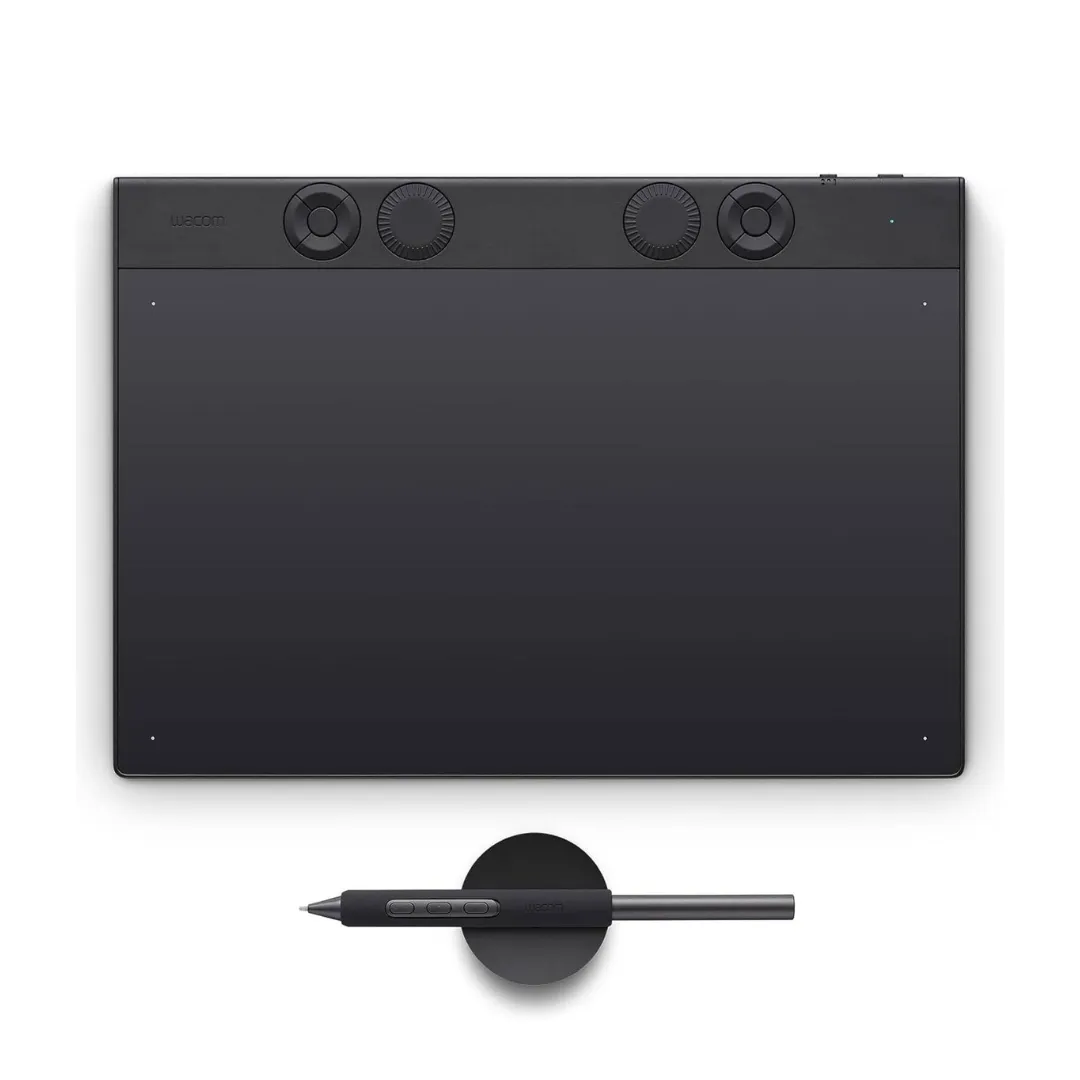
- Workflow & Controls: Built with 10 programmable ExpressKeys, dual radial dials, 10-finger multi-touch support, and a durable magnesium alloy chassis.
- Connectivity & Battery: Connects via USB-C or Bluetooth 5.3, offering up to 16 hours of wireless battery life.
- Middle East Availability: Available through authorised partner wacomme.ae with full regional warranty coverage for the UAE and wider GCC.
What Is the Wacom Intuos Pro?
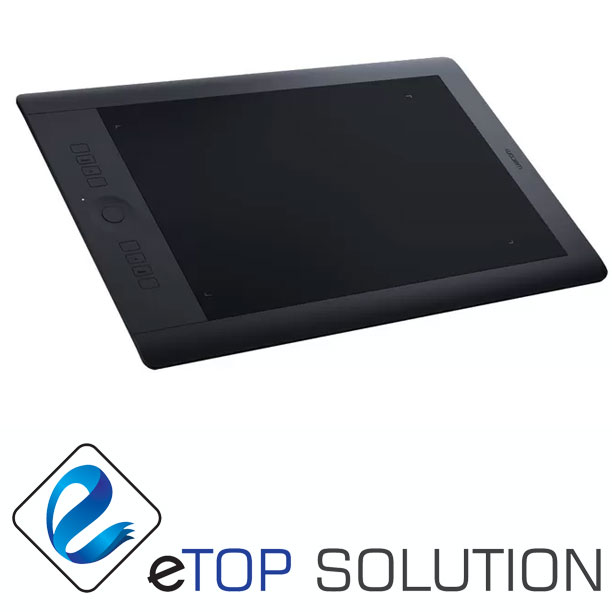
The Wacom Intuos Pro is a professional-grade, screenless pen tablet that captures precise pen input while you work on an external monitor. Manufactured by Wacom, it sits at the top of the brand’s creative pen tablet lineup, designed specifically for professional artists, illustrators, designers, retouchers, and animators. The Intuos Pro is available in three sizes — Small, Medium, and Large — to accommodate different desk configurations and hand preferences.
Unlike entry-level drawing tablets, the Wacom Intuos Pro is built for daily professional use in demanding creative environments. Its magnesium alloy body, advanced pen technology, and customizable controls distinguish it from consumer-grade alternatives in the Wacom range.
What Features Make the Wacom Pro Pen 3 the Core Drawing Engine?
The Wacom Pro Pen 3 is the defining feature of the Wacom Intuos Pro, delivering the precision level that professional illustration and retouching workflows require.
The Pro Pen 3 provides 8,192 levels of pressure sensitivity, ±60 levels of tilt recognition, a resolution of 5,080 lpi, and a report rate of 200 points per second. The pen is battery-free and cordless, with an adjustable grip, adjustable weight, and configurable button layout — three pen buttons plus eraser support are included.
The Wacom Intuos Pro pen system includes these confirmed technical capabilities:
- 8,192 pressure levels for nuanced stroke variation in illustration and painting
- ±60-level tilt recognition for natural shading and calligraphic effects
- 5,080 lpi resolution for sub-millimetre accuracy in detailed retouching
- 200 pps report rate delivering virtually lag-free pen response
- Battery-free cordless design with no charging required for the pen itself
- Three pen buttons plus eraser for in-workflow command access
How Do Customizable Controls Enhance Professional Workflows?
The Wacom Intuos Pro includes 10 programmable ExpressKeys and dual radial dials that give professionals direct hardware access to brush size, zoom, timeline scrubbing, and other frequently used parameters. This reduces repetitive menu navigation and accelerates production in high-volume studio environments.
The tablet also supports 10-finger multi-touch gestures for zooming, panning, and rotating on canvas. This combination of ExpressKeys, dials, and touch input creates a multi-layered control system that allows professionals to stay in creative flow without switching to keyboard shortcuts constantly.
What Are the Build Quality and Design Specifications?
The Wacom Intuos Pro uses a magnesium alloy body that measures approximately 4 mm at its thinnest point, making it one of the slimmest professional tablets in its category. The magnesium construction provides structural durability while keeping the tablet lightweight enough for professionals who move between studio and home setups.
The Medium size offers an active drawing area of approximately 291 x 206 mm with a 16:9 aspect ratio that maps directly to modern widescreen displays. The three available sizes — Small, Medium, and Large — allow individual professionals and studio teams to standardise on the configuration that matches their working style.
What Are the Connectivity and Compatibility Options?
The Wacom Intuos Pro connects via USB-C for wired use and supports Bluetooth 5.3 for wireless operation. The internal rechargeable battery delivers up to 16 hours of typical Bluetooth use, covering a full professional workday without requiring constant charging.
The Intuos Pro is compatible with Windows 10 or later and macOS 13 or later. Device configuration, pen customisation, and shortcut assignment are managed through the Wacom Center application. USB-C connectivity also supports charging the tablet while working, eliminating downtime during extended sessions.
Who Should Buy the Wacom Intuos Pro in the UAE?
The Wacom Intuos Pro is designed for professionals and advanced creators who depend on precise pen input as a primary tool in their daily workflow. It is not positioned for casual or occasional use — its feature set is built to justify the investment for users who work at a professional or near-professional level.
Specific buyer profiles in the UAE who benefit most from the Wacom Intuos Pro include:
- Freelance illustrators and concept artists in Dubai and Abu Dhabi working on character design and environment art
- Photo retouchers and colorists in post-production houses requiring detailed masking and precise tonal adjustments
- 3D artists and animators using ZBrush, Blender, or similar tools for sculpting and rigging workflows
- Graphic and UI/UX designers handling vector illustration, interface design, and storyboarding
- Creative agencies and animation studios standardising on a professional pen input device across their teams
- Advanced students and educators in art and design programmes requiring professional-grade hardware
Wacom Intuos Pro vs Standard Intuos: Which One Is Right for Your Use Case?
The Wacom Intuos Pro and the Wacom Intuos are both pen tablets from the same brand, but they serve distinctly different user levels. Choosing between them depends on your daily reliance on the tablet and the precision your workflow demands.
| Feature | Wacom Intuos Pro | Wacom Intuos |
|---|---|---|
| Core Technology | Wacom Pro Pen 3 | Standard Wacom pen |
| Pressure Sensitivity | 8,192 levels | 4,096 levels |
| Tilt Recognition | ±60 levels | Limited or absent |
| ExpressKeys | 10 programmable keys | Fewer shortcut keys |
| Radial Dials | Dual radial dials | Not available |
| Multi-Touch | 10-finger gesture support | Not available on most models |
| Connectivity | USB-C and Bluetooth 5.3 | USB; Bluetooth on select models |
| Build Material | Magnesium alloy | Plastic |
| Best For | Daily professional workflows | Students and part-time creators |
| Size Options | Small, Medium, Large | Small, Medium |
The Wacom Intuos Pro is the correct choice for professionals whose creative output depends on pen accuracy, speed, and workflow customisation every working day. The Wacom Intuos delivers adequate performance for learners, hobbyists, and part-time creators who do not yet require professional-level hardware investment.
For UAE studios and agencies standardising across a team, the Intuos Pro’s consistent precision, durable magnesium build, and multi-control interface make it the more defensible procurement choice for production environments.
Choose Wacom Intuos Pro if…
- You work professionally in illustration, retouching, 3D, or design daily
- You need dual radial dials and 10 ExpressKeys for fast workflow control
- Your studio requires a durable, portable magnesium tablet that travels well
- You want Bluetooth 5.3 for a cable-free professional workspace
Choose Wacom Intuos if…
- You are learning digital art or working on creative projects part-time
- You do not require dual dials, multi-touch, or premium build materials
- You want a lower-cost entry point into Wacom’s tablet ecosystem
What Is the Wacom Intuos Pro Price in UAE and Where Can You Buy It?
Pricing for the Wacom Intuos Pro varies by size configuration — Small, Medium, and Large are available at different price points. Pricing is available on request through wacomme.ae, along with current availability, bundle options, and full UAE warranty support.
The Wacom Intuos Pro is available through wacomme.ae, the authorised Wacom partner for the Middle East. wacomme.ae provides genuine Wacom products with regional warranty coverage and supports bulk orders for studios, agencies, and educational institutions across the UAE, KSA, Qatar, Kuwait, Oman, Bahrain, and the wider GCC.
Frequently Asked Questions
What is the Wacom Intuos Pro price in UAE?
The Wacom Intuos Pro is available in three sizes — Small, Medium, and Large — each at a different price point. Pricing is available on request through wacomme.ae, where you can also ask about size recommendations, bundles, and regional warranty terms.
Where can I buy the Wacom Intuos Pro in Dubai?
The Wacom Intuos Pro can be ordered through wacomme.ae, the authorised Wacom partner for the Middle East, which ships to Dubai and across the UAE. wacomme.ae also provides configuration support and driver assistance for new buyers.
Does the Wacom Intuos Pro come with UAE warranty?
The Wacom Intuos Pro purchased through wacomme.ae comes with regional warranty support applicable to UAE buyers. Contact wacomme.ae directly to confirm warranty terms for your specific size and configuration.
Is the Wacom Intuos Pro better than the Wacom Intuos?
The Wacom Intuos Pro delivers 8,192 pressure levels, dual radial dials, 10 ExpressKeys, Bluetooth 5.3, and a magnesium alloy body — all features absent from the standard Wacom Intuos. For professional daily use, the Intuos Pro is the more capable and durable choice. The standard Intuos suits students and part-time creators who do not require professional-grade precision and controls.
What is included in the Wacom Intuos Pro box?
Box contents for the Wacom Intuos Pro were not confirmed in the verified product data available. Contact wacomme.ae directly for a confirmed list of included accessories for the specific size you are purchasing.
Does the Wacom Intuos Pro work with macOS?
Yes. The Wacom Intuos Pro is compatible with macOS 13 or later and Windows 10 or later. Device configuration and pen customisation are managed through the Wacom Center application, available for both operating systems.
How long does the Wacom Intuos Pro battery last?
The Wacom Intuos Pro features an internal rechargeable battery that supports up to 16 hours of typical Bluetooth use, covering a full professional workday in wireless mode. The tablet also supports USB-C wired connection, which charges the device simultaneously during use.
Summary and Verdict: Is the Wacom Intuos Pro Right for You?
Wacom Intuos Pro: Overall Summary
The Wacom Intuos Pro is a professional screenless pen tablet that combines the Wacom Pro Pen 3 — with 8,192 pressure levels, ±60-degree tilt recognition, and a 200 pps report rate — with a slim magnesium alloy body, 10 ExpressKeys, dual radial dials, and Bluetooth 5.3 connectivity. Its primary use case in the UAE is daily professional creative work: illustration, photo retouching, 3D sculpting, and graphic design in studio and agency environments. The main consideration for buyers is that it is a screenless tablet, meaning it requires a separate external monitor — professionals who want an integrated drawing display will need to evaluate Wacom’s pen display range instead.
Final Recommendation
The Wacom Intuos Pro is a clear recommendation for UAE professionals who treat pen input as their primary creative tool and require hardware that matches that demand without compromise.
You should buy the Wacom Intuos Pro if…
- You are a professional illustrator, retoucher, 3D artist, or designer working daily
- You need 8,192 pressure levels and tilt support for nuanced, high-precision output
- Your workflow benefits from hardware shortcuts via ExpressKeys and radial dials
- You want a durable, portable tablet with Bluetooth 5.3 for flexible studio setups
- Your agency or studio needs to standardise on a consistent professional pen input device
You might want a different solution if…
- You want a built-in screen and prefer drawing directly on the display surface
- You are a student or occasional creative who does not need professional-grade precision
- Your budget aligns better with an entry-level tablet for learning purposes
For UAE professionals who rely on precise pen input every working day, the Wacom Intuos Pro remains one of the most complete and well-engineered professional drawing tablets available in the Middle East market.
To order the Wacom Intuos Pro, get size recommendations for your workflow, or enquire about studio and education bundles, visit wacomme.ae.