
Wacom SDK Software Developer Kits: Build eSignature & Digital Ink Solutions in the UAE
This article covers the full family of Wacom SDK software developer kits—including the Wacom Ink SDK for Signature, STU SDK, Wacom Device Kit, and verification SDK—so developers, IT managers, and system integrators can identify the right toolkit for their project. By the end, you will know which SDK fits your workflow, which languages and platforms each supports, and how to get started in the UAE and wider Middle East region.
Key Takeaways
- Comprehensive SDK Suite: Includes the Wacom Ink SDK for Signature, STU SDK, Wacom Device Kit, Wacom Ink SDK for Verification, and Ink SDK for Paper Devices.
- Biometric eSignature Capture: Powered by Wacom Ink Layer Language (WILL) to record dynamic data like pen pressure, stroke timing, and speed.
- Cross-Platform Compatibility: Supports Windows, macOS, Linux, Android, Chrome OS, and web browsers via JavaScript and SigCaptX.
- Flexible Licensing: The Wacom Device Kit carries no runtime license fee, while commercial licensing, hardware bundles, and UAE regional support are available via wacomme.ae.
What Are the Wacom SDK Software Developer Kits?
The Wacom SDK software developer kits are a family of APIs and libraries published by Wacom Co., Ltd. that enable developers to integrate Wacom signature pads, pen displays, pen tablets, and paper-enabled devices into custom software applications. Each SDK targets a distinct integration scenario—from biometric handwritten eSignature capture to low-level pen-touch data access and real-time signature verification.
The SDKs are built on Wacom Ink Layer Language (WILL), Wacom’s cross-platform digital ink technology designed to standardise ink data representation and rendering across devices and operating systems.
Four primary SDK families exist within the Wacom developer toolkit:
- Wacom Ink SDK for Signature
- STU SDK
- Wacom Device Kit
- Wacom Ink SDK for Verification (Plus a supplementary Ink SDK for Paper Devices)
Together, they cover the full spectrum of enterprise pen-input integration—from browser-based signing portals to kiosk counter systems and back-office fraud detection workflows.
What Features Does the Wacom Ink SDK for Signature Offer?
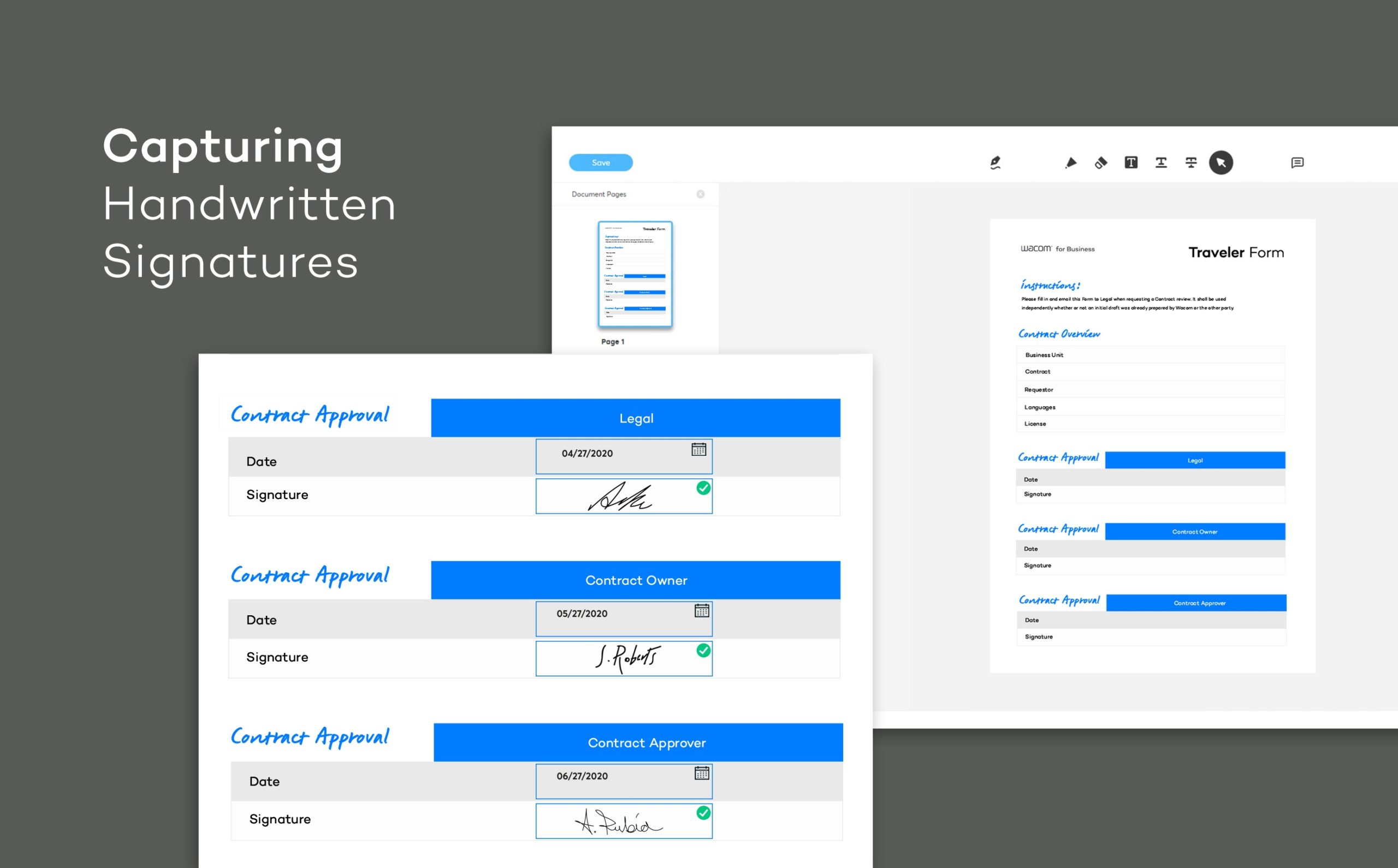
The Wacom Ink SDK for Signature is the primary toolkit for integrating legally robust, biometric handwritten eSignature capture into desktop and web applications using Wacom STU series signature pads and compatible Wacom pen displays. This SDK captures dynamic biometric data—including pen pressure, stroke timing, and speed—that goes far beyond a simple image of a signature, creating an audit-ready record suitable for banking, healthcare, and government workflows.
The Signature SDK handles digital ink rendering and dialog management automatically, meaning development teams do not need to build signing interfaces from scratch. For browser-based deployments, the JavaScript variant of the SDK enables web applications to communicate with locally connected Wacom devices, typically via a browser component such as SigCaptX, which bridges browser security restrictions to the physical device.
Supported Languages and Integration Paths:
- Windows desktop: C, C++, C#, VB.NET, Java, and Delphi
- Web and browser: JavaScript with SigCaptX for device communication
- Supported devices: Wacom STU series signature pads and compatible Wacom pen displays
- Core output: Captured biometric signature data embedded into PDFs or custom document formats
- Built-in UI: Signature dialog boxes and ink rendering provided by the SDK, reducing custom UI development effort
How Do the STU SDK and Wacom Device Kit Provide Low-Level Pen Data Access?
The Wacom STU SDK provides low-level access to pen coordinates, pressure, and timing data from Wacom STU series signature pads such as the STU-430 and STU-540. Unlike the Signature SDK, the STU SDK requires more coding effort but gives developers unrestricted control over the pad’s display and input handling—including the ability to upload custom bitmap images to the pad screen and record raw pen data in proprietary formats or databases.
The Wacom Device Kit extends this low-level access across a broader range of hardware and operating systems. Device Kit supports Windows, macOS, Linux, Android, and Chrome OS, making it the correct choice when the deployment spans multiple device types—from branch desktop pen displays to Android tablets used in field or mobile contexts. Importantly, the Device Kit carries no runtime license key requirement and is distributed free of charge under Wacom’s usage license agreement, simplifying budgeting and scaling across multi-branch or multi-country deployments.
STU SDK Programming Language Support:
- C and C++: Native Windows applications
- C# and VB.NET: .NET enterprise environments
- HTML and JavaScript: Browser-accessible kiosk interfaces
- Delphi and Java: Legacy enterprise system integration
- Custom bitmap upload: Applications can render their own UI directly on the STU pad screen
Who Should Use the Wacom SDK Software Developer Kits in the UAE?
The Wacom SDK software developer kits are designed for software development teams, system integrators, and IT architects—not end users. The correct buyer is any organisation that needs to embed pen-based signing or digital ink capabilities into a proprietary application rather than deploy an off-the-shelf eSignature product.
In the UAE, the most relevant deployment contexts align directly with the SDK families available:
- Banking and Finance (Dubai & Abu Dhabi): Integrate the Signature SDK or STU SDK into core banking platforms to capture biometric signatures at account opening, loan processing, and KYC screens—storing signature data alongside documents inside existing DMS or ERP environments.
- Healthcare Organisations: Embed consent signature capture into EMR or HIS platforms at registration and pre-operative desks using STU pads and pen displays.
- Government Agencies & Citizen Service Centres: Implement browser-based signing via the JavaScript Ink SDK, while adding the Verification SDK to flag suspicious signature patterns in real time for high-value or identity-sensitive counter transactions.
- Corporate & Enterprise IT: Deploy the Device Kit across multi-branch web applications to enable unified pen-input experiences across desktops, kiosks, and tablets without per-device licensing complexity.
- Paper-Heavy Workflows: Ingest handwriting from Wacom paper-enabled hardware like the Intuos Pro Paper Edition into DMS or ECM systems digitally using the Ink SDK for Paper Devices.
Wacom SDK Software Developer Kits vs Wacom Sign Pro PDF: Which Is Right for Your Use Case?
The Wacom SDK software developer kits and Wacom sign pro PDF address fundamentally different buyer needs. The SDKs are developer toolkits requiring custom UI and workflow development; sign pro PDF is a ready-made end-user application for signing PDFs and office documents on Wacom devices. Choosing between them depends entirely on whether your organisation needs a custom-built integration or a deployable application.
| Feature | Wacom SDK Software Developer Kits | Wacom Sign Pro PDF |
|---|---|---|
| Product Type | Developer APIs and libraries | End-user signing application |
| Core Technology | Wacom WILL digital ink, biometric data capture, verification | GUI-based PDF signing on Wacom devices |
| Key Differentiator | Full control over UI, data storage, and workflow integration | Ready-made interface—no development required |
| Best For | Custom banking, EMR, ERP, government, or web applications | Teams signing PDFs and office documents with minimal setup |
| Connectivity | USB (STU pads, pen displays), OS APIs, browser/JavaScript | Wacom device-compatible desktops and tablets |
| Development Effort | High—custom coding required in supported languages | None—application is ready to use after installation |
| Licensing Model | Device Kit and many ink SDKs are free; usage license required | Application-based licensing |
| Scenarios Supported | Signature capture, ink rendering, verification, paper-to-digital | Desktop and tablet PDF signing |
The Wacom SDK families are the correct choice for any organisation whose workflow cannot be served by a standard signing application—for example, a bank that needs signatures captured inside its own branch platform, or a hospital embedding consent forms directly into its EMR system. Sign pro PDF is better suited to organisations that simply need staff to sign PDFs on Wacom devices without any development investment.
Organisations that have already deployed Wacom hardware with sign pro PDF and now need to scale or customise the experience will typically find the transition to SDK-based integration a natural progression—the same Wacom STU pads and pen displays are supported by both approaches.
Choose the Wacom SDK Software Developer Kits if…
- Your team is building a custom banking, EMR, ERP, or government application that requires embedded signature capture.
- You need biometric signature data stored alongside documents in your own system.
- You require cross-platform support across Windows, macOS, Linux, Android, or browser environments.
- You want real-time signature verification and fraud detection in your back-office workflow.
Choose Wacom Sign Pro PDF if…
- Your staff need a ready-made application for signing PDFs without any custom development.
- Your use case is straightforward document signing on Wacom devices at desktop or tablet.
- Development resources are limited or unavailable for a custom integration project.
What Is the Wacom SDK Software Developer Kits Price in UAE and Where Can You Buy Them?
The Wacom Device Kit and several WILL-based ink SDK components are distributed free of charge under Wacom’s developer usage license agreement, with no runtime license key required per device or per deployment. For other SDK families—including the Wacom Ink SDK for Signature and STU SDK—pricing and commercial licensing terms are available directly through Wacom’s developer portal upon acceptance of the relevant license agreement.
For UAE organisations seeking guidance on SDK selection, hardware procurement, and regional project support, pricing and availability details are accessible on request through wacomme.ae, along with current bundle options, compatible Wacom hardware recommendations, and UAE warranty support for associated devices.
Frequently Asked Questions
What is the Wacom SDK software developer kits price in UAE?
The Wacom Device Kit and several Wacom WILL ink SDKs are available free of charge under Wacom’s developer license agreement, with no runtime key required. Pricing for the Wacom Ink SDK for Signature and commercial SDK licensing is available on request through wacomme.ae, where UAE-specific project guidance and hardware bundles can also be discussed.
Where can I access or buy Wacom SDK software developer kits in Dubai?
The Wacom SDK software developer kits—including the Signature SDK, STU SDK, Device Kit, and verification SDK—are downloadable from Wacom’s official developer portal after acceptance of the relevant license agreement. UAE organisations seeking regional support, hardware pairing, and project advisory services can contact wacomme.ae directly.
Do the Wacom SDK software developer kits require a UAE warranty or local support?
The Wacom SDK software developer kits are software products distributed via Wacom’s global developer portal and do not carry a physical product warranty. However, UAE organisations integrating these SDKs with Wacom hardware—such as STU pads or DTU pen displays—can obtain hardware warranty and regional support through wacomme.ae.
Are the Wacom SDK software developer kits better than Wacom sign pro PDF?
The Wacom SDK software developer kits and Wacom sign pro PDF serve different purposes. The SDKs are developer toolkits for building custom integrated applications with full control over biometric data, UI, and workflow—while sign pro PDF is a ready-to-use application for signing documents with minimal setup. For organisations that need embedded eSignature in banking, EMR, or government platforms, the SDKs are the correct choice.
What programming languages do the Wacom SDKs support?
The Wacom Ink SDK for Signature and STU SDK support C, C++, C#, VB.NET, Java, Delphi, and HTML/JavaScript. The Wacom Device Kit supports Windows, macOS, Linux, Android, and Chrome OS environments. Web-based integrations use JavaScript, typically with SigCaptX for local device communication in browsers.
What biometric data do the Wacom SDKs capture?
The Wacom Ink SDK for Signature and STU SDK capture dynamic biometric handwritten signature data including pen pressure, stroke timing, speed, and pen coordinate sequences. This data creates an audit-ready eSignature record that goes beyond a static image, supporting fraud prevention and compliance requirements in banking, healthcare, and government workflows.
What developer resources are available for the Wacom SDKs?
Wacom publishes official sample code, documentation, and open repositories on GitHub for the Wacom SDK software developer kits, including repositories for signature-sdk-js, wacom-device-kit-windows, wacom-device-kit-web, and STU SDK samples. These resources are accessible through Wacom’s developer portal and accelerate implementation timelines for UAE development teams and system integrators.
Summary & Integration Decision Guide
Wacom SDK Software Developer Kits: Overall Summary
The Wacom SDK software developer kits are a professional-grade family of developer APIs and libraries from Wacom Co., Ltd. that enable custom integration of biometric handwritten eSignature capture, digital ink rendering, low-level pen-touch data access, and real-time signature verification into enterprise applications. The strongest capability across the SDK family is the combination of dynamic biometric data capture—pressure, timing, and stroke—with cross-platform support spanning Windows, macOS, Linux, Android, Chrome OS, and browser-based environments. The primary use case in the UAE spans banking, healthcare EMR, government citizen services, and corporate enterprise applications that cannot be served by off-the-shelf signing tools. The key consideration is development effort: all SDKs require skilled developers and integration planning, making them unsuitable for organisations without dedicated technical resources.
Is the Wacom SDK Software Developer Kits Right for You?
The Wacom SDK software developer kits deliver maximum value when an organisation has a defined integration requirement, an existing application environment, and a development team capable of implementing the APIs. They are not plug-and-play products—they are professional tools that reward investment in proper architecture and planning.